KNX Multi Functional Switch
Version: 1.0 Jan-20 Page 15/20
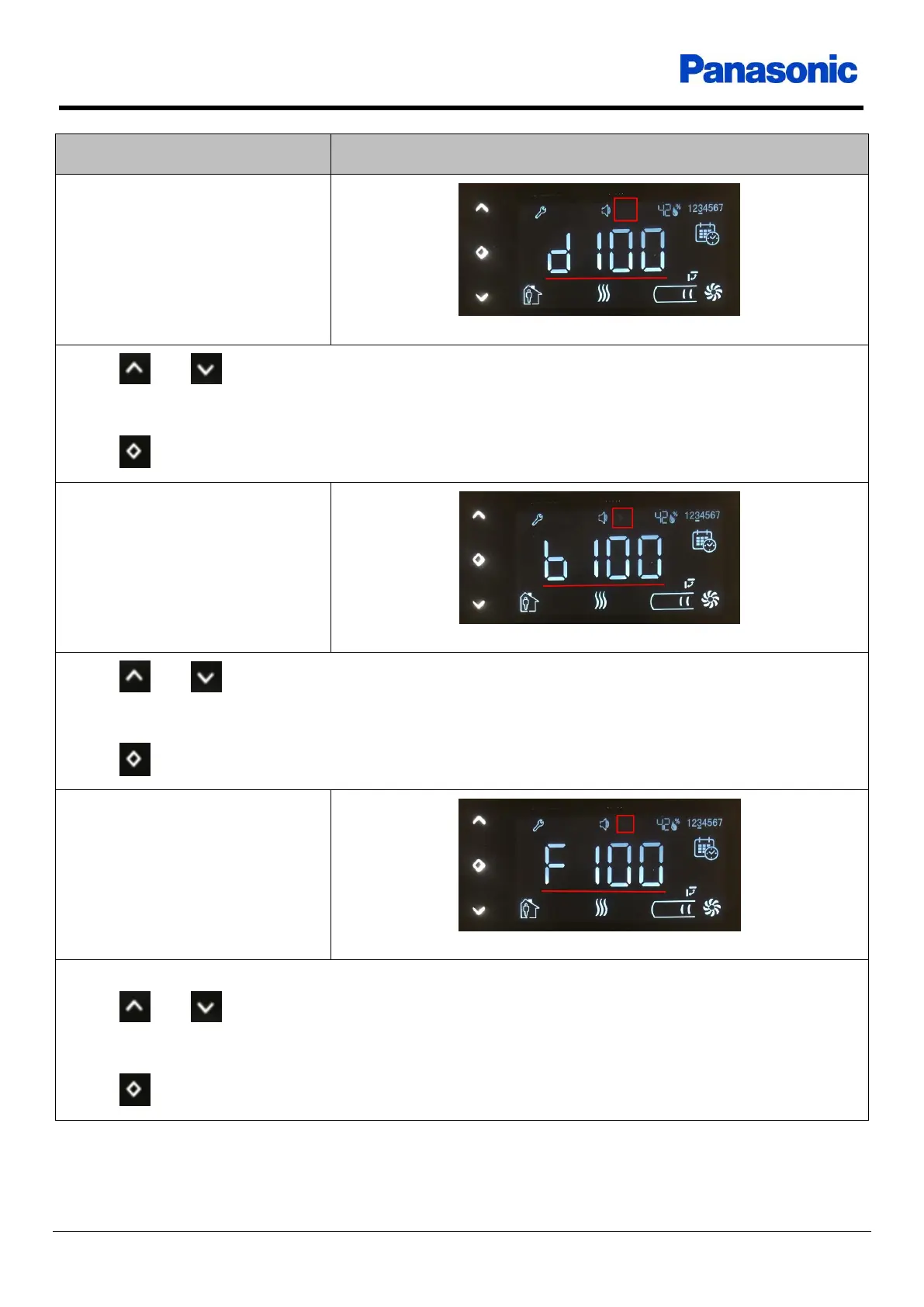
Up / Down buttons increase or decreasethe display brightness level within 0 low limit -
specific high limit
No operation for 10 seconds saves the value and returns to main screen
OK button saves the value and goes to the next setting
Icon LEDs brightness level
Up / Down buttons increase or decreasethe icon LEDs brightness level within 0 low limit
- specific high limit
No operation for 10 seconds saves the value and returns to main screen
OK button saves the value and goes to the next setting
Feedback LEDs brightness level
Feedback LEDs must be turned on to see the effect of the change.
Up / Down buttons increase or decreasethe feedback LEDs brightness level within 0 low
limit - specific high limit
No operation for 10 seconds saves the value and returns to main screen
OK button saves the value and goes to the next setting











 To Next Page