9
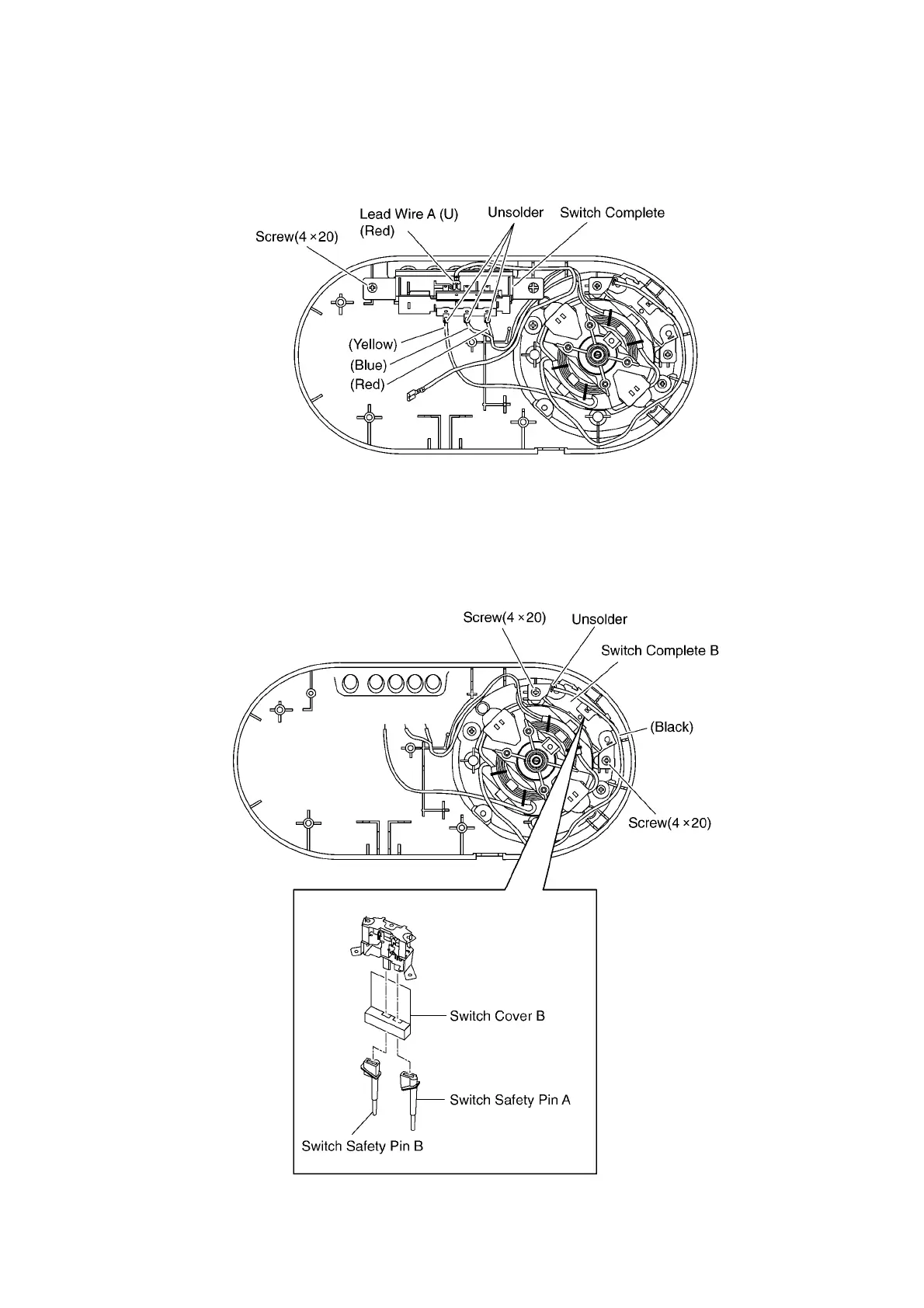
5.4. Switch Complete
1. Remove the faston terminal of Lead Wire A (U).
2. Melt the solder and detach the Lead Wire Yellow,
Blue, Red from the Motor Complete.
3. Remove the Screw (4x20), and remove the Switch
Complete.
5.5. Switch Complete B
1. Melt the solder and detach the Lead Wire (Black)
from the Motor Complete.
2. Remove the Screws (4x20) and remove Switch
Complete B.







 To Next Page