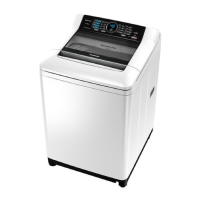
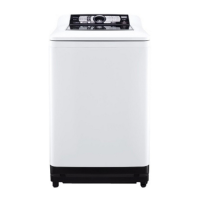
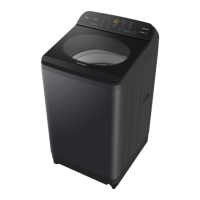
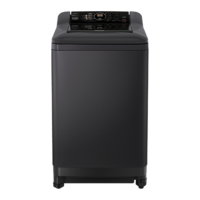
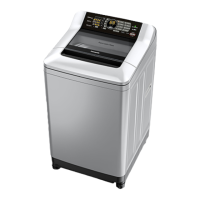
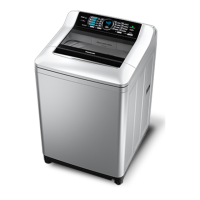
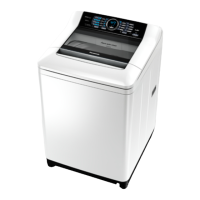
This document provides comprehensive operating and installation instructions for the Panasonic Fully Automatic Washing Machine, models NA-F100B3, NA-F90B3, and NA-F80B3, designed for domestic use. It covers safety precautions, part names, operation panel details, various washing courses, options, convenient functions, maintenance, installation, troubleshooting, and error messages.
Function Description
The Panasonic Fully Automatic Washing Machine is designed to efficiently clean a variety of laundry types through its automated washing, rinsing, and spinning cycles. It offers multiple courses tailored to different fabric types and soil levels, ensuring optimal care for your clothes. The machine features an intuitive operation panel that allows users to select courses, adjust water levels, and set reservation times.
Usage Features
Operation Panel and Course Selection:
The operation panel, exemplified by the NA-F100B3 model, provides clear indicators for water level, remaining time, and selected course. A detergent volume guideline helps users add the correct amount of detergent based on the water level. The "Power On/Off" button initiates or concludes operation, with an auto-off feature after 10 minutes of inactivity. The "Start/Pause" button controls the start and temporary halt of cycles. The "Process" button allows selection of specific wash, rinse, or spin cycles, while the "Water Level" button enables manual adjustment of water volume. The "Reserve" button allows users to set a delayed start for the wash cycle, up to 24 hours later. The "Program" button is used to select from a variety of predefined washing courses.
Variety of Courses:
The washing machine offers a range of courses to suit different laundry needs:
- Normal (1): For daily washing of everyday clothes.
- Speedy (2): For quick washing of lightly soiled clothes.
- Delicate (3): For gently washing delicate items and stylish garments.
- Baby-care (4): For thorough rinsing of clothes for babies and people with sensitive skin.
- Fragrance (5): Designed to enhance the scent of extra softener, with a pause before the final rinse to allow direct addition of softener.
- Blanket (6): Specifically for washing washable blankets.
- Water Save (7): A water-saving option for thorough rinsing, recommended for normally soiled loads.
- Air Dry (8): Extracts water from synthetic fiber clothes using air blow and tub rotation, suitable for up to 2 kg of laundry.
- Tub Hygiene (9): For cleaning the washing machine tub itself, preventing black mold and odors.
Laundry Preparation:
Before washing, it's crucial to prepare laundry properly. For clothes that easily lose color, wash them separately. To prevent malfunctions and drainage issues, remove metallic fragments and coins, fasten buttons, close zippers, and avoid washing non-laundry items like paper diapers. To prevent damage to clothes, reverse fluffy items, remove pet hair or sand, and tie strings. For delicate underwear, use laundry nets, especially for underwire brassieres, lacy clothes, lingerie, and stockings. Avoid overpacking nets and ensure zipper claws are covered to prevent damage.
Washing Process:
- Power On: Turn on the power.
- Course Selection: Select the desired washing course.
- Start: Press "Start/Pause." The pulsator will operate without water to measure the load, and the water level will be indicated.
- Detergent Addition: Add powdered or liquid detergent according to the water level. For powdered detergent, avoid putting it directly into the tub; for sticky liquid detergent, dilute it with water first.
- Close Lid: Close the lid to begin the wash cycle. The operation will complete with a buzzer sound.
Using Softener:
Softener is automatically added during the final rinse. Pour it into the softener inlet according to the water level. For concentrated softeners, dilute them with water in a separate container before adding. Do not use separated or solidified softener, and avoid leaving softener in the compartment for extended periods.
Using Bleach:
Oxygen powder bleach can be added directly during water supply after the wash cycle starts. For liquid bleach, dilute it with an equal amount of water before pouring it into the bleach inlet. Do not use bleach for the "Delicate" course. Chlorine bleach should not be used for colored or printed clothes.
Washing Options:
- Delicate Course (3): Gently washes delicate clothes. Load laundry evenly, pressing it down, and use a commercially sold net for delicate items. Pour liquid delicate detergent according to the water level.
- Blanket Course (6): For washable blankets. Place the blanket in a net with the zipper facing up, then load it into the tub. Pour liquid detergent.
- Air Dry Course (8): Dries synthetic fiber clothes by air blow. Load laundry and close the lid, then start the course.
- Wash/Rinse/Spin: Allows selection of individual wash, rinse, or spin cycles. Water level can be adjusted as needed.
Convenient Functions:
- Cancelling End Buzzer: Press and hold the "Start/Pause" and "On/Off" buttons simultaneously for 3 seconds to cancel or reactivate the end buzzer.
- Setting Child Lock: After closing the lid, turn on the power, then press and hold the "Program" button for 5 seconds to activate the child lock. This function causes the buzzer to beep if the lid is opened during operation and forcibly drains water if the lid remains open for 10 seconds or more. It does not lock the lid or button operations.
- Turning the Tub by Hand: If it's difficult to remove the lint filter or add softener, turn on the power, and after approximately 15 seconds, the tub can be turned clockwise by hand.
Maintenance Features
Lint Filter:
Clean the lint filter after each operation. Hold the upper part of the filter, remove it, open it, and remove the lint. If removal is difficult, soak the filter in water. Reattach the filter to its original position, ensuring it clicks into place. Do not operate the washing machine without the filter. If the filter is broken, a new one can be purchased from a dealer.
Water Supply Filter:
If water supply is not smooth, clean the water supply filter. Turn off the faucet, turn on the power, then turn off the power after about 40 seconds. Loosen the nut, remove the hose, and clean any dust from the water supply filter.
Tub Hygiene (9) / Air Dry (8):
- Once a week (Dry): Operate the machine with the "Air Dry" course (8) without laundry in the tub to help dry the tub and prevent mold.
- Once a month (Wash): For a more thorough cleaning, operate the "Tub Hygiene" course (9) without laundry. Turn on the power, select the course, start the cycle, and once water supply is complete, pause and add approximately 200 mL of chlorine bleach to the tub. Close the lid and resume the cycle. The operation will complete in about 2.5 hours.
Main Unit/Lid:
Wipe any detergent or softener stains on the main unit or lid with a soft cloth. For heavy soil, use a neutral detergent for kitchen use. Avoid using other detergents or pouring water directly onto the unit.
Troubleshooting and Error Messages:
The manual provides a detailed troubleshooting guide for common issues such as fluctuating remaining time, no operation, inability to change operation contents, power not turning on, no water supply, incorrect water levels, and irregular tub rotation. It also lists error messages (U11, U12, U13, U14, U99, H--) with corresponding checkpoints and solutions, such as checking the drain hose, lid, laundry distribution, water faucet, water supply filter, and child lock settings. For persistent issues or "H--" errors, users are advised to contact a service person.


 To Next Page

 General