EasyManua.ls Logo

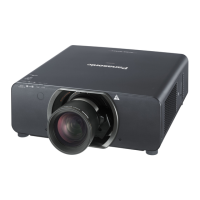
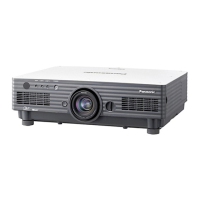
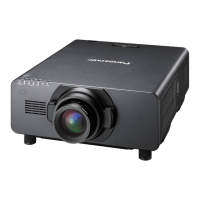
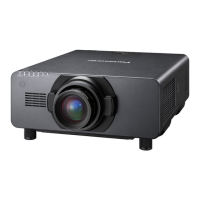
Panasonic PT-DS20KU - User Manual

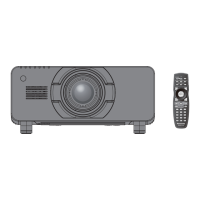
Panasonic PT-DS20KU
186 pages
Print Icon
To Next Page IconTo Next Page
Loading...
Thank you for purchasing this Panasonic product.
The Operating Instructions correspond to the rmware’s main version 4.02 and higher.
Before operating this product, please read the instructions carefully and save this manual
for future use.
Before using your projector, be sure to read “Read this rst!” (
pages 2 to 10).
Model No.
PT-DZ21KU
PT-DS20KU
PT-DW17KU
TQBJ0418-4
DLP
TM
Projector
Commercial Use
Operating Instructions
Functional Manual
ENGLISH
7KHSURMHFWLRQOHQVLVVROGVHSDUDWHO\

Table of Contents

Questions and Answers

  • S
    stewartritaSep 23, 2025
    Why is the 3D eyewear not functioning with Panasonic PT-DS20KU?
    • V
      Vincent LoweSep 23, 2025
      If the 3D eyewear is not functioning with your Panasonic Projector, check if the batteries are drained and replace them if necessary. Also, ensure that the [3D SETTINGS] setting is correct.
  • J
    James HolmesAug 23, 2025
    Why Panasonic Projector power does not turn on?
    • L
      lopezlisaAug 23, 2025
      If your Panasonic Projector isn't powering on, check these potential solutions: Ensure the power plug is firmly inserted into the outlet. Verify that the switch is turned . Confirm the wall outlet is supplying electricity and that circuit breakers haven't tripped. Also, check if the temperature indicator or the lamp indicators /// are lit or flashing. Make sure the lamp unit cover is securely installed and that you're using the correct power supply voltage (AC 200 - 240 V).
  • L
    Linda MartinezAug 25, 2025
    What to do if no image appears on Panasonic PT-DS20KU Projector?
    • M
      Melissa ColeAug 25, 2025
      If you're not seeing an image on your Panasonic Projector, here are some things to check: * Make sure the connections to external devices are correctly performed. * Verify that the input selection setting is correct. * Ensure the [BRIGHTNESS] adjustment is not set to a minimum. * Confirm that the external device connected to the projector is working properly. * Check if the shutter function is in use. * Ensure the lens cover is removed.
  • D
    Douglas MillerAug 27, 2025
    Why does the Panasonic PT-DS20KU Projector remote control not respond?
    • J
      Jennifer PrestonAug 27, 2025
      If your Panasonic Projector's remote control isn't responding, try these steps: * Check if the batteries are depleted and replace them if necessary. * Ensure the batteries are inserted with the correct polarity. * Make sure there are no obstructions between the remote and the projector's receiver. * Verify the remote is within its effective operating range. * Check if other light sources, like fluorescent lights, are affecting the projection. * Confirm that the [REMOTE CONTROL] setting in [CONTROL DEVICE SETUP] is not set to [DISABLE]. * Ensure the terminal is not being used for contact control. * Verify the ID number setting operation is correct.
  • K
    Kathleen HowardAug 27, 2025
    How to fix a fuzzy picture on Panasonic Projector?
    • A
      Andrew FritzAug 27, 2025
      If the picture from your Panasonic Projector looks fuzzy, consider these factors: * Check if the lens focus is set correctly. * Make sure the projection distance is appropriate. * See if the lens is dirty and clean it if needed. * Verify that the projector is installed perpendicular to the screen.
  • D
    Dakota LewisSep 17, 2025
    How to fix reversed left and right images on Panasonic PT-DS20KU 3D?
    • E
      elizabethkaufmanSep 17, 2025
      If the left and right images are reversed (not showing properly) on your Panasonic Projector when using 3D, ensure the devices are synchronized. You can also change the [LEFT/RIGHT SWAP] setting of [3D SETTINGS].
  • T
    Tiffany HarmonSep 14, 2025
    How to fix Panasonic PT-DS20KU image from computer's DVI-D output not appearing?
    • J
      Jennifer ParkerSep 14, 2025
      If the image from a computer's DVI-D output is not appearing on your Panasonic Projector, ensure the [DVI-D IN] setting is set to [EDID3]/[EDID2:PC]. You may also need to update the graphics accelerator driver of the computer to the latest version or restart the computer after performing [DVI-D IN] settings.
  • E
    erikrossSep 15, 2025
    Why is the 3D function not working on my Panasonic PT-DS20KU Projector?
    • K
      Kathryn SinghSep 16, 2025
      If the 3D function is not working on your Panasonic Projector, ensure that the [3D INPUT FORMAT] setting of [3D SETTINGS] is correct. Check the 3D eyewear settings. Also, verify that a 3D signal supported by the projector is being input.
  • M
    Michael KaufmanSep 6, 2025
    Why is the color pale on my Panasonic Projector?
    • T
      Tracy RaySep 6, 2025
      If the color on your Panasonic Projector appears pale or grayish, check these adjustments: * Ensure the [COLOR] is adjusted correctly. * Verify that the [TINT] is adjusted correctly. * Confirm the external device connected to the projector is adjusted correctly. * Check if the RGB cable is damaged.
  • K
    Katherine SullivanSep 3, 2025
    Why does the image not display correctly on Panasonic PT-DS20KU Projector?
    • A
      Alexander BrowningSep 3, 2025
      If the image on your Panasonic Projector isn't displaying correctly, verify that the [SYSTEM SELECTOR] selection is set correctly. Also, check for any problems with the video tape or other image sources, and ensure a signal compatible with the projector is being input.

Panasonic PT-DS20KU Specifications

General IconGeneral
BrandPanasonic
ModelPT-DS20KU
CategoryProjector
LanguageEnglish

Related product manuals