(3)
Note:
·
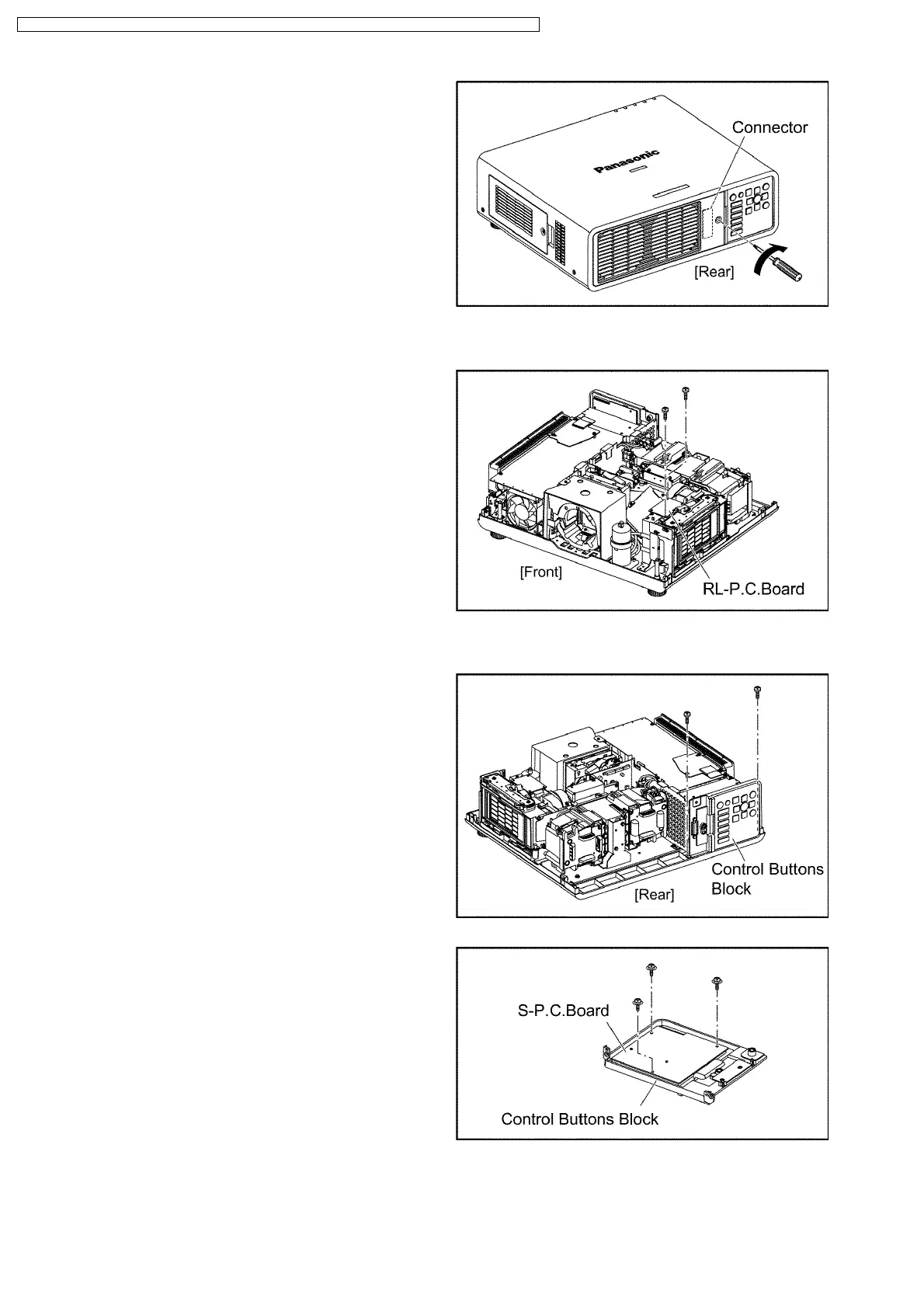
When installing the lamp unit cover, confirm the
connector is connected properly, then tighten the 1
screw.
10.9. Removal of RL-P.C.Board
(1) Remove the upper case according to the section 10.2. "Removal
of Upper Case".
(2) Unscrew the 2 screws and remove the RL-P.C.Board .
10.10. Removal of S-P.C.Board
(1) Remove the upper case according to the section 10.2. "Removal
of Upper Case".
(2) Unscrew the 2 screws and remove the Control Buttons Block.
(3) Unscrew the 3 screws and remove the S-P.C.Board .
30
PT-DZ6710U / PT-DZ6710E / PT-DZ6700U / PT-DZ6700E / PT-DW6300US / PT-DW6300ES / PT-D6000US / PT-D6000ES







 To Next Page