EasyManua.ls Logo

Panasonic PT-DW530E - User Manual

Panasonic PT-DW530E
96 pages
Print Icon
To Next Page IconTo Next Page
Loading...
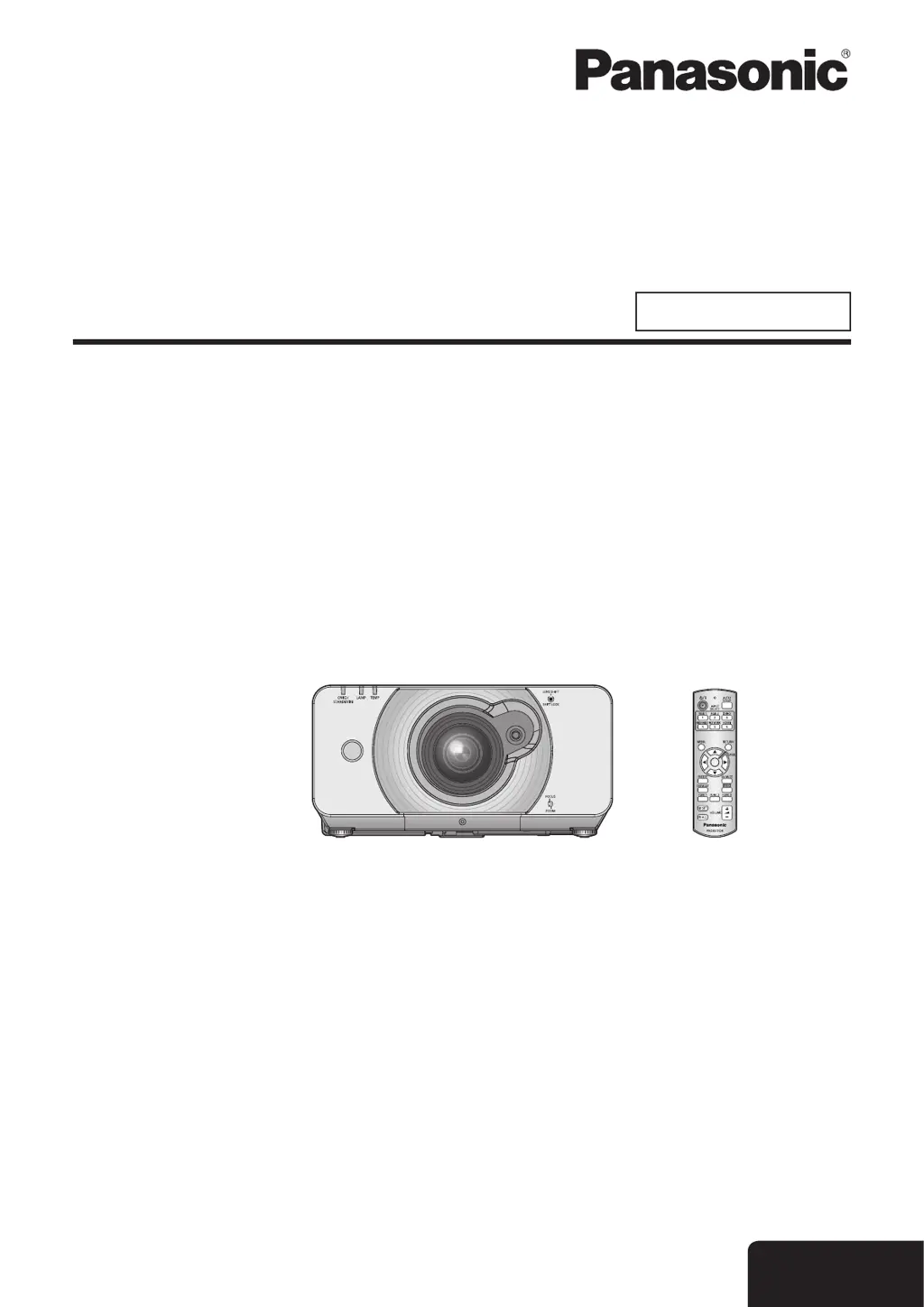
Operating Instructions
Functional Manual
DLP™ Based Projector
Commercial Use
Thank you for purchasing a Panasonic Projector.
Before operating this product, please read the instructions carefully and save this manual
J
for future use.
Before using your projector, be sure to read
J
“Precautions with regard to safety”
(
Æ
pages 9 to 17).
TQBJ0350-1
Model No.
PT-DZ570E
PT-DW530E
PT-DX500E
ENGLISH
M1010SW1011 -SA

Table of Contents

Questions and Answers

  • T
    Todd GarciaAug 16, 2025
    How to fix a Panasonic Projector when the power does not turn on?
    • W
      wesleybushAug 16, 2025
      If your Panasonic Projector isn't turning on, there are several things to check: * Make sure the power cord is securely connected. * Ensure the switch is turned on. * Verify that the wall outlet has electricity. * Check if any circuit breakers have tripped and reset them if necessary. * Confirm the lamp unit cover is securely installed. If the [LAMP indicator] or [TEMP indicator] is lit or flashing, consult the manual for lamp or temperature related issues.
  • S
    sloannicholasAug 19, 2025
    What to do if no picture appears on my Panasonic PT-DW530E?
    • H
      Henry EdwardsAug 19, 2025
      If you're not seeing a picture on your Panasonic Projector, consider these possible solutions: * Ensure the video signal input source is properly connected to the correct terminal. * Verify that the input selection setting is correct. * Adjust the [BRIGHTNESS] setting, as it may be at the minimum. * Check the input source for any issues. * Disable the [AV MUTE] function if it's enabled. * If the [Power indicator] flashes red, consult your dealer.
  • S
    Shawn CruzAug 22, 2025
    What should I do if the picture does not display correctly on my Panasonic Projector?
    • J
      Johnny FosterAug 22, 2025
      If the picture on your Panasonic Projector isn't displaying correctly: * Ensure the [SYSTEM SELECTOR] is set correctly. * Check the VCR or signal source for issues. * Make sure you are using a signal that is compatible with the projector.
  • F
    Felicia RoblesAug 25, 2025
    Why does the remote control not operate my Panasonic Projector?
    • R
      Russell RobertsonAug 26, 2025
      If your Panasonic Projector's remote control isn't working, try the following: * Replace the batteries, as they may be weak. * Ensure the batteries are inserted correctly. * Remove any obstructions blocking the signal receptor on the projector. * Move closer to the projector, as you may be out of the operation range. * Avoid strong light shining onto the signal receptor. * Enable the [REMOTE CONTROLLER] in the SECURITY menu if it is disabled. * Check if the remote (REMOTE IN) terminal is being used for external control. * Correct the remote control ID setting if it is incorrect.
  • B
    Brandy OsbornAug 27, 2025
    How to fix a fuzzy picture on a Panasonic PT-DW530E Projector?
    • V
      vriveraAug 27, 2025
      If the picture on your Panasonic Projector appears fuzzy, try these steps: * Adjust the lens focus. * Adjust the distance of the projector from the screen. * Clean the lens. * Adjust the angle of the projector.
  • M
    Michael BenitezAug 30, 2025
    What to do if the control buttons of my Panasonic PT-DW530E do not operate?
    • J
      Jessica RichardAug 30, 2025
      If the control buttons on your Panasonic Projector aren't working: * Enable the [CONTROL PANEL] in the SECURITY menu, if it is disabled. * Check if the remote (REMOTE IN) terminal is being used for external control.
  • G
    gonzalezpatrickSep 1, 2025
    How do I display picture from a computer DVI-D graphic board on my Panasonic PT-DW530E?
    • B
      Brianna BrownSep 2, 2025
      If you're having trouble displaying a picture from a computer DVI-D graphic board on your Panasonic Projector: * Set the [DVI-D IN] correctly in the [DISPLAY OPTION] menu. * Update the graphic board driver to the latest version. * Restart the computer after setting [DVI-D IN] in the [DISPLAY OPTION] menu of the projector.
  • G
    Guy PatrickSep 5, 2025
    Why is the color pale or grayish on my Panasonic Projector?
    • J
      James MasonSep 5, 2025
      If the color on your Panasonic Projector looks pale or grayish, here's what you can do: * Adjust the [COLOR] or [TINT] settings. * Check and adjust the input source settings. * Replace the RGB cable if it is damaged.
  • M
    mendozadianaSep 7, 2025
    Why doesn't the picture from my computer appear on the Panasonic PT-DW530E Projector?
    • J
      jay98Sep 7, 2025
      If you're not seeing a picture from your computer on the Panasonic Projector: * Use a compatible cable length, as the cable may be longer than the optional cable. * Change the external output settings on your laptop computer, as they may not be correct.
  • C
    Christopher HowardSep 10, 2025
    Why is the picture from a HDMI device not appearing or unstable on my Panasonic PT-DW530E?
    • J
      Jerry WarnerSep 12, 2025
      If the picture from your HDMI device is not appearing or is unstable on your Panasonic Projector: * Ensure the HDMI cable is securely connected. * Do not connect unsupported signal cables.

Panasonic PT-DW530E Specifications

General IconGeneral
Native ResolutionWXGA (1280x800)
Brightness5, 000 lumens
Projection MethodFront, Rear, Ceiling
Lens ShiftVertical: ±60%, Horizontal: no identical values
Display Type3LCD
Projection Size40 - 300 inch
Input ConnectorsDVI-D, HDMI, VGA, Component, S-Video, Composite

Related product manuals