Monitor Lamp indicators
Managing the indicated problems
If a problem should occur with the projector, the indicators will inform you. Manage the indicated problems as
follow.
Attention
J
LAMP indicator
Lamp
indication
Information Check point Remedial measure
Lighting in red
Indicates the time
for replacing the
lamp unit.
Did you notice a “REPLACE
z
LAMP” message on the screen
when turning on the projector
power supply?
This lamp monitor lights up when the
z
lamp unit used hours have reached
1 800 hours (when [NORMAL] is
selected as the [LAMP POWER]
setting).
Request the dealer to replace the lamp
z
unit.
Blinking in red
(once)
Lamp unit is not
installed.
Check the lamp unit
z
compartment.
Install the lamp unit.
z
When lamp unit is installed and still
z
having the indicator lights, contact to
the dealer.
Blinking in red
(3 times)
Error is detected
in the lamp circuit.
Did you turn the power back
z
on immediately after turning it
off?
Wait until the lamp has cooled off, and
z
then turn on the power.
Some error has arisen in the
z
lamp circuit.
Check for uctuation (or drop)
z
in the source voltage.
Turn off the MAIN POWER switch
z
using the procedure on page 34 and
consult the dealer.
Note
If no problem is found or the problem remains, do not turn on the projector. Instead contact your dealer.
z
If you set the [HIGH ALTITUDE MODE] to [OFF] and use the projector at an elevation higher than 1 400 meters above the
z
sea, the lamp service life will be shortened.
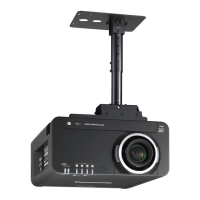
Lamp indicator (LAMP)
Temperature indicator (TEMP)Power indicator
(STANDBY (R) / ON (G))








 To Next Page