28-ENGLISH
Correcting keystone distortion and
automatic positioning (AUTO SETUP)
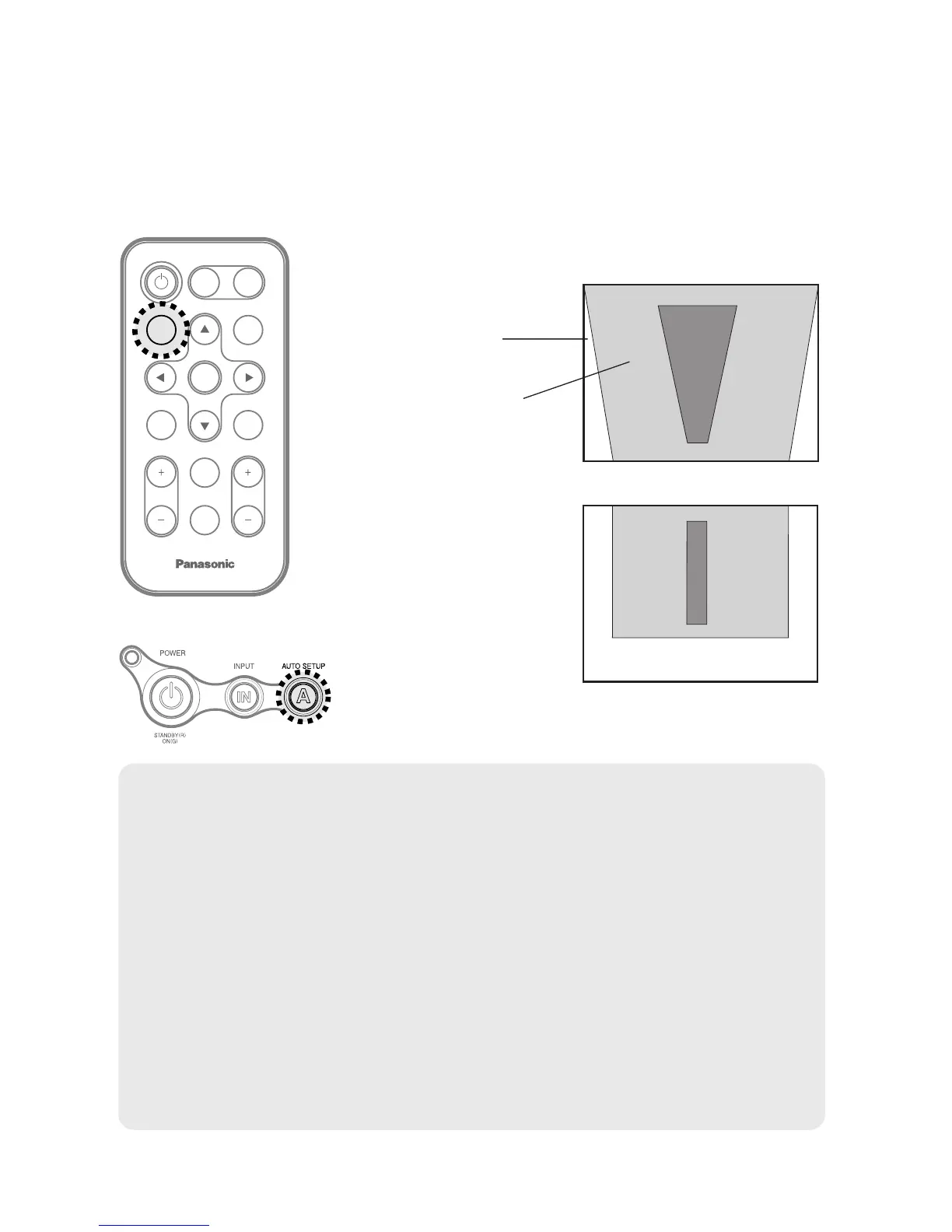
This projector detects its degree of tilt and the input signal. Keystone
distortion and the position of the image can then be corrected automatically
in accordance with the input signal.
Projector control panel
Press the AUTO SETUP button.
(When the projected image has caused keystone distortion)
B Automatic positioning
will be carried out.
Screen
Projected
image
[
NOTE:
B “AUTO SEARCH” will also be carried out. (When “AUTO SEARCH” is
set to “ON”, refer to page 45 for details.)
B When RGB signals are being input, “DOT CLOCK”, and “CLOCK
PHASE” will be adjusted automatically in addition to keystone distortion
and the position of the image being corrected (except when the dot clock
frequency is 100 MHz or higher). Refer to page 41 for details.
B If the edges of the projected image are indistinct, or if a dark picture is
being projected, the automatic setup processing may stop automatically
before it is complete. If this happens, project a different picture and then
press the AUTO SETUP button again.
B Set “AUTO KEYSTN” in the “OPTION” menu to “OFF” to prevent any
deterioration of the picture as a result of keystone correction.
(Refer to page 45.)






 To Next Page