EasyManua.ls Logo

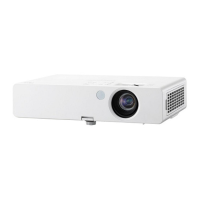
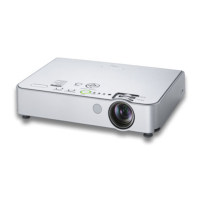
Panasonic PT-LB386 - User Manual

Panasonic PT-LB386
140 pages
Print Icon
To Next Page IconTo Next Page
Loading...
Operating Instructions
Functional Manual
LCD Projector
Commercial Use
Thank you for purchasing this Panasonic product.
This manual is common to all the models regardless of su󰀩xes of the Model No.
f D: for India
f T: for Taiwan
Before operating this product, please read the instructions carefully, and save this manual
for future use.
Before using your projector, be sure to read “Read this rst!” (x pages 4 to 11).
Model No.
PT-LW376
PT-LW336
PT-LB426
PT-LB386
PT-LB356
PT-LB306
ENGLISH
DPQP1316ZA/X1

Table of Contents

Questions and Answers

  • L
    Laurie ShawAug 16, 2025
    How to fix a Panasonic PT-LB386 that won't turn on?
    • L
      lmccoyAug 16, 2025
      If your Panasonic Projector isn't turning on, here's what you can check: * Ensure the power cord is properly connected. * Verify that the wall outlet has an electric supply. * Check if the circuit breakers have tripped. * Examine the warning indicator to see if it's lit or blinking. * Make sure the lamp cover is securely installed.
  • J
    Joseph MillerAug 19, 2025
    Why does my Panasonic Projector have no picture?
    • C
      Chelsea LewisSep 12, 2025
      If your Panasonic Projector is not displaying a picture, consider the following: * Ensure the video signal input source is correctly connected to a terminal. * Adjust the input selection setting to the correct source. * Increase the [BRIGHTNESS] adjustment setting, as it may be at the minimum. * Check the input source connected to the projector for any issues. * Disable the AV mute function if it's currently enabled.
  • E
    Edward HayesAug 22, 2025
    What to do if the Panasonic Projector remote control is not working?
    • P
      Patricia SmithAug 22, 2025
      If the remote control for your Panasonic Projector isn't working, try these steps: 1. Replace the batteries, as they may be weak. 2. Ensure the batteries are inserted correctly. 3. Remove any obstructions from the remote control signal receptor on the projector. 4. Move the remote control closer to the projector. 5. Avoid strong light shining onto the signal receptor. 6. In [CONTROL DEVICE SETUP], change the [REMOTE CONTROLLER] setting to [ENABLE]. 7. Make sure the same code is set on both the projector and the remote control.
  • L
    Luis MckinneyAug 25, 2025
    How to fix a fuzzy picture on a Panasonic PT-LB386?
    • C
      Cynthia DoyleAug 26, 2025
      If the picture on your Panasonic Projector appears fuzzy, try these solutions: * Adjust the lens focus until the image is clear. * Position the projector at the correct distance from the screen. * Clean the lens to remove any dirt or smudges. * Ensure the relative position between the projector and the screen is properly set.
  • J
    Jacob ScottAug 27, 2025
    Why is there no sound from my Panasonic PT-LB386 Projector's internal speaker?
    • M
      Max AlvaradoAug 27, 2025
      If you're not getting any sound from the internal speaker of your Panasonic Projector, check the following: * Ensure the external device is correctly connected to the audio input terminal. * Increase the volume level, as it may be set to the minimum. * Disable the AV mute function if it's turned on. * Disable the Mute function if it's enabled. * Unplug the VARIABLE AUDIO OUT, as the projector's built-in speaker is unavailable when it's plugged in. * Check the audio input selection in [AUDIO SETTING] to make sure it's set correctly.
  • S
    stricklandnicholeAug 30, 2025
    What causes a Panasonic PT-LB386 Projector picture to display incorrectly?
    • T
      Tristan HarrisAug 31, 2025
      If the picture on your Panasonic Projector is not displaying correctly, consider the following: * Check the [TV-SYSTEM], [RGB/YC C ]/[RGB/YP P ] selection to ensure it's set correctly. * Check the VCR or other signal source for any issues. * Ensure a compatible signal is being input to the projector. * Verify the settings of the computer output if using a computer.
  • M
    mccormickzacharySep 3, 2025
    Why is the color pale or grayish on my Panasonic PT-LB386?
    • T
      taylor57Sep 3, 2025
      If the color on your Panasonic Projector appears pale or grayish, here are some possible solutions: * Adjust the [COLOR] or [TINT] settings. * Check the adjustment of the input source connected to the projector. * Replace the RGB signal cable if it is damaged.
  • R
    Rachel WoodSep 6, 2025
    How to resolve a Panasonic PT-LB386 Projector HDMI picture that is unstable or doesn't appear?
    • S
      Stephen JacksonSep 6, 2025
      If the picture from your HDMI device doesn't appear or is unstable on your Panasonic Projector: * Ensure the HDMI cable is securely connected. * Turn off the power of the projector and the connected devices, then turn them back on. * Avoid using unsupported signal cables.
  • M
    Michael GarciaSep 8, 2025
    What to do if the Panasonic PT-LB386 control buttons do not operate?
    • C
      Chris StewartSep 8, 2025
      If the control buttons on your Panasonic Projector are not working, check if the [CONTROL PANEL] setting is set to [DISABLE] in [CONTROL DEVICE SETUP]. If so, change the setting to [ENABLE].
  • D
    dariusmercadoSep 12, 2025
    How to get sound output from a HDMI device on a Panasonic PT-LB386 Projector?
    • J
      Jason OnealSep 12, 2025
      To get sound output from a HDMI device on your Panasonic Projector: * Set the sound channel of the attached device to Linear PCM. * Check the audio input selection in [AUDIO SETTING] to ensure it's set correctly.

Summary

Chapter 1 Preparation

Precautions for use

Covers essential safety guidelines, cautions during transport, and installation requirements.

Chapter 2 Getting Started

Setting up

Describes different installation modes and the projector's built-in angle sensor.

Connecting

Provides instructions and examples for connecting various external devices to the projector.

Chapter 3 Basic Operations

Powering on;off

Details the procedure for connecting the power cord and operating the projector's power.

Projecting

Explains how to select input signals and adjust the projected image.

Chapter 4 Settings

Chapter 5 Operation of Function

Web control function

Explains how to control the projector remotely via a web browser for settings and status monitoring.

Chapter 6 Maintenance

Warning Indicator

Details projector status indicators and their corresponding solutions for problems.

Maintenance;replacement

Provides instructions for cleaning the projector's outer case, lens, and air filter unit.

Troubleshooting

Lists common problems, their causes, and corresponding reference pages for solutions.

Panasonic PT-LB386 Specifications

General IconGeneral
BrandPanasonic
ModelPT-LB386
CategoryProjector
LanguageEnglish

Related product manuals