EasyManua.ls Logo

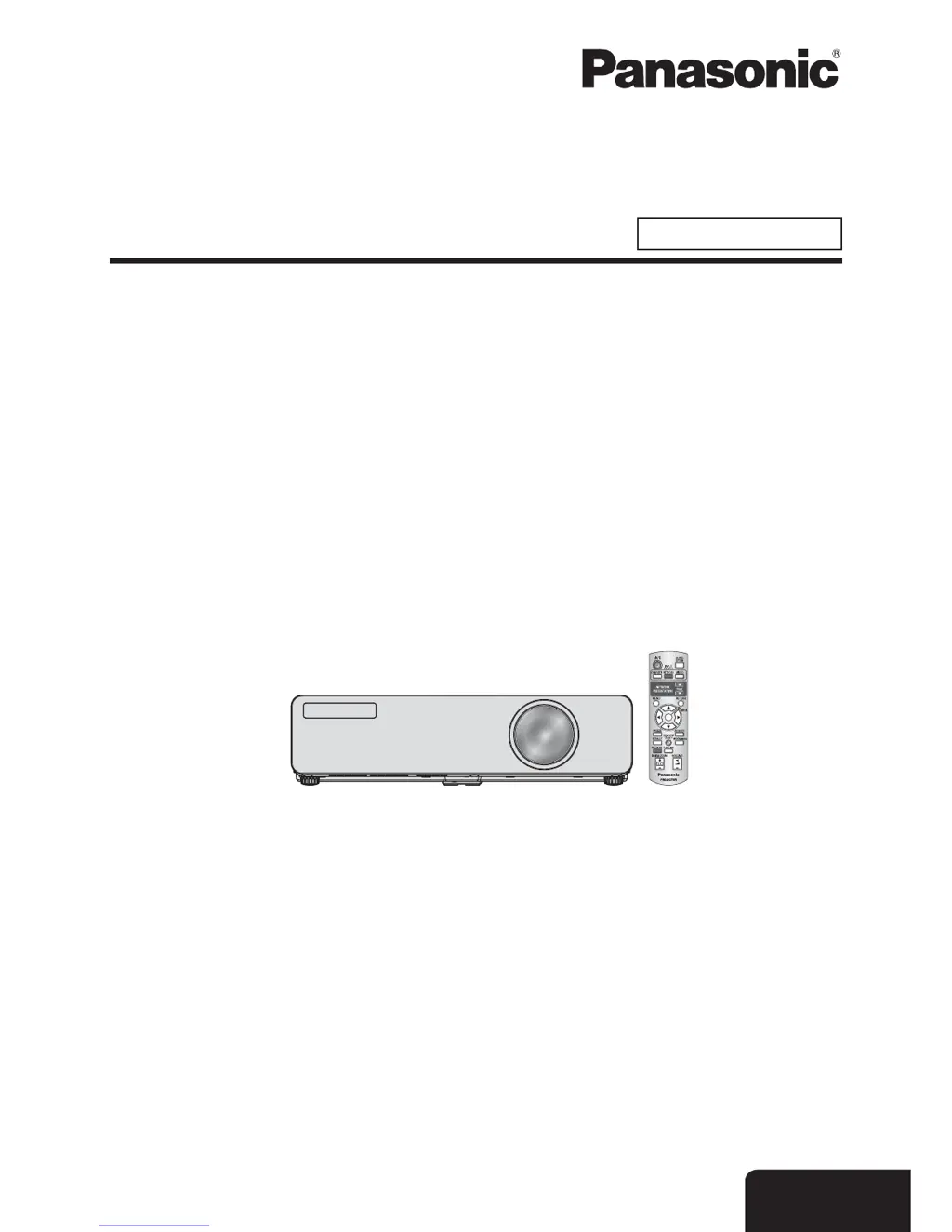
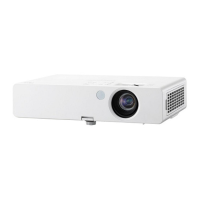
Panasonic PT-LB75VE - User Manual

Panasonic PT-LB75VE
60 pages
Print Icon
To Next Page IconTo Next Page
Loading...
Model No.
PT-LB90NTE
PT-LB90E
PT-LB78VE
PT-LB75VE
Operating Instructions
LCD Projector
Commercial Use
Thank you for purchasing a Panasonic Projector.
Before operating this product, please read the instructions carefully, and save this manual
J
for future use.
Before using your projector, be sure to read “Precautions with regard to safety”
(pages 8 - 12).
TQBJ0303
E
NGLISH

Table of Contents

Other manuals for Panasonic PT-LB75VE

Questions and Answers

  • K
    Kristin GreenAug 15, 2025
    How to fix a Panasonic PT-LB75VE Projector when the power does not turn on?
    • D
      Danielle LoveAug 15, 2025
      If your Panasonic Projector isn't powering on, several factors could be at play. First, ensure the mains lead is securely connected. Check that the mains socket has electricity. Also, verify the circuit breakers haven't tripped and reset them if needed. Check the TEMP or LAMP indicator. Make sure the lamp unit cover is securely installed, and that the control buttons aren't locked. Finally, check the CONTROL PANEL setting in the PROJECTOR SETUP menu.
  • B
    bjenkinsAug 18, 2025
    What to do if no picture appears on my Panasonic Projector?
    • B
      baileyelizabethAug 18, 2025
      If your Panasonic Projector shows no picture, start by checking that the audio signal source is properly connected. Then, ensure the input selection setting is correct. Adjust the brightness setting, as it might be at the minimum. Verify that the signal input source is functioning correctly and disable the AV MUTE function, if it's enabled.
  • A
    Angela RichardsonAug 21, 2025
    How to troubleshoot a Panasonic PT-LB75VE Projector remote control that is not working?
    • H
      Hunter CollinsAug 21, 2025
      If the remote control for your Panasonic Projector isn't working, try these steps: 1. Replace the batteries, as they may be weak. 2. Check the battery installation to ensure they're correctly inserted. 3. Remove any obstructions from the remote control receptor on the projector. 4. Move closer to the projector, as you may be out of range. 5. Activate the REMOTE CONTROLLER in the PROJECTOR SETUP menu. 6. Avoid using the remote control under strong lighting.
  • R
    Ronald BrownAug 25, 2025
    What to do if the picture on my Panasonic PT-LB75VE does not display correctly?
    • E
      Emily BoydAug 25, 2025
      If the picture on your Panasonic Projector isn't displaying correctly, start by checking and correctly setting the signal format (TV-SYSTEM, RGB/YP BP R). Verify the VCR or signal source, and ensure you are using a signal that is compatible with the projector.
  • T
    thomasgeorgeAug 27, 2025
    How to fix a Panasonic PT-LB75VE when the picture from a computer does not appear?
    • M
      Melissa RivasAug 27, 2025
      If you're having trouble displaying a picture from a computer on your Panasonic Projector, it could be due to the RGB signal cable being too long; limit it to within 10 m (32'10 "). Alternatively, the external video output settings on your laptop may need adjustment.
  • S
    Sonya AlexanderAug 30, 2025
    Why can't I hear any sound from my Panasonic Projector's internal speaker?
    • J
      Joshua HannaAug 30, 2025
      If you're not getting any sound from the internal speaker of your Panasonic Projector, first make sure the audio signal source is properly connected. Next, increase the volume to a level that's audible. Finally, check for and disconnect any cable from the VARIABLE AUDIO OUT terminal.
  • L
    Laura ManningSep 2, 2025
    Why is the picture on my Panasonic Projector fuzzy?
    • C
      Christopher WilsonSep 2, 2025
      A fuzzy picture on your Panasonic Projector can often be resolved by adjusting the lens focus. Ensure the projector is positioned at the correct distance from the screen. Also, clean the lens if it's dirty and properly align the projector to prevent tilting.
  • A
    Amanda GeorgeSep 5, 2025
    Why does the color appear pale or grayish on my Panasonic Projector?
    • T
      tarnoldSep 5, 2025
      If the color on your Panasonic Projector appears pale or grayish, the COLOR or TINT settings may need adjustment. Also, check the settings of the input source connected to the projector and adjust them as necessary.
  • J
    Jordan EllisSep 8, 2025
    What to do if the control buttons on my Panasonic PT-LB75VE Projector do not operate?
    • K
      Kimberly SmithSep 8, 2025
      If the control buttons on your Panasonic Projector aren't working, check the CONTROL PANEL setting in the PROJECTOR SETUP menu.
  • R
    Raymond HarrisonSep 12, 2025
    Why can't my Panasonic PT-LB75VE be controlled through a serial terminal?
    • L
      Leslie ShermanSep 12, 2025
      If your Panasonic Projector cannot be controlled through a serial terminal, the EMULATE setting in the PROJECTOR SETUP menu may not be set correctly. Adjust the EMULATE setting in the PROJECTOR SETUP menu.

Panasonic PT-LB75VE Specifications

General IconGeneral
Resolution1024 x 768 (XGA)
Contrast Ratio2000:1
Lamp Life (Normal)2000 hours
Lamp Life (Eco)4000 hours
Display TechnologyLCD
Zoom Ratio1.2x
Aspect Ratio4:3
Projection Size30 - 300 inches
Lamp TypeUHM
Input PortsS-Video
Output PortsVGA

Related product manuals