EasyManua.ls Logo

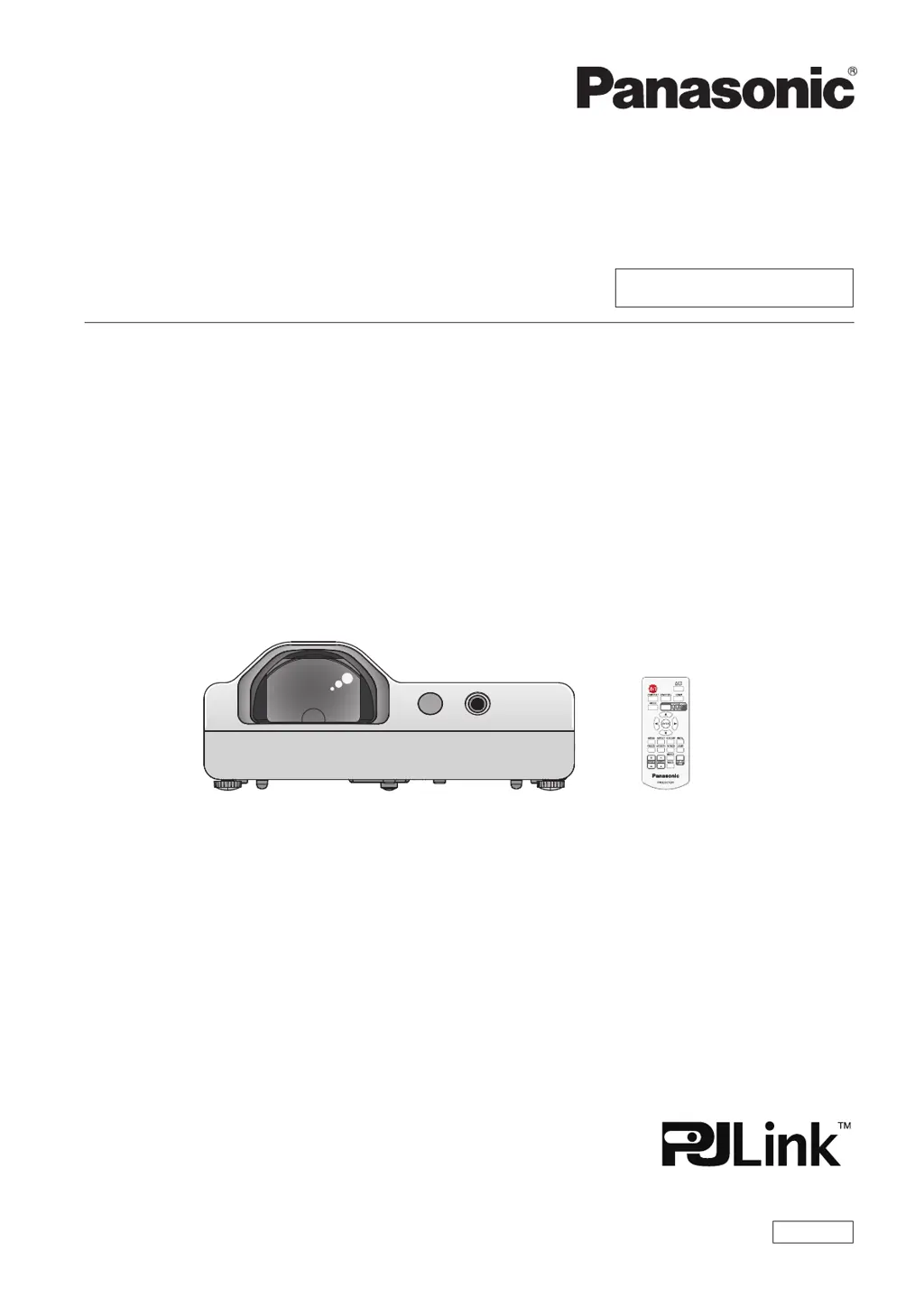
Panasonic PT-TW371R - User Manual

Panasonic PT-TW371R
114 pages
Print Icon
To Next Page IconTo Next Page
Loading...
Operating Instructions
Functional Manual
LCD Projector
Commercial Use
Thank you for purchasing this Panasonic product.
Before operating this product, please read the instructions carefully, and save this manual
for future use.
Before using your projector, be sure to read “Read this rst!” (x pages 4 to 11).
Model No.
PT-TW371R
ENGLISH
DPQP1253ZD/X1

Table of Contents

Questions and Answers

  • R
    Robert RodriguezAug 17, 2025
    How to fix a Panasonic Projector that won't turn on?
    • A
      Amanda CuevasAug 17, 2025
      If your Panasonic Projector isn't turning on, start by checking that the power cord is properly connected to both the projector and the wall outlet. Ensure the wall outlet has electric supply. Also, check your circuit breakers and reset them if they have tripped. Verify the power indicator light status and make sure the lamp cover is securely installed.
  • M
    Michael ThomasAug 20, 2025
    What to do if Panasonic Projector remote control not working?
    • H
      hshahAug 20, 2025
      If the remote control for your Panasonic Projector isn't working, first replace the batteries. Ensure that the batteries are inserted correctly. Remove any obstructions from the remote control signal receptor on the projector. Make sure the remote control is within the operating range. Move the projector away from strong light sources. Check the [Key lock] setting in the [Setting] menu to ensure the remote control operation is enabled. Finally, synchronize the codes of the projector and remote control if different codes are set.
  • K
    Kristen RussellAug 22, 2025
    Why won't the control buttons on my Panasonic PT-TW371R work?
    • J
      jenniferclarkAug 22, 2025
      If the control buttons on your Panasonic Projector are not working, check the [Key lock] setting in the [Setting] menu. Ensure that the control panel operation is enabled.
  • E
    elizabethclaytonAug 26, 2025
    What to do if my Panasonic PT-TW371R has no picture?
    • M
      Mark GarciaAug 26, 2025
      If no picture appears on your Panasonic Projector, first, ensure that the video signal input source is correctly connected to the appropriate terminal. Next, verify that the input selection setting is correct. Check the brightness setting and adjust it if it's at the minimum. Also, make sure that the input source connected to the projector is working correctly. Finally, check if the AV mute function is active and deactivate it if necessary.
  • J
    Jessica SchultzAug 28, 2025
    Why is the picture on my Panasonic PT-TW371R Projector fuzzy?
    • L
      Lisa VargasAug 28, 2025
      If the picture on your Panasonic Projector is fuzzy, try these steps: First, adjust the lens focus to ensure it is correctly set. If the issue persists, clean the lens. Also, check the relative position between the projector and the screen to ensure it is properly aligned.
  • K
    Keith RobersonAug 31, 2025
    How to fix pale color on Panasonic PT-TW371R?
    • M
      Michael RodriguezAug 31, 2025
      If the color on your Panasonic Projector appears pale or grayish, you should adjust the [Color] and [Tint] settings. If the issue persists, check the settings of the input source connected to the projector. Also, inspect the RGB signal cable for any damage and replace it if necessary.
  • R
    Rachel Hayes MDSep 2, 2025
    Why is there no sound from my Panasonic Projector speaker?
    • M
      Michael FarleySep 3, 2025
      If you are experiencing no sound from the internal speaker of your Panasonic Projector, check the connection of the external device to the audio input terminal. Ensure that the volume is not set to the minimum level and increase it if necessary. Also, verify that the AV mute and Mute functions are not enabled. If a VARIABLE AUDIO OUT is plugged in, unplug it to enable the built-in speaker.
  • M
    mitchelladamSep 5, 2025
    What causes incorrect picture display on Panasonic PT-TW371R?
    • B
      Benjamin RobinsonSep 5, 2025
      If the picture on your Panasonic Projector does not display correctly, check the signal source for issues. Verify the compatibility of the input signal with the projector. Also, check the computer output settings if you are using a computer as the input source.
  • E
    Elizabeth VargasSep 8, 2025
    Why is my Panasonic Projector HDMI picture unstable?
    • A
      Amy LewisSep 8, 2025
      If the picture from an HDMI device does not appear or is unstable on your Panasonic Projector: * First, ensure the HDMI cable is securely connected. * Next, perform a power reset of both the projector and the connected devices. * Finally, check for any unsupported signal cable connections.
  • W
    William MillerSep 12, 2025
    How to enable sound from HDMI on Panasonic PT-TW371R Projector?
    • B
      Benjamin LopezSep 12, 2025
      To resolve the issue of no sound output from a HDMI device connected to your Panasonic Projector, adjust the sound channel setting to Linear PCM. Alternatively, if connecting a computer via HDMI-DVI, configure the [Sound] setting in [HDMI Setup] to [Computer] and input the analog audio signal to the terminal, following the specific connection and setting instructions.

Panasonic PT-TW371R Specifications

General IconGeneral
Resolution1280 x 800 (WXGA)
Contrast Ratio16, 000:1
Digital Zoom2x
Speakers10 W Mono
Display Technology3LCD
Lamp LifeUp to 10, 000 Hours (Eco Mode)
Keystone CorrectionVertical: ±30 degrees
Input TerminalsHDMI, VGA, Composite Video, USB
Output TerminalsVGA, Audio Out
NetworkRJ-45 (LAN)
Projection Size30" - 300"

Related product manuals