ENGLISH -
45
Settings
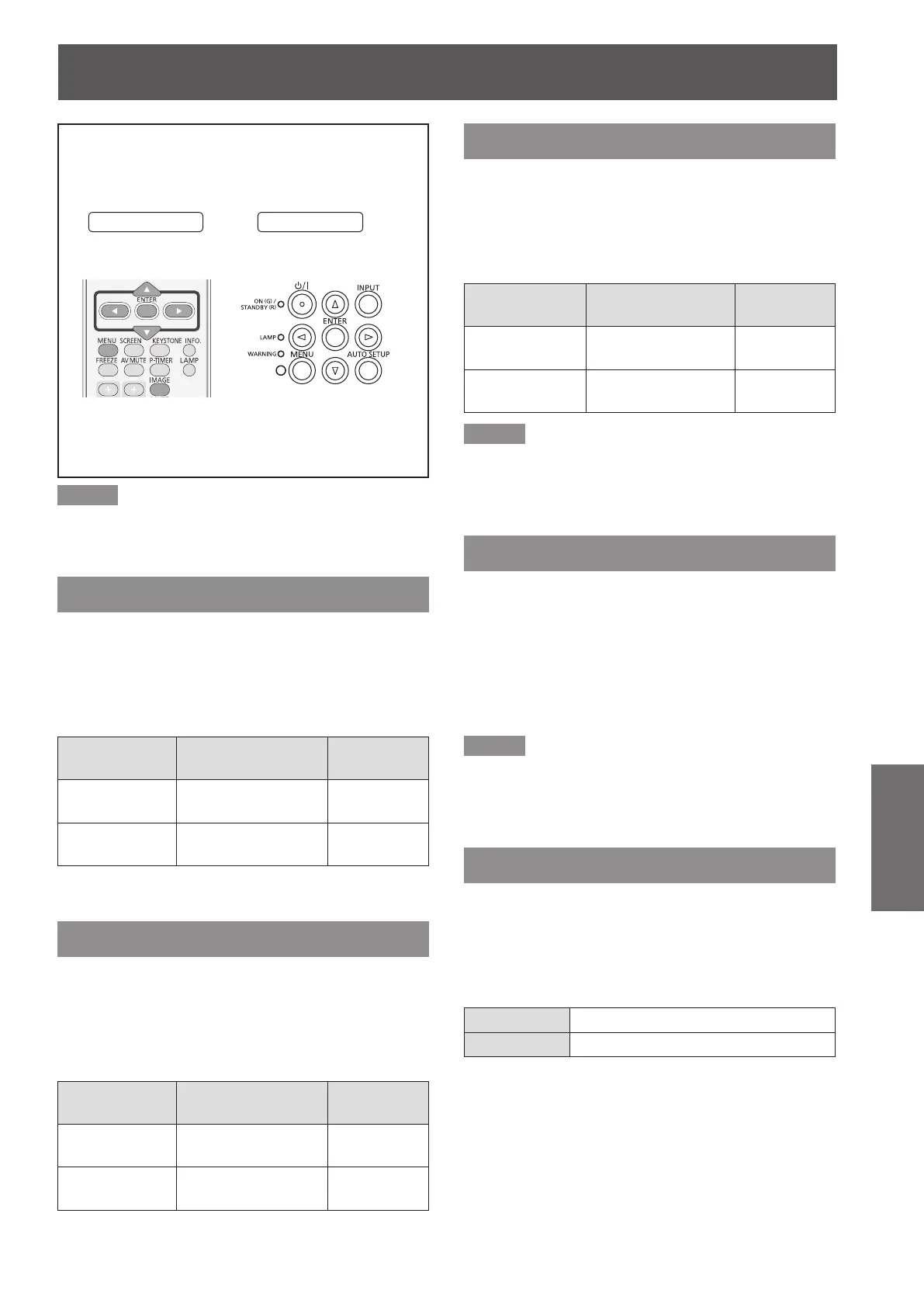
Select [Image adjust] from the Main Menu (see
“Navigating through the menu” on page 36),
then select the item from the sub-menu.
Remote Control
Control Panel
Note
Make sure you selected [Store] after adjusting settings.
z
Some settings can not be stored if not registered with
[Store] function.
Contrast
Press ▲▼ to select [Contrast].1 )
Press the <ENTER> button to display 2 )
the adjustment dialog box.
Press ◄► to adjust the setting value.3 )
Operation Adjustment
Adjustment
range
Press ►. increase the contrast
Maximum
value 63
Press ◄.
decrease the
contrast
Minimum
value 0
Brightness
Press ▲▼ to select [Brightness].1 )
Press the <ENTER> button to display 2 )
the adjustment dialog box.
Press ◄► to adjust the setting value.3 )
Operation Adjustment
Adjustment
range
Press ►.
increase the
brightness
Maximum
value 63
Press ◄.
decrease the
brightness
Minimum
value 0
Color
Press ▲▼ to select [Color].1 )
Press the <ENTER> button to display 2 )
the adjustment dialog box.
Press ◄► to adjust the setting value.3 )
Operation Adjustment
Adjustment
range
Press ►.
increase the
intensity of the color
Maximum
value 63
Press ◄.
decrease the
intensity of the color
Minimum
value 0
Note
When input video signal to the projector, [Color] will be
z
available.
Tint
Press ▲▼ to select [Tint].1 )
Press the <ENTER> button to display 2 )
the adjustment dialog box.
Press ◄► to adjust the tint value to 3 )
get a proper color balance.
Adjustments can be made between
z
0 and 63.
Note
When you select [NTSC] or [NTSC4.43] in System menu
z
under Video input signal, [Tint] will be available.
Iris
Press ▲▼ to select [Iris].1 )
Press the <ENTER> button to display 2 )
the adjustment dialog box.
Press ◄► to select [Off] or [On].3 )
Off Disabled
On Contrast is prioritized over brightness
Image adjust








 To Next Page