Network
68
- ENGLISH
Settings
Network cong page
J
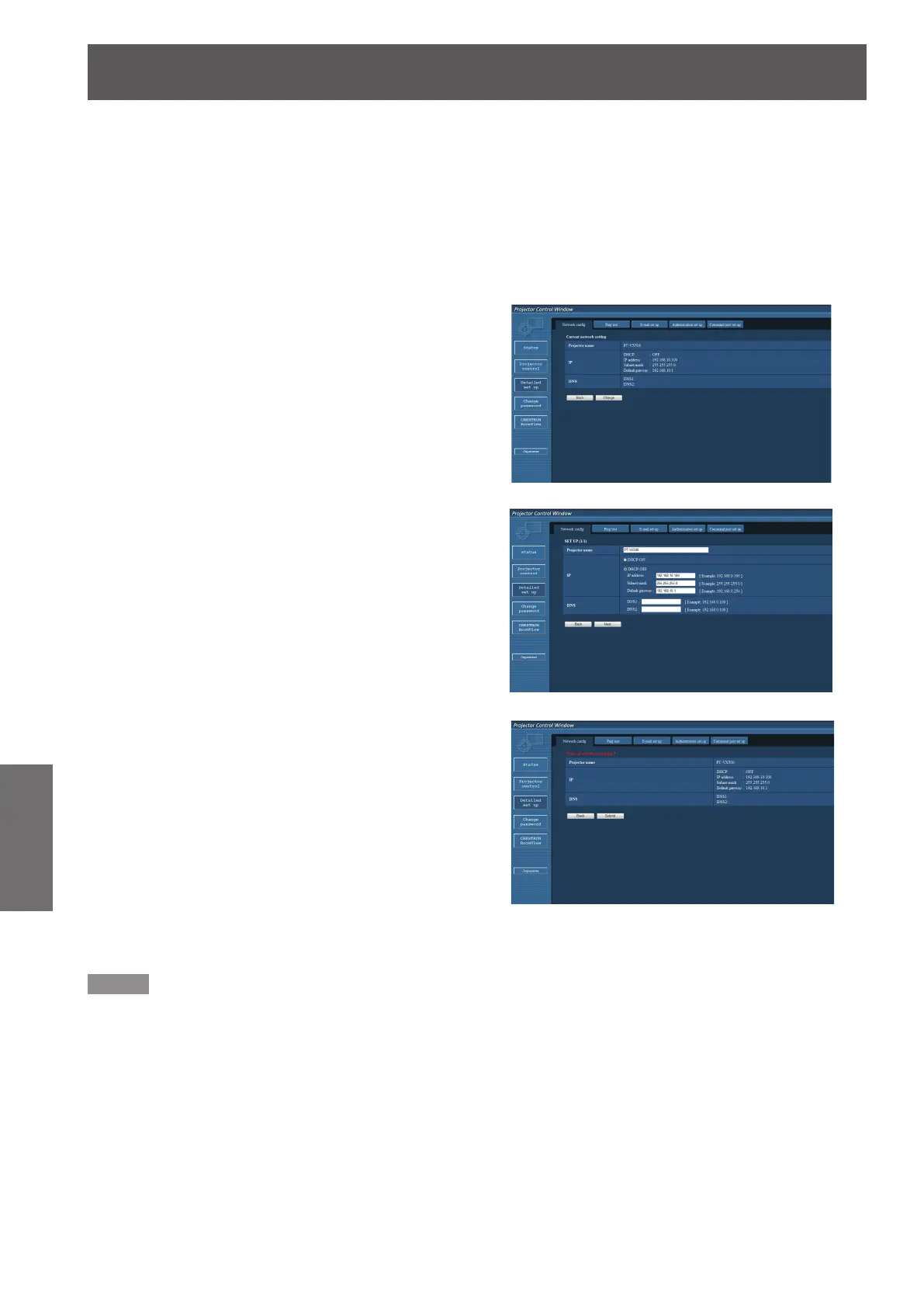
You can change network settings on projector when connecting with the administrator authority.
LAN settings
z
Click [Detailed set up] in the menu.1 )
Click [Change] to change the LAN settings.2 )
z
To return to the previous window, click [Back].
Complete the detailed settings and 3 )
click [Next].
When [Next] is clicked, the next page appears, enabling
z
you to complete the detailed settings as desired.
Settings performed here are the same as the
settings performed with the [Network] menu of
the projector.
Click [Submit].4 )
z
The settings will be registered.
Note
Changing the setting of LAN while connected with LAN might disconnect the connection.
z









 To Next Page