Network
76
- ENGLISH
Settings
Info page
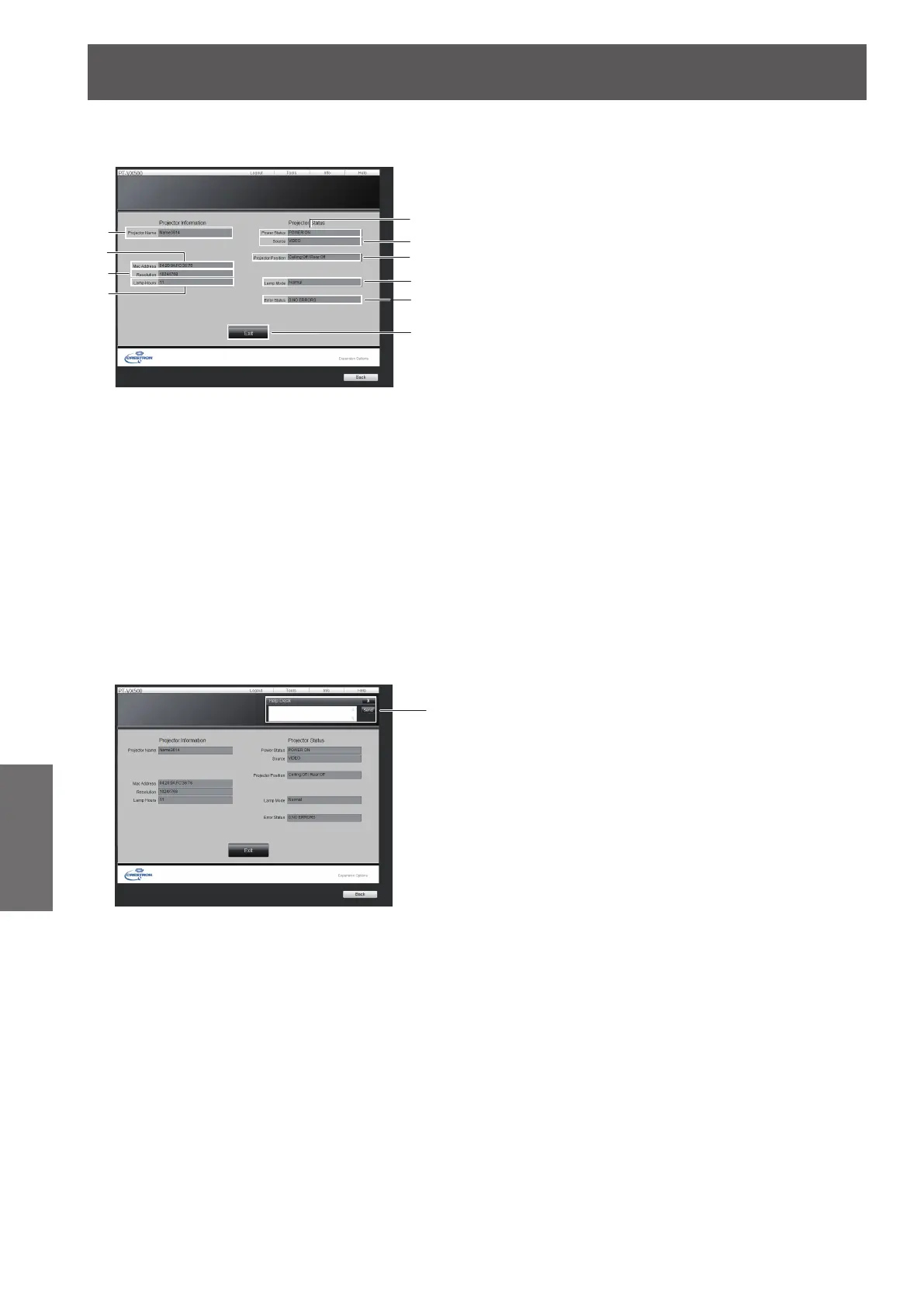
Click Info on the operation page.
1
Projector name
Displays the name of the projector.
2
Mac Address
Displays the MAC address.
3
Resolution
Displays the resolution of the projector.
4
Lamp Hours
Displays the lamp usage time (converted value).
5
Power Status
Displays the status of the power.
6
Source
Displays the selected video input.
7
Projector Position
Displays the projection method of the projector.
8
Lamp Mode
Displays the lamp mode.
9 Error Status
Displays the error status.
10 Exit
Return the operation page.
User mode
A user can change password only.
1
Help Desk
Sends or receive messages to the administrator who
uses Crestron RoomView.
1
2
4
3
5
6
7
8
9
10
1








 To Next Page