EasyManua.ls Logo

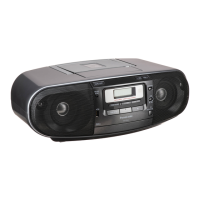
Panasonic RX-D50 - User Manual

Panasonic RX-D50
12 pages
Print Icon
To Next Page IconTo Next Page
Loading...
RQTX1148-1B
EB
Operating Instructions
Portable Stereo CD System
Model No. RX-D50
Operations in these instructions are described mainly using the remote control, but you can perform the operations
on the main unit if the controls are the same.
Your unit may not look exactly the same as illustrated.
Note:
“EB” on the packaging indicates the United Kingdom.
Dear Customer
Thank you for purchasing this product.
For optimum performance and safety, please read these instructions thoroughly before connecting,
operating or adjusting this product.
Please keep this manual for future reference.
Supplied accessories
Please check and identify the supplied
accessories.
Use numbers indicated in parentheses when
asking for replacement parts. (As of January 2010)
1 x AC mains lead
(K2CZ3YY00005)
1 x Remote control
(N2QAYA000009)
RQTX1148-1B_gb.indd 1RQTX1148-1B_gb.indd 1 3/30/2010 10:21:30 AM3/30/2010 10:21:30 AM

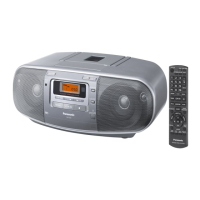
Other manuals for Panasonic RX-D50

Questions and Answers

  • F
    frichardsAug 21, 2025
    How to fix Panasonic Stereo System remote control not working?
    • T
      Terry WagnerAug 21, 2025
      If the remote control buttons on your Panasonic Stereo System are not responding, make sure the batteries are installed correctly. If they are, try replacing the batteries, as they may be worn out.
  • V
    Vanessa OwensSep 3, 2025
    What to do if cassette won't eject from my Panasonic Stereo System?
    • K
      Kevin FernandezSep 3, 2025
      If the cassette cannot be ejected or the deck cannot be closed when loading a cassette on your Panasonic Stereo System, it could be due to flat batteries. Replace the batteries or connect to household AC power. Alternatively, press [4, PLAY] then [8/x, STOP/EJECT].
  • M
    mary86Sep 1, 2025
    What does 'UO1' mean on my Panasonic Stereo System and how to fix it?
    • S
      smithsusanSep 1, 2025
      If your Panasonic Stereo System displays 'UO1', try replacing the batteries or using household AC power.
  • P
    payneheatherAug 31, 2025
    Why is my Panasonic Stereo System making a humming sound?
    • A
      Arthur BlairAug 31, 2025
      If you hear a 'humming' sound during play on your Panasonic Stereo System, it could be due to an AC mains lead or fluorescent light being too close to the unit. Try to keep other appliances and cords away from the unit.
  • L
    Laura MillerAug 29, 2025
    What to do if my Panasonic Stereo System has incorrect display or won't start playing?
    • D
      debraoliverAug 29, 2025
      If you are experiencing issues with your Panasonic Stereo System not playing or displaying correctly, first ensure the disc is inserted correctly. If the problem persists, the disc may be dirty; try wiping it clean. It could also be scratched, warped, or non-standard, in which case you should replace it. Finally, if condensation has formed, wait 1 to 2 hours for it to evaporate.
  • A
    Anthony ColonAug 28, 2025
    What to do if my Panasonic Stereo System displays 'F76'?
    • P
      perezjoelAug 28, 2025
      If your Panasonic Stereo System is displaying 'F76', this indicates a power supply problem. It is recommended to consult with your dealer for assistance.
  • K
    Katie AndersonAug 27, 2025
    How to stop beat sound from Panasonic CD Player?
    • J
      Joe ParkerAug 27, 2025
      To stop a beat sound from your Panasonic CD Player, turn the television off or move it away from the unit.
  • C
    Charles ContrerasAug 25, 2025
    Why is my Panasonic CD Player USB device operating slowly?
    • N
      nloveAug 25, 2025
      If your Panasonic CD Player's USB device is operating slowly, it may be because a large file size or high memory USB flash drive takes longer time to read. Press [MUSIC PORT].
  • R
    Raymond WilliamsAug 23, 2025
    What to do if my Panasonic CD Player USB drive or its contents cannot be read?
    • N
      Nicholas OrrAug 23, 2025
      If your Panasonic CD Player displays “NO PLAY” and cannot read the USB drive, it could be due to the USB drive format or its contents being incompatible with the system. Try unplugging the USB device and re-inserting it. Also, the USB host function of this product may not work with some USB devices, or USB devices with a storage capacity of more than 8 gigabytes may not work in some instances.

Summary

Supplied Accessories

AC Mains Lead

Lists the AC mains lead included with the unit.

Remote Control

Lists the remote control included with the unit.

Safety Precautions

Laser Product Warning

Caution regarding laser exposure and avoiding opening the unit.

Electrical and Product Safety

Warnings against rain, moisture, using incorrect accessories, and opening covers.

Installation and Ventilation

Instructions for proper unit placement and ventilation to prevent hazards.

Battery and Environmental Disposal

Information on collecting and disposing of old equipment and batteries.

AC Mains Lead and Fuse Replacement

AC Mains Lead Safety

Safety advice regarding the 3-pin mains plug and fuse.

Fuse Replacement Procedure

Step-by-step instructions for replacing the fuse in the AC mains plug.

Power Sources and Safety

Using Mains Power and Batteries

Instructions for AC power and battery installation/usage.

Safety Precautions and Memory Back-up

Advice on heat, AC mains, bathroom use, and memory function.

Controls and Indicators

Main Unit and Remote Control Buttons

Detailed explanation of buttons on the unit and remote.

Headphone Jack and Remote Batteries

Information on the headphone jack and remote control battery installation.

Disc Playback

Basic Playback Functions

Steps for playing, stopping, and pausing discs.

Playback Modes and Track Search

Explains playback modes and how to search tracks/albums.

Advanced Playback: Repeat and Program

Details on repeat play and programming tracks for discs.

Radio and Disc Format Details

Radio Tuning and Presets

Instructions for tuning and presetting radio stations.

Disc Format Notes

Specific notes for playing MP3 and CD formats, including DualDisc.

Cassette Tape Functions

Cassette Playback Operations

Instructions for playing, stopping, pausing, and searching tapes.

Cassette Recording and Preparation

Steps for recording audio and preparing tapes for recording.

Clock and Timer Features

Setting and Displaying the Clock

Instructions for setting the 24-hour clock and displaying it.

Play Timer Functionality

How to set a timer to wake up to music.

Sleep Timer Functionality

How to set the unit to turn off automatically.

Sound Adjustment and External Devices

Sound Effects and EQ Settings

Adjusting sound quality with EQ, Bass/Treble, Re-Master, and Virtualizer.

Connecting and Playing Portable Audio

How to connect and play audio from external devices via the Music Port.

Troubleshooting and Maintenance

Problem Solving Guide

Solutions for common issues with the unit, discs, tape, and radio.

Routine Maintenance

Instructions for cleaning the unit's surfaces and tape heads.

Technical Specifications

System and Component Specifications

Technical details for amplifier, tuner, cassette deck, speakers, and disc playback.

General Unit Specifications

Technical details on power supply, consumption, dimensions, and operating conditions.

Panasonic RX-D50 Specifications

General IconGeneral
EqualizerYes
Equalizer bands quantity4
Output power description2x 3 W
RMS rated power6 W
Device typePortable CD player
Product colorSilver
Display typeLCD
Headphone outputs1
Headphone connectivity3.5 mm
Battery typeLR14
Dimensions (WxDxH)408 x 255 x 148 mm
Weight and Dimensions IconWeight and Dimensions
Weight3300 g

Related product manuals