Concerning Compact
Discs
Concerning Cassette
Tapes
Only
compact discs
having this mark
can be
used
with
this
unit.
[However,
continued use
of
irregular
shape
CDs
(heart-shape,
octagonal,
etc.)
can
damage
the
unit.
COMPACT
DIGITAL
AUDIO
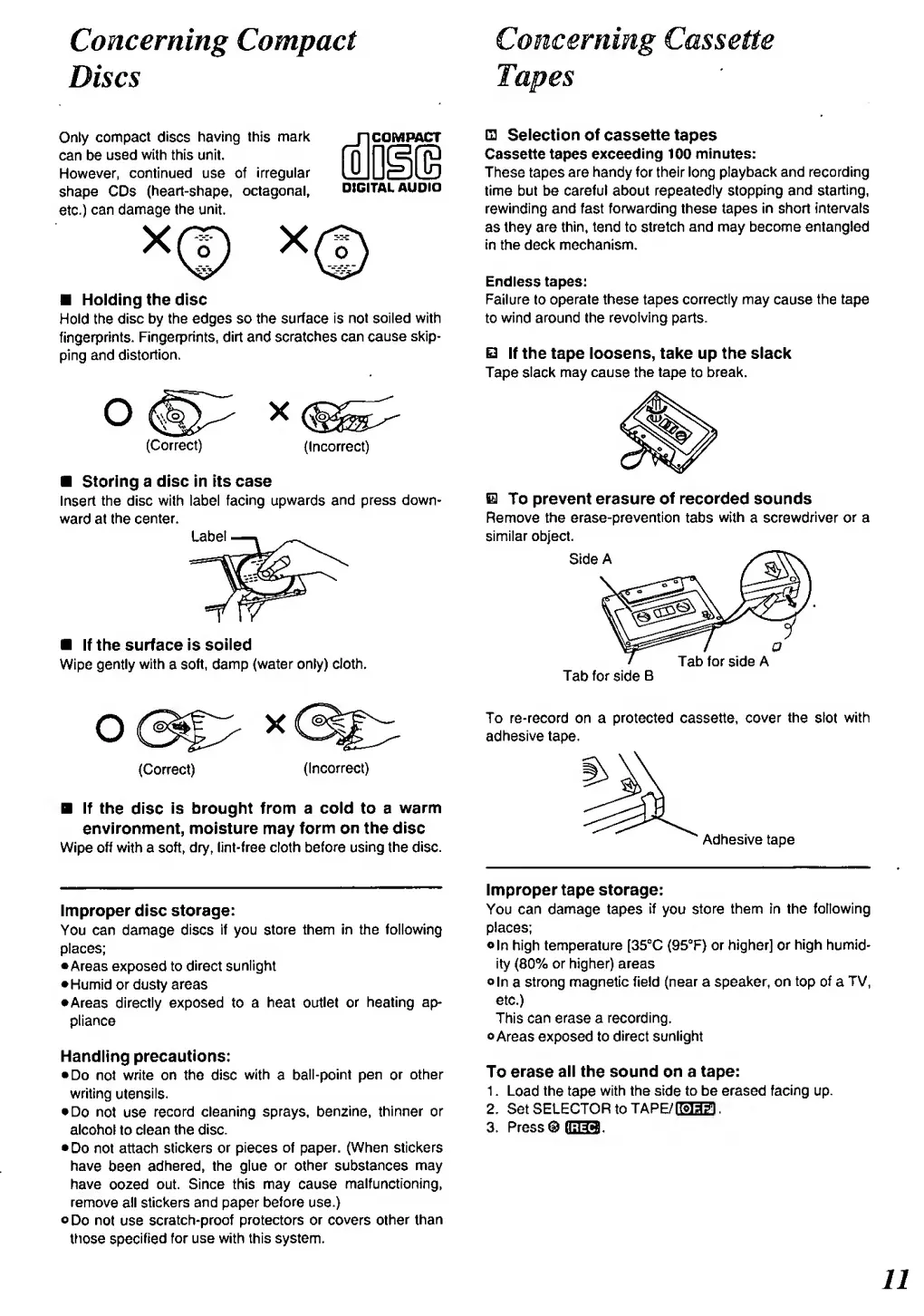
Holding the disc
Hold the
disc by the edges
so
the surface
is not
soiled with
fingerprints.
Fingerprints,
dirt
and scratches can
cause
skip-
ping and
distortion.
o
(Correct)
(Incorrect)
Storing
a disc
in Its case
Insert
the disc with label
facing
upwards
and
press down-
ward
at
the
center.
Label
If the surface is
soiled
Wipe
gently
with
a
soft,
damp
(water only) cloth.
Q
Seiection
of
cassette tapes
Cassette tapes
exceeding 100
minutes:
These tapes
are
handy for their long
playback
and recording
time but be careful about
repeatedly
stopping
and
starting,
rewinding and fast forwarding these
tapes In short
intervals
as
they are
thin,
tend to
stretch and
may
become entangled
in the deck mechanism.
Endless tapes:
Failure
to
operate these
tapes
correctly may
cause
the tape
to
wind
around the
revolving
parts.
E3
If the tape loosens, take up the siacic
Tape
slack
may cause the
tape
to break.
Ql
To prevent erasure
of
recorded
sounds
Remove
the erase-prevention
tabs
with
a screwdriver
or
a
similar object.
Side
A
Tab
for
side
B
Tab
for
side
A
(Correct)
(Incorrect)
If
the
disc
is
brought from a coid to a
warm
environment, moisture may
form
on
the disc
Wipe oft
with
a
soft,
dry, tint-free cloth
before
using
the disc.
To
re-record on a protected cassette,
cover the
slot
with
adhesive
tape.
Adhesive tape
Improper
disc
storage:
You
can
damage
discs
If
you
store them in the following
places;
•Areas exposed to
direct
sunlight
•Humid
or
dusty areas
•Areas
directly exposed to a heat
outlet
or heating
ap-
pliance
Handling
precautions:
•
Do
not
write on the disc
with
a
bail-point
pen
or
other
writing
utensils.
•
Do
not
use
record cleaning sprays,
benzine,
thinner
or
alcohol to
clean
the disc.
•
Do not attach
stickers or pieces
of paper. (When stickers
have
been
adhered,
the glue
or other
substances
may
have
oozed
out.
Since this
may cause
malfunctioning,
remove
all
stickers and paper before
use.)
oDo
not
use
scratch-proof protectors or
covers other
than
ttiose
specified
for use with this system.
Improper tape storage:
You can
damage tapes
if
you
store them In the following
places;
•
In high temperature [35°C (95°F) or higher]
or
high
humid-
ity
(80%
or higher) areas
oin
a
strong
magnetic field (near a speaker, on
top of
a
TV,
etc.)
This
can erase
a
recording.
•Areas exposed to
direct
sunlight
To
erase
all the sound on
a
tape:
1
.
Load
the
tape
with the
side
to
be erased
facing
up.
2. Set
SELECTOR
to
TAPE/BHia
.
3.
Press®
0333
<



 To Next Page