Need help?
Do you have a question about the Panasonic RX-DT650 and is the answer not in the manual?
Lists and identifies all included accessories with the system.
Details how to automatically scan and select FM radio stations.
Steps for programming AM broadcast stations into memory.
Guide to tuning in pre-programmed radio stations using preset channels.
Instructions for tuning radio stations manually without programming.
Tips for reducing interference and enhancing FM stereo broadcast quality.
Guidance on adjusting the telescopic antenna for optimal radio reception.
How to skip tracks and fast forward/reverse during CD playback.
How to rewind, fast forward, and search specific sections on a cassette tape.
Details on automatic tape switching and auto-stop features.
Simple method for recording entire CDs onto a cassette tape.
Guide to recording selected tracks from a CD.
Recording CD tracks onto tape using a method other than Easy CD recording.
Steps to prepare tape leader and erase previous recordings.
Tips for reducing noise during AM broadcast recording.
Instructions for stopping the tape-to-tape editing process.
How to mix microphone audio with playback sources or during recording.
Overview of basic and radio tuning operations using the remote control.
Procedures for cleaning exterior, CD lens, and tape heads.
Steps to demagnetize tape heads for improved sound quality.
Instructions for safe CD removal, holding, storage, and cleaning.
Guidance on CD soiling, moisture, and improper storage.
Information on tape selection, usage, and proper storage.
Methods to protect recorded tapes and prevent accidental erasure.
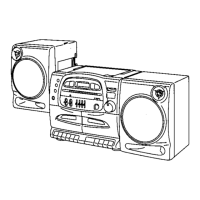
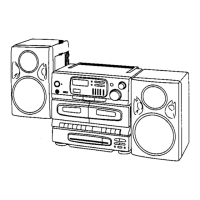
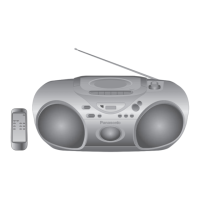
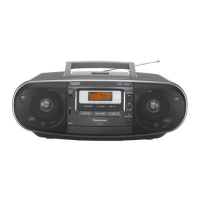
The Panasonic RX-DT650 is a portable stereo component system designed for versatile audio playback and recording. This system can be configured as a one-piece portable stereo radio cassette recorder or a three-piece component system by attaching or detaching its speakers.
The RX-DT650 offers multiple audio sources, including a CD player, a radio tuner, and a dual cassette deck. It also features a microphone mixing function, allowing users to mix their voice or instrumental sound with audio from a CD, tape, or radio.
The CD player supports standard compact discs and offers various playback modes. Users can play tracks in sequence, program their favorite tracks for a custom playlist (up to 16 tracks), and repeat individual tracks or the entire program. The system also allows for direct play from a desired track number and offers skip and search functions for easy navigation within a disc.
The radio tuner supports both FM and AM bands. It allows users to program up to ten FM and ten AM stations for quick access. Stations can be tuned manually or automatically. For better reception, the unit features a telescopic antenna for FM and can be rotated for optimal AM reception. An FM mode/beat proof button helps reduce interference during FM stereo broadcasts by switching to monaural reception.
The system includes a dual cassette deck, allowing for playback and recording of cassette tapes. It supports Normal/TYPE I tapes but not CrO2/TYPE II or Metal/TYPE IV tapes. The deck features standard playback, rewind, fast forward, stop, and pause functions. It also supports automatic playback relay from Deck 2 to Deck 1, enabling continuous listening. For recording, users can record from CDs (Easy CD Recording or an alternative method), radio programs, or perform tape-to-tape editing. The tape-to-tape editing function includes a synchro-start feature and allows for selection of editing speed (High or Normal). The full auto-stop system automatically releases operation buttons when the tape reaches its end during playback, recording, fast forward, or rewind.
The microphone mixing feature allows users to connect a microphone to the MIX MIC jack and combine their voice or instrumental sound with audio from the CD player, cassette deck, or radio tuner. This function can be used for both playback and recording. When mixing, it's recommended to reduce the volume level before connecting the microphone to prevent howling or squealing.
The RX-DT650 can be operated using AC power or ten R20/LR20 (UM-1 equivalent) batteries. It also has memory back-up battery compartments for four R6/LR6 (UM-3 equivalent) batteries, which preserve preset memory in case of power failure or AC cord disconnection. The power/battery standby indicator provides a visual cue for AC connection or battery check.
The speakers can be attached or detached from the main unit. When attached, they interlock with grooves on the main unit. Detaching involves pulling speaker release levers and sliding the speakers up. Speaker cables connect to designated positive and negative terminals.
The unit features a comprehensive set of controls, including volume control buttons, a balance control, and graphic equalizer controls to adjust sound output. An Extra Bass System (XBS) control button allows users to select different bass levels. A headphones jack is available for private listening. The display panel shows relevant information such as track numbers, play time, frequency, and programming status.
A remote control transmitter (EUR643821) is supplied for convenient operation from a distance. The remote control unit has an operation range of about 7 meters in front of the sensor, within a 30-degree angle. It requires two R03 (UM-4 equivalent) batteries.
The manual emphasizes several safety precautions, including avoiding exposure to rain or moisture, not opening covers due to laser radiation, and referring servicing to qualified personnel. It also advises against using the unit near heat sources, in direct sunlight in a car, or in a bathroom. Proper handling of the AC power cord and batteries is also detailed to prevent hazards.
The unit's external surfaces should be cleaned with a soft, dry cloth. For extremely dirty surfaces, a soft cloth dipped in a soap-and-water solution or a weak detergent solution can be used, ensuring the cloth is well-wrung. Harsh chemicals like alcohol, paint thinner, or benzine should be avoided as they may damage the finish.
The CD lens should be cleaned with a blower (not included) to remove dust. If the lens is extremely dirty, a cotton swab can be used for cleaning.
To maintain sound quality for recording and playback, the tape heads, pinch rollers, and capstan shafts should be cleaned approximately every 10 hours of use. This involves using a cotton swab (or a soft, lint-free cloth) slightly moistened with isopropyl alcohol. Alcohol should not be used for head cleaning.
If distortion or poor sound quality persists after cleaning, the head assembly should be demagnetized. Various head demagnetizers are available and should be used according to their instructions. Metal objects or tools, especially magnetic screwdrivers, should be kept away from the head assembly.
The manual provides guidelines for proper handling and storage of compact discs and cassette tapes to prevent damage and ensure optimal performance. This includes how to remove and hold discs, store them in their cases, and clean soiled surfaces. For cassette tapes, it advises on selecting appropriate tape types, handling tapes exceeding 90 minutes, and preventing tape slack. It also describes how to prevent accidental erasure of recorded sounds by removing erase-prevention tabs and how to re-record on protected cassettes. Improper storage conditions for both CDs and tapes, such as high temperatures, humidity, direct sunlight, or strong magnetic fields, are highlighted as potential causes of damage.
 General
| Type | Stereo System |
|---|---|
| CD Player | Yes |
| Radio Tuner | Yes |
| Tuner Bands | FM/AM |
| Bluetooth | No |
| USB Port | No |
| Remote Control | Yes |
| Tape Decks | 1 |
| Speakers | 2 |

 To Next Page