2. Insert a MD (either record/playback or playback only type)
3. After TOC reading, press [MD / ] button.
4. Press [STOP ] button.
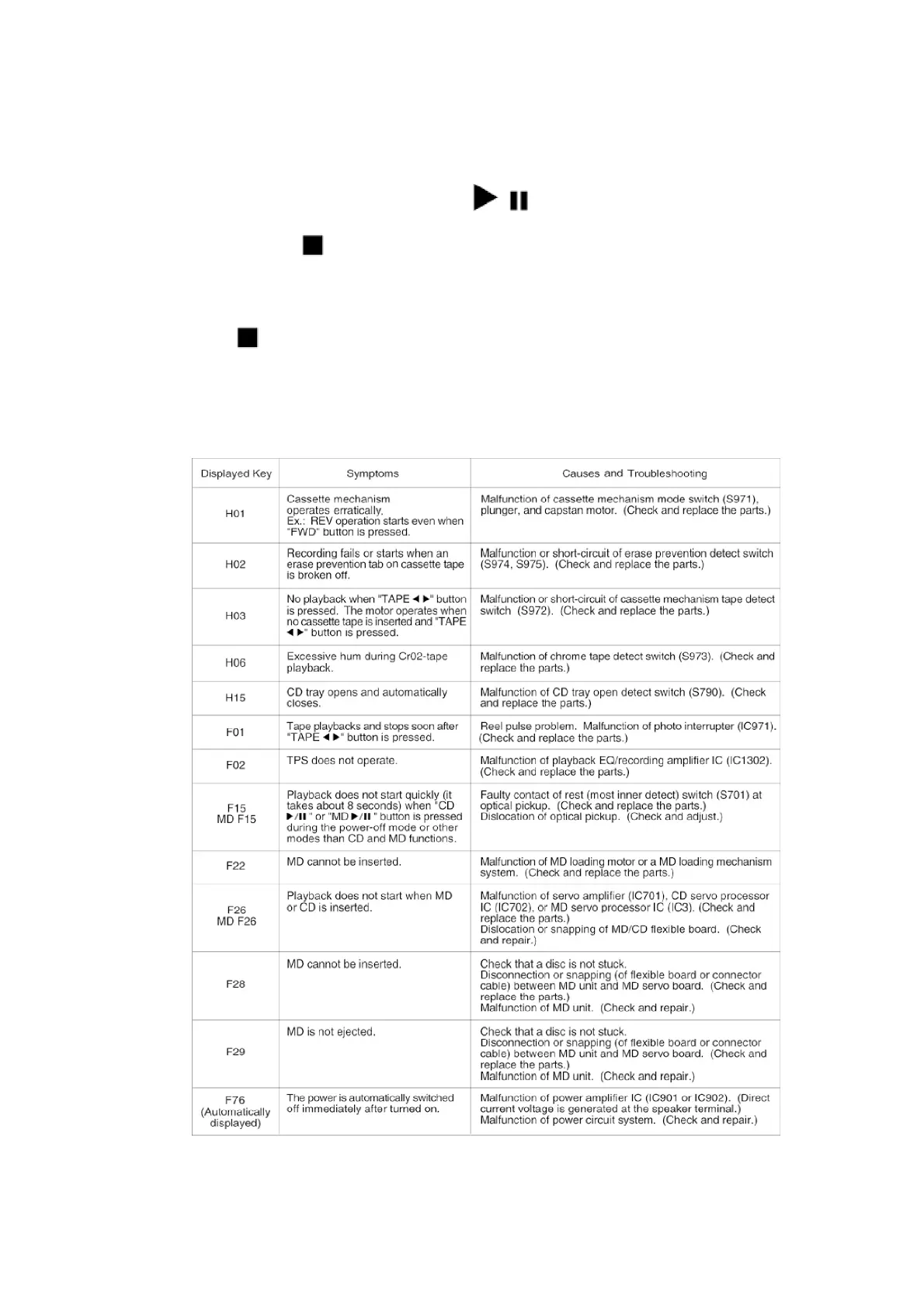
If an error is found, a self-diagnostic key appears on the display.
If several errors are found, the display shows these keys when
[STOP ] button is pressed repeatedly. (Ex.: MD F15 - MD F26 -
F22).
If no error is found, only the message, "TEST" appears on the
display.
8










 To Next Page