EasyManua.ls Logo

Panasonic SA-PT550GCP - User Manual

Panasonic SA-PT550GCP
145 pages
Print Icon
To Next Page IconTo Next Page
Loading...
lGENERAL
Power Supply: AC 110-127 V/220-240 V,
50/60 Hz
Power Consumption:
140 W
Power Consumption in Standby Mode:
approx. 0.8 W
Dimensions (W×H×D): 430×60×364.4 mm
Mass:
Main unit approx. 3.5 kg
Operating Temperature Range: +5°C to +35°C (+41°F to
+95°F)
Operating Humidity Range: 5% to 90% RH (no
condensation)
lAMPLIFIER SECTION
RMS Output Power: Dolby Digital Mode
lTotal RMS Dolby Digital mode power:
1000 W
At 1 kHz and total harmonic of 10%
lFront Ch: 125 W / Channel (3 )
lCenter Ch: 250 W / Channel (6 )
lSurround Ch: 125 W / Channel (3 )
At 100 Hz and total harmonic of 10%
lSubwoofer Ch: 250 W / Channel (6 )
© 2007 Matsushita Electric Industrial Co., Ltd. All
rights reserved. Unauthorized copying and
distribution is a violation of law.
SA-PT550GCP
Colour
(K).......................Black Type
PMPO Output Power: 7500 W
DIN Output Power: Dolby Digital Mode
lTotal DIN Dolby Digital mode power:
590 W
At 1 kHz and total harmonic of 1%
lFront Ch: 75 W / Channel (3 )
lCenter Ch: 145 W / Channel (6 )
lSurround Ch: 75 W / Channel (3 )
At 100 Hz and total harmonic of 1%
lSubwoofer Ch: 145 W / Channel (6 )
lFM TUNER, TERMINALS SECTION
Preset Memory:
FM 30 stations
Frequency Modulation (FM)
Frequency range:
87.50-108.00 MHz
(50-kHz step)
Sensitivity: 1.8 µV (IHF)
S/N 26 dB: 1.4 µV
Antenna terminals: 75 (unbalanced)
Digital Audio Input:
Optical digital input: Optical terminal
Sampling frequency: 32 kHz, 44.1 kHz, 48 kHz
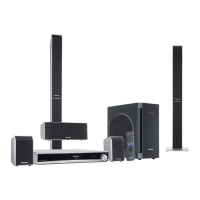
DVD Home Theater Sound System
Specifications
ORDER NO. MD0705017CE

Table of Contents

Questions and Answers

  • K
    Karen Rodriguez MDAug 14, 2025
    What to do if my Panasonic SA-PT550GCP Stereo System cannot read CD/DVD but spindle motor is spinning?
    • B
      benjamin49Aug 14, 2025
      If your Panasonic Stereo System cannot read a CD/DVD but the spindle motor is spinning, check the laser drive circuitry for proper voltages and current. Specifically, inspect the CD and DVD Laser Drives, comparing voltages and LD current with a known good HDMI Module P.C.B.
  • M
    Mrs. Kaitlyn SerranoAug 17, 2025
    How to fix HDMI no audio output on Panasonic SA-PT550GCP?
    • D
      Dr. Ryan WardAug 17, 2025
      If you're experiencing no audio output via HDMI on your Panasonic Stereo System, check the audio data lines and verify in the Setup Menu that the HDMI Audio output is turned ON.
  • A
    Amy FigueroaAug 25, 2025
    What to do if switching video output mode from 480P to 720p/1080i causes a blank TV display on Panasonic SA-PT550GCP?
    • B
      Barbara HartAug 25, 2025
      If your Panasonic Stereo System's TV display goes blank when switching the video output mode from 480P to 720p/1080i, check the following: * Supply voltage for Up-Con (IC3901) at Pin 9 and 124. * Ground (GND) for Up-Con at Pin 7 and 125. * Inspect for any capacitor shorts to GND.
  • M
    Michael OliverAug 27, 2025
    Why is the TV screen showing a White/Blue/Purple color problem on my Panasonic SA-PT550GCP Stereo System?
    • D
      Danielle ThomasAug 27, 2025
      If your Panasonic Stereo System's TV screen displays a White, Blue, or Purple color problem, check the digital video data line from the LSI (IC8001) to the Up-Converter (IC3901), specifically VOUT0-VOUT7.
  • M
    Michael RamirezAug 30, 2025
    What to do if my Panasonic Stereo System cannot read data from USB?
    • A
      apierceAug 30, 2025
      If your Panasonic Stereo System cannot read data from USB, check the USB connector and FFC, the LSI output, and the IC supply (+5V).
  • S
    Susan WilliamsonSep 3, 2025
    What causes distorted picture or abnormal sound during Panasonic SA-PT550GCP initialization?
    • J
      John JohnsonSep 3, 2025
      If you experience a distorted picture or abnormal sound during the initialization of your Panasonic Stereo System, take these steps: * Check the SDRAM address, data bus, CLK, and other control signal waveforms. * Inspect the video signals. * Check the audio DAC circuitry and compare it with a known good HDMI module P.C.B. * Look for solder shorts and/or missing or damaged components.
  • S
    Sara ConwaySep 6, 2025
    What does 'Jitter out of specification' mean for Panasonic Stereo System?
    • R
      Roger McclureSep 6, 2025
      If the jitter is out of specification on your Panasonic Stereo System, check the LD current and the OPU (try replacing it with another unit to confirm proper operation).
  • M
    Melvin PettySep 9, 2025
    What does No TOC / Long TOC mean on Panasonic SA-PT550GCP?
    • A
      ashley57Sep 9, 2025
      If your Panasonic Stereo System displays 'No TOC' or 'Long TOC', check the following: * Motor driver circuitry (+5V). * Laser drive circuitry (voltages and current). * LSI IC connection to motor drive circuitry, comparing with a known good HDMI Module P.C.B. * Inspect for solder shorts and/or missing/damaged components.
  • J
    jill32Nov 19, 2025
    Why does my Panasonic SA-PT550GCP TV not have any display and shows U702/U703?
    • J
      John WilliamsNov 20, 2025
      If your Panasonic Stereo System's TV display is blank and shows U702/U703, check the following: * Ensure the HDMI Video output is turned On in the Setup Menu. * Verify the +5V Supply to the TV. * Inspect the HDMI Connector Solderability. * Check the HDMI Output TDMS signal lines (IC3901) for Data (Pin 72, 73, 76, 77, 80, 81) and Clock (Pin 10,12). * Examine HDMI Transmitter communication lines to TV for Data, SDA (Pin 120, IC8001) and Clock, SCL (Pin 121, IC8001). * Check HDMI Transmitter communications from LSI (IC8001). * Confirm Local Port Slave Address setting resistor. * Verify HDMI Transmitter +3.3V and +1.2V Supplies. * Ensure HDMI Up-Con +3.3V Supply. * Check HDMI Pixel Clock Output from Up-Con to HDMI Transmitter. * Verify Up -Con IC I2C Data and Clock Line....

Panasonic SA-PT550GCP Specifications

General IconGeneral
BrandPanasonic
ModelSA-PT550GCP
CategoryStereo System
LanguageEnglish

Related product manuals