EasyManua.ls Logo

Panasonic SA-PT560E - User Manual

Panasonic SA-PT560E
159 pages
Print Icon
To Next Page IconTo Next Page
Loading...
Main unit SA-PT560E/EB/EG
O
OO
OGENERAL
Power supply: AC 230-240 V, 50 Hz
Power consumption: This unit 135 W
Power consumption in standby mode:
approx. 0.4 W
Dimensions (W×H×D): 430 mm×63 mm×327 mm
Mass: This unit 3.4 kg
Operating temperature range: +5 °C to +35 °C
Operating humidity range: 5%to90%RH
(no condensation)
O
OO
OAMPLIFIER SECTION
RMS Output Power: Dolby Digital Mode
Front Ch:
125 W per channel (3 ), 1 kHz, 10% THD
Surround Ch:
125 W per channel (3 ), 1 kHz, 10% THD
Center Ch:
250 W per channel (6 ), 1 kHz, 10% THD
© 2008 Matsushita Electric Industrial Co. Ltd.. All
rights reserved. Unauthorized copying and
distribution is a violation of law.
SA-PT560E
SA-PT560EB
SA-PT560EG
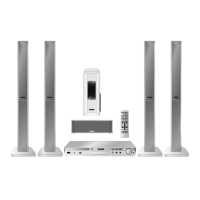
Colour
(S).......................Silver Type (E/EG only)
(K).......................Black Type (E/EB/EG)
Subwoofer Ch:
250 W per channel (6 ), 100 Hz, 10 % THD
Total RMS Dolby Digital mode power:
1000 W
DIN Output Power: Dolby Digital Mode
Front Ch:
75 W per channel (3 ), 1 kHz, 1% THD
Surround Ch:
75 W per channel (3 ), 1 kHz, 1% THD
Center Ch:
145 W per channel (6 ), 1 kHz, 1% THD
Subwoofer Ch:
145 W per channel (6 ), 100 Hz, 1 % THD
Total DIN Dolby Digital mode power:
590 W
O
OO
OFM TUNER, TERMINALS SECTION
Preset Memory: FM 30 stations
Frequency Modulation (FM)
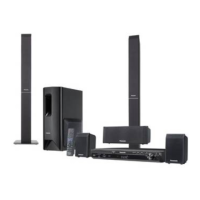
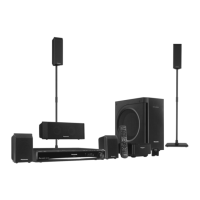
DVD Home Theater Sound System
Notes: This model’s CD/DVD mechanism is DLS6. Please refer to the original service manual (Order No.
MD0801003CE) for this mechanism.
Specifications
ORDER NO. MD0801008CE

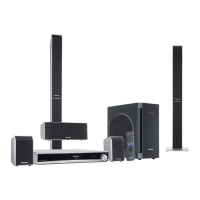
Table of Contents

Questions and Answers

  • C
    Christopher OneillAug 17, 2025
    Why does my Panasonic SA-PT560E HDMI have no audio output?
    • J
      jeffreymartinAug 18, 2025
      If you are experiencing issues with HDMI audio output on your Panasonic Stereo System, there are a few things you can check: * Ensure the audio data lines are working correctly. * Verify that the HDMI Audio output is turned On in the Setup Menu. * Inspect for any solder shorts, missing or damaged components, and check the signal condition.
  • R
    Rachel GrahamAug 21, 2025
    What to do if Panasonic SA-PT560E Stereo System has distorted picture or abnormal sound during initialization?
    • J
      Justin WeberAug 21, 2025
      If the picture is distorted or the sound is abnormal during the initialization of your Panasonic Stereo System, you can try the following: * Check the SDRAM address, data bus, CLK, and other control signals waveform. * Check the video signals (Y, C). * Check the audio DAC circuitry and compare it with an OK condition DVD Module P.C.B. * Check for any solder shorts or missing/damaged components.
  • F
    Frank BryantAug 25, 2025
    What to do if my Panasonic Stereo System cannot read the disc but spindle motor is spinning?
    • P
      Paige WilliamsAug 25, 2025
      If your Panasonic Stereo System cannot read the disc but the spindle motor is spinning, it might be a laser drive issue. Check the laser drive circuitry for proper voltages and current. Specifically, check the CD and DVD Laser Drives, comparing voltages and LD current with a known working DVD Module P.C.B.
  • A
    Andrew NewtonAug 28, 2025
    Why is my Panasonic SA-PT560E TV screen White/Blue/Purple?
    • D
      Donna OnealAug 28, 2025
      If you encounter a color problem where the TV screen is White, Blue, or Purple while using your Panasonic Stereo System, examine the digital video data line from LSI(IC8001) to Up-Converter (IC3901), specifically VOUT0-VOUT7.
  • B
    brian89Aug 31, 2025
    Why is my Panasonic Stereo System disc not spinning?
    • S
      stephenjamesAug 31, 2025
      If the Panasonic Stereo System disc is not spinning, you can try the following: * Check the connection from the DVD Module to the Traverse unit. * Check the motor driver circuitry for proper voltages and control signals, and compare with a known working DVD Module P.C.B. * Check for any solder shorts or damaged components.
  • J
    Jessica ClaytonSep 3, 2025
    What to do if Panasonic SA-PT560E TV display becomes blank when switching video output mode?
    • K
      Kaitlin MarshallSep 3, 2025
      If you experience a blank TV display when switching the video output mode from 480P to 720p/1080i on your Panasonic Stereo System, check the following: * Supply for Up-Con (IC3901) - Pin 9,124. * GND for Up-Con - Pin 7,125. * Check for capacitor short to GND.
  • P
    Paul PearsonSep 6, 2025
    What to do if Panasonic SA-PT560E Stereo System has No TOC/Long TOC?
    • S
      sergio65Sep 6, 2025
      If you are experiencing issues with No TOC/Long TOC on your Panasonic Stereo System, you can try the following: * Check the motor driver circuitry (+5V). * Check the laser drive circuitry (Voltages & current). * Check the LSI IC connection to the motor drive circuitry and compare with a known working DVD Module P.C.B. * Check for solder shorts or missing/damaged components.
  • A
    Angela HarveySep 10, 2025
    What to do if Jitter out of specification on Panasonic SA-PT560E?
    • M
      Michael AlvaradoSep 10, 2025
      If the jitter is out of specification on your Panasonic Stereo System, you should: * Check the LD current. * Check the OPU by changing to another unit to confirm the operating condition.
  • N
    Norma PhillipsNov 13, 2025
    What to do if my Panasonic SA-PT560E Stereo System TV does not have any display and shows U702/U703?
    • P
      peter22Nov 13, 2025
      If your Panasonic Stereo System TV doesn't have any display and the set FL display shows U702/U703, you should: * Check the HDMI video output setting in the Setup Menu to ensure it's turned ON. * Check the +5V Supply to the TV. * Inspect the HDMI Connector Solderability. * Check HDMI Output TDMS signal lines (IC3901). * Verify HDMI Transmitter communication lines to TV. * Check HDMI Transmitter communication from LSI (IC8001). * Check the Local Port Slave Address setting resistor at Pin 99 of HDMI Transmitter LSI IC (IC3901) for LPSA signal. * Verify the +3.3V and +1.2V Supplies to the HDMI Transmitter LSI IC (IC3901). * Check the HDMI Up-Con +3.3V Supply. * Check the HDMI Pixel Clock Output from Up-Con to HDMI Transmitter (VCLK). * Check the Up-Con IC I2C Data and ...

Summary

Specifications

AMPLIFIER SECTION

RMS and DIN output power specifications for front, surround, center, and subwoofer channels.

Safety and Handling Precautions

GENERAL GUIDELINES

General guidelines for servicing, protective devices, and leakage current checks.

LEAKAGE CURRENT CHECKS

Procedures for cold and hot leakage current checks.

ESD and Laser Diode Precautions

Techniques to prevent ESD damage and safety precautions for laser diodes.

Traverse Unit Handling

Specific cautions for handling the optical pickup and grounding for ESD prevention.

Service, Diagnosis, and Troubleshooting

Self-Diagnosis and Service Modes

Procedures for accessing self-diagnosis and special service modes.

Error Code Tables

Tables listing various error codes for mechanism, module, power supply, and USB issues.

Troubleshooting Guides

Guides for troubleshooting common errors like F61/F76, traverse unit issues, and HDMI output problems.

Assembling, Disassembling, and PCB Layouts

Disassembly Flow Chart

Flow chart illustrating the sequence of disassembly for unit components.

PCB Checking and Repair Procedures

Main P.C.B. Checking & Repair

Procedures for checking and repairing the Main P.C.B.

Measurements and Adjustments

Optical Pickup Tilt Adjustment

Detailed procedure for optical pickup tilt adjustment.

Exploded Views and Parts List

Panasonic SA-PT560E Specifications

General IconGeneral
Number of channels5.1
TunerFM
BluetoothNo
TypeHome Theater System
Disc Playback FormatsCD, CD-R, CD-RW
ConnectivityUSB, AUX
Audio Formats SupportedDolby Digital, DTS

Related product manuals