Note:
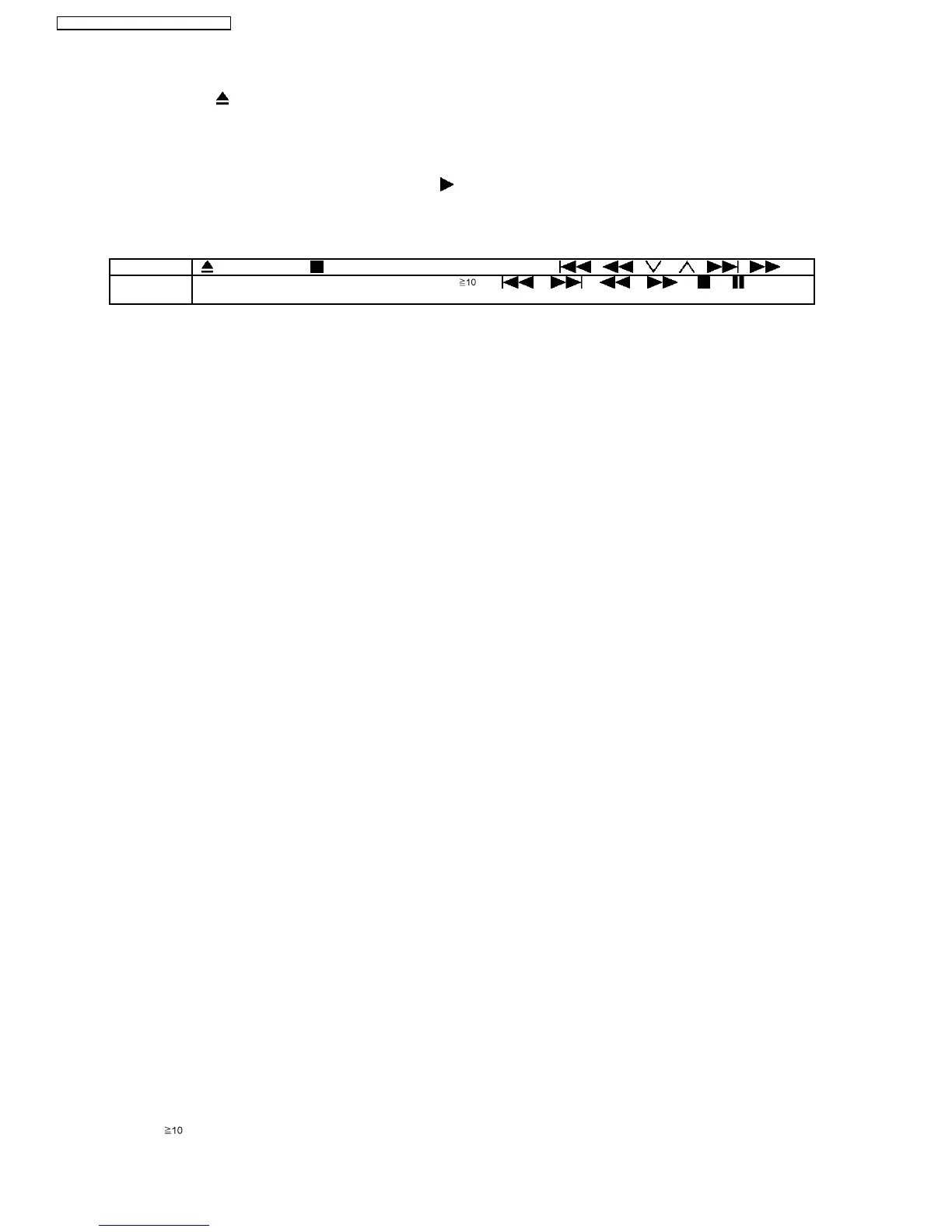
OPEN/CLOSE
button is invalid and the main unit displays “LOCKED” while the lock function mode is entered.
•
• •
• Prohibiting operation of selector and disc
1. Select the DVD/CD function.
2. At POWER ON condition, press and hold down the
button and the power button on the main unit for at least three
seconds. (The message, “LOCKED” appears when the function is activated.)
Note:
The following buttons are invalid and the main unit displays “LOCKED” while the lock function mode is entered.
Main unit OPEN/CLOSE, /-TUNE MODE/—FM MODE, SELECTOR, / / , / /
Remote
controller unit
iPod/USB, FM/EXT-IN, NUMERIC KEYS 0~9, , , , , , , , RETURN,
FUNCTIONS, FL DISPLAY/SLEEP, MUTING
8.6.2. Cancellation
The lock can be cancelled by the same procedure as used in setting. ("UNLOCKED" is displayed on cancellation. Disconnecting
the power cable from power outlet does not cancel the lock.)
8.7. Service Precautions
8.7.1. Recovery after the DVD player is repaired
•
• •
• When the FLASH ROM IC or DVD Module P.C.B. is replaced, carry out the recovery processing to optimize the drive.
Playback the recovery disk to process the recovery automatically.
•
• •
• Recovery disc (Product number: RFKZD03R005) [SPG]
•
• •
• Performing recovery process
1. Load the recovery disc RFKZD03R005 on to the player and run it.
2. Recovery is performed automatically. When it is finished, a message appears on the screen.
3. Remove the recovery disc.
4. Turn off the power.
5. Initialize the player.
8.7.2. Firmware version-up of the DVD player
•
• •
• The firmware of the DVD player may be renewed to improve the quality including operability and playability to the substandard
discs.processing to optimize the drive.
The recovery disc has also firmware version-up.
•
• •
• After version-up, recovery processing is executed automatically.
•
• •
• Part number of the recovery disc for version-up will be noticed when it is supplied.
•
• •
• Updating firmware
1. Load the recovery disc on to the player and run it.
2. Firmware version of the player is automatically checked. Appropriate message appears whenever necessary.
3. Using remote controller´s cursor key, select whether version updating is to be done or not. (Selection of Yes/No)
4. a. If Yes is selected, version updating is performed.
b. If No is selected, only recovery is performed.
5. a. When updating is finished, remove the disc according to the message appearing on the screen.
b. Remove the disc according to the message appearing on the screen.
6. Turn off the power.
Note:
If the AC power supply is shut out during version-up due to a power failure, the version-up is improperly carried out.
In such a case, replace the FLASH ROM IC and carry out the version-up again.
8.7.3. DVD Module P.C.B. Reset
•
• •
• When after replacing FLASH ROM IC or DVD Module P.C.B., FL displays error code “ DVD F897”. This means the unit is not
initialized properly and the following process needs to be carry out.
•
• •
• Procedures:
1. Press
on remote control while pressing “STOP” button on main unit. (To enter into initialization)
38
SA-PT560E / SA-PT560EB / SA-PT560EG







 To Next Page