EasyManua.ls Logo

Panasonic SC-AK14 - User Manual

Panasonic SC-AK14
32 pages
Print Icon
To Next Page IconTo Next Page
Loading...
RQT5539-P
P
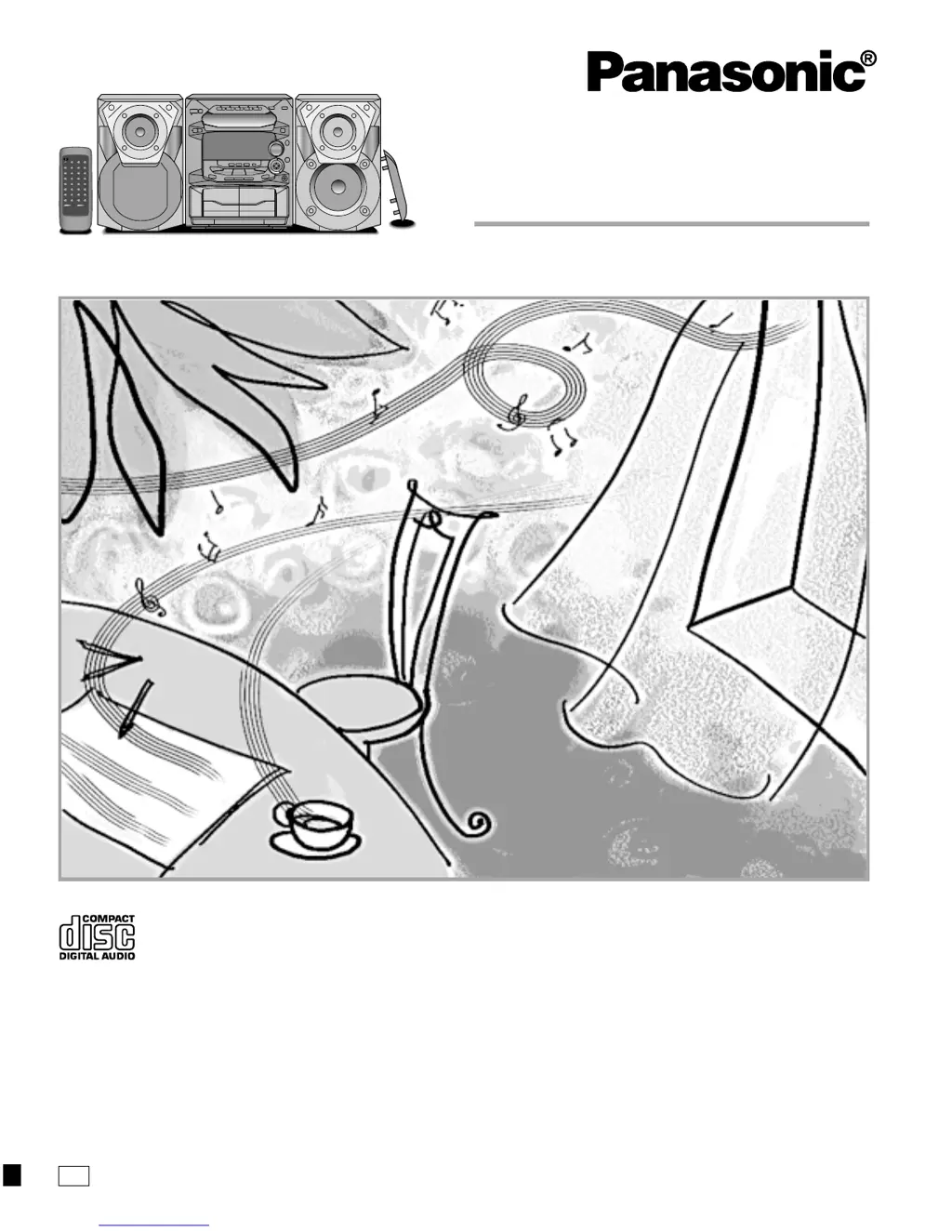
CD Stereo System
Operating Instructions
Model No. SC-AK14
Before connecting, operating or adjusting this product, please read these
instructions completely.
Please keep this manual for future reference.

Questions and Answers

  • G
    Gregory LopezAug 20, 2025
    What to do if my Panasonic SC-AK14 Stereo System cannot be operated with the remote control?
    • J
      Jody FosterAug 20, 2025
      If the system cannot be operated with the remote control, check the batteries. If the batteries are installed in the reverse polarity, re-insert them in the correct polarity. If the batteries are run-down, replace them with new ones.
  • D
    Douglas ClarkAug 22, 2025
    What to do if the left and right sounds are reversed on my Panasonic SC-AK14 Stereo System?
    • K
      Kristina HorneAug 22, 2025
      If the left and right sounds are reversed, it means the left and right connections to the speakers are reversed. Connect the speaker cords correctly to solve this.
  • B
    beltranjamesAug 25, 2025
    What to do if “F61” appears on the display of my Panasonic Stereo System?
    • S
      Scott EnglishAug 25, 2025
      If “F61” appears on the display, check if the speaker cords have shorted. If the speaker cords are not shorted, this indicates a power supply problem, and you should consult your dealer for assistance.
  • T
    Thomas PetersAug 26, 2025
    Why does “– – : – –” appear on the display of my Panasonic SC-AK14?
    • K
      Kyle HobbsAug 26, 2025
      The appearance of “– – : – –” on the display indicates that either you plugged the power cord in for the first time or there was a recent power failure. To fix this, set the time.
  • J
    Jennifer OliverAug 28, 2025
    What to do if the picture on the TV disappears or stripes appear on the screen when using my Panasonic SC-AK14?
    • C
      christopher74Aug 28, 2025
      If the picture on the TV disappears or stripes appear on the screen, the location and orientation of the antenna are incorrect. If you are using an indoor antenna, change to an outdoor antenna.
  • S
    Shaun DavisAug 30, 2025
    What to do if the left and right sounds are reversed when listening to the external unit on my Panasonic Stereo System?
    • A
      Anthony MartinezAug 30, 2025
      If the left and right sounds are reversed when listening to the external unit, it means the left and right connections to the external unit are reversed. Connect the external unit’s cord correctly.
  • A
    Anna StantonSep 1, 2025
    What to do if I see “TAKE OUT/DISC” on the display of my Panasonic Stereo System?
    • G
      Gina JohnsonSep 1, 2025
      If you see “TAKE OUT/DISC” on the display, it indicates there was a power failure or the power cord was disconnected from the household AC outlet during disc changing operation or when the disc tray is opened. To resolve this: 1. Press [f/7, POWER] to switch on the power. The tray will open. 2. If there is a CD in the tray, remove it, then press [c] of [CD 1] to close the tray. The system will restore normal operation.
  • F
    Frederick DavisSep 3, 2025
    How to fix 'rushing noise' during a stereo broadcast on my Panasonic SC-AK14 Stereo System?
    • J
      Jeffrey HendricksSep 3, 2025
      If you experience a 'rushing noise' during a stereo broadcast that is not audible during a monaural broadcast, the transmitting station is likely a long distance away. If you are using an indoor antenna, switch to an outdoor antenna.
  • R
    randallmedinaSep 5, 2025
    What does “ERROR” message mean on the display of my Panasonic SC-AK14 Stereo System?
    • C
      Christopher CookSep 5, 2025
      If “ERROR” message appears on the display, it means an incorrect operation has been performed. Operate the unit correctly by following the operating instructions.
  • P
    Patricia RobinsonSep 7, 2025
    Why ECO mode is on but the display panel still lights up on my Panasonic SC-AK14 Stereo System?
    • A
      Alyssa RichardsonSep 7, 2025
      If ECO mode is on but the display panel still lights up, it means DEMO mode is also on. Turn DEMO mode off.

Summary

System Precautions

General Safety and Installation

Covers power source, polarization, cord protection, nonuse, and installation environment.

Placement, Maintenance, and Service

Details unit placement, ventilation, maintenance, and service procedures.

System Connections

Basic Accessory Connections

Guides on connecting antennas, speakers, and the AC power cord.

Control Overview

Main Unit Front Panel Controls

Identifies and describes the controls and indicators on the main unit.

Remote Control Functions

Explains the function of each button on the remote control transmitter.

Radio Operations

Compact Disc Operations

Cassette Deck Operations

Recording Operations

Tape Recording Methods

Guides on tape types, tape-to-tape recording, and recording from radio.

Sound Quality and Field Operations

Timer Operations

Reference and Maintenance

Troubleshooting Common Issues

Solutions for common problems with radio, CD, and cassette operations.

Panasonic SC-AK14 Specifications

Amplifier Section IconAmplifier Section
RMS power output45 W per channel (6 Ω)
RMS power output (70 Hz–16 kHz)40 W per channel (6 Ω)
Input sensitivity (AUX)250 mV
Input impedance (AUX)13.9 kΩ
FM Tuner Section IconFM Tuner Section
Frequency range (200 kHz steps)87.9 – 107.9 MHz
Frequency range (100 kHz steps)87.5 – 108.0 MHz
Sensitivity2.5 µV (IHF)
S/N 26 dB2.2 µV
Antenna terminal(s)75 Ω (unbalanced)
AM Tuner Section IconAM Tuner Section
Frequency range (AM)520 – 1710 kHz (10 kHz steps)
Sensitivity (AM)560 µV/m
S/N 20 dB (at 1000 kHz)560 µV/m
Cassette Deck Section IconCassette Deck Section
Tape speed4.8 cm/s
Frequency response (NORMAL TYPE I)35 Hz – 14 kHz
Frequency response (HIGH TYPE II)35 Hz – 14 kHz
S/N50 dB (A weighted)
Wow and flutter0.18% (WRMS)
Fast forward and rewind timeApprox. 120 seconds with C-60 cassette tape
CD Section IconCD Section
Sampling frequency44.1 kHz
Decoding16 bit linear
Beam source/wave lengthSemiconductor laser/780 nm
Frequency response20 Hz–20 kHz (+1, –2 dB)
Digital filter8 fs
Speaker Section IconSpeaker Section
Type2 way speaker system
Woofer12 cm (4[23]/32˝) cone type
Tweeter6 cm (2[3]/8˝) cone type
Impedance6 Ω
Input power100 W (Music)
Output sound pressure level85 dB/W (1.0 m)
Cross over frequency5 kHz
Frequency range45 Hz–22 kHz (–16 dB)
General IconGeneral
Power supplyAC 120 V, 60 Hz
Power consumption145 W
Dimensions (WxHxD)270 x 330 x 310 mm
Mass6.8 kg (14.96 lb.)

Related product manuals