13
RQT0A22
Media playback controls
The following marks indicate the availability of the
feature.
Preparation
≥ Turn the unit on.
≥ Insert the media or connect the Bluetooth
®
/AllPlay/
DLNA compatible device. (l 6, 9, 11)
≥ Press [CD/USB] or [ ] to select the audio source.
– [Network]: When this system is selected as the output
speakers, the audio source will change to the network
source.
∫ To display information
([CD], [USB], [Bluetooth])
Press [DISPLAY] repeatedly.
≥ To use this unit’s remote control with a Bluetooth
®
device, the
Bluetooth
®
device must support AVRCP (Audio Video
Remote Control Profile).
Depending on the status of the device, some controls may
not work.
≥ [Network]: Some controls may not work depending on the app
in use, or when using the DLNA feature, etc.
≥ Maximum number of displayable characters: approx. 32
≥ This unit supports ver. 1.0, 1.1 and 2.3 ID3 tags. Text data
that is not supported will not be displayed or will be shown
differently.
≥ [Bluetooth]: When enjoying video contents with this function,
the video and audio output may not be synchronised.
Select the playback mode.
1 Press [PLAY MENU] to select “PLAYMODE” or
“REPEAT”.
2 Press [3, 4] to select the setting and then press
[OK].
≥ During random play, you cannot skip to the previous track.
≥ The mode is cancelled when you open the sliding door or
remove the USB device.
[CD]: CD audio in CD-DA format and a CD that
contains MP3 files (l 24)
[USB]: USB devices containing MP3 files (l 24)
[Bluetooth]: Connected Bluetooth
®
device (l 11)
[Network]: When connected to an AllPlay/DLNA
compatible device (l 9)
Basic controls
(
[CD], [USB], [Bluetooth], [Network])
Play Press [1/;].
Stop Press [∫].
≥ [USB]: The position is memorised and
“RESUME” is displayed.
≥ [USB]: Press [∫] two times to stop the
playback fully.
Pause Press [1/;].
Press again to restart play.
Skip Press [:/6] or [5/9] to skip
track.
[CD], [USB] Press [3] or [4] to skip the
MP3 album.
Search
(Except
[Network])
During play or pause, press and hold
[:/6] or [5/9].
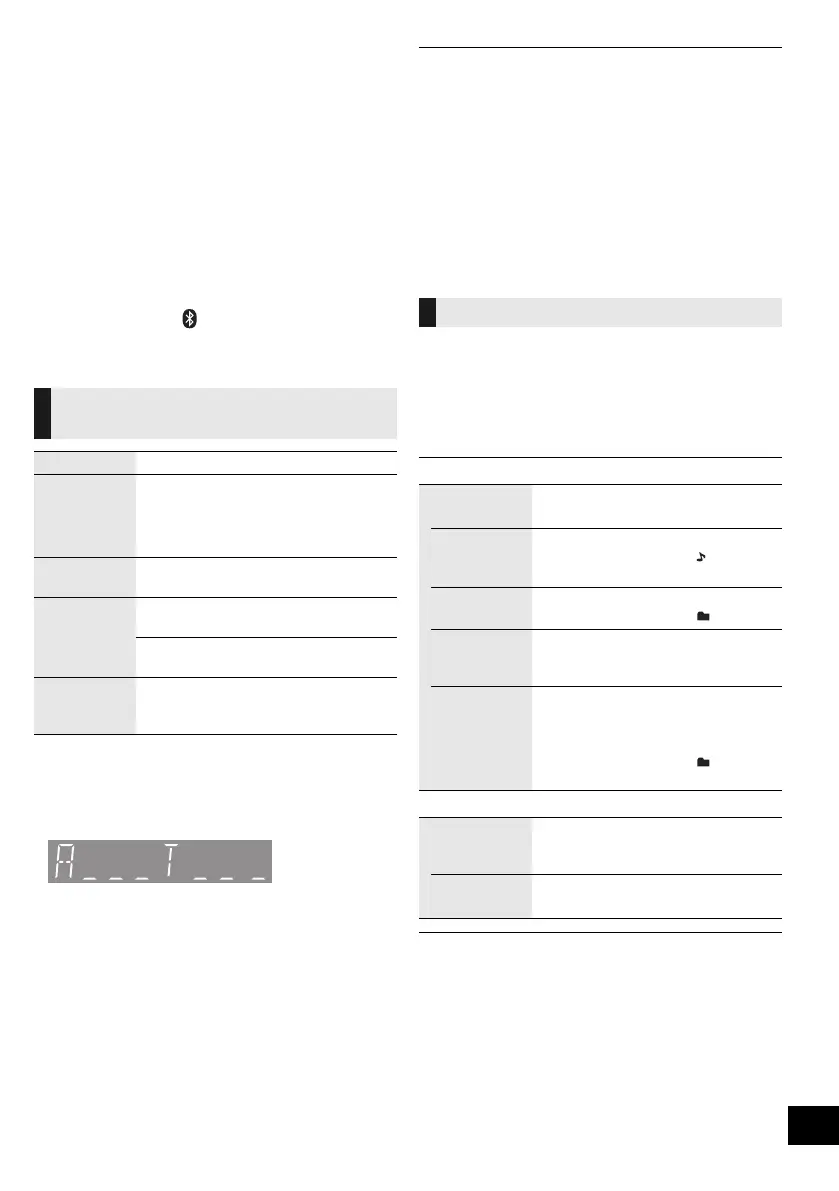
“A _ _ _”: MP3 album number.
“T _ _ _”: MP3 track number.
≥ “ _ ” stands for the album or track number.
Playback modes ([CD], [USB])
PLAYMODE
OFF
PLAYMODE
Cancels the play mode setting.
1-TRACK Only plays the selected track.
≥ The 1-TRACK indicator “ ” lights up.
(Skip to the desired track.)
1-ALBUM Only plays the selected MP3 album.
≥ The 1-ALBUM indicator “ ” lights up.
RANDOM Plays the contents randomly.
≥ The RANDOM indicator “RND” lights
up.
1-ALBUM
RANDOM
Plays the tracks in the selected
MP3 album randomly.
≥ Press [3] or [4] to select the MP3
album.
≥ The 1-ALBUM indicator “ ” and the
RANDOM indicator “RND” light up.
REPEAT
ON REPEAT Turns on repeat mode.
≥ The ON REPEAT indicator “`” lights
up.
OFF
REPEAT
Turns off repeat mode.
SC-ALL5CD-EGEBGN~RQT0A22.book 13 ページ 2015年7月17日 金曜日 午前11時30分










 To Next Page