Disc operations
RQT6345
26
Icon
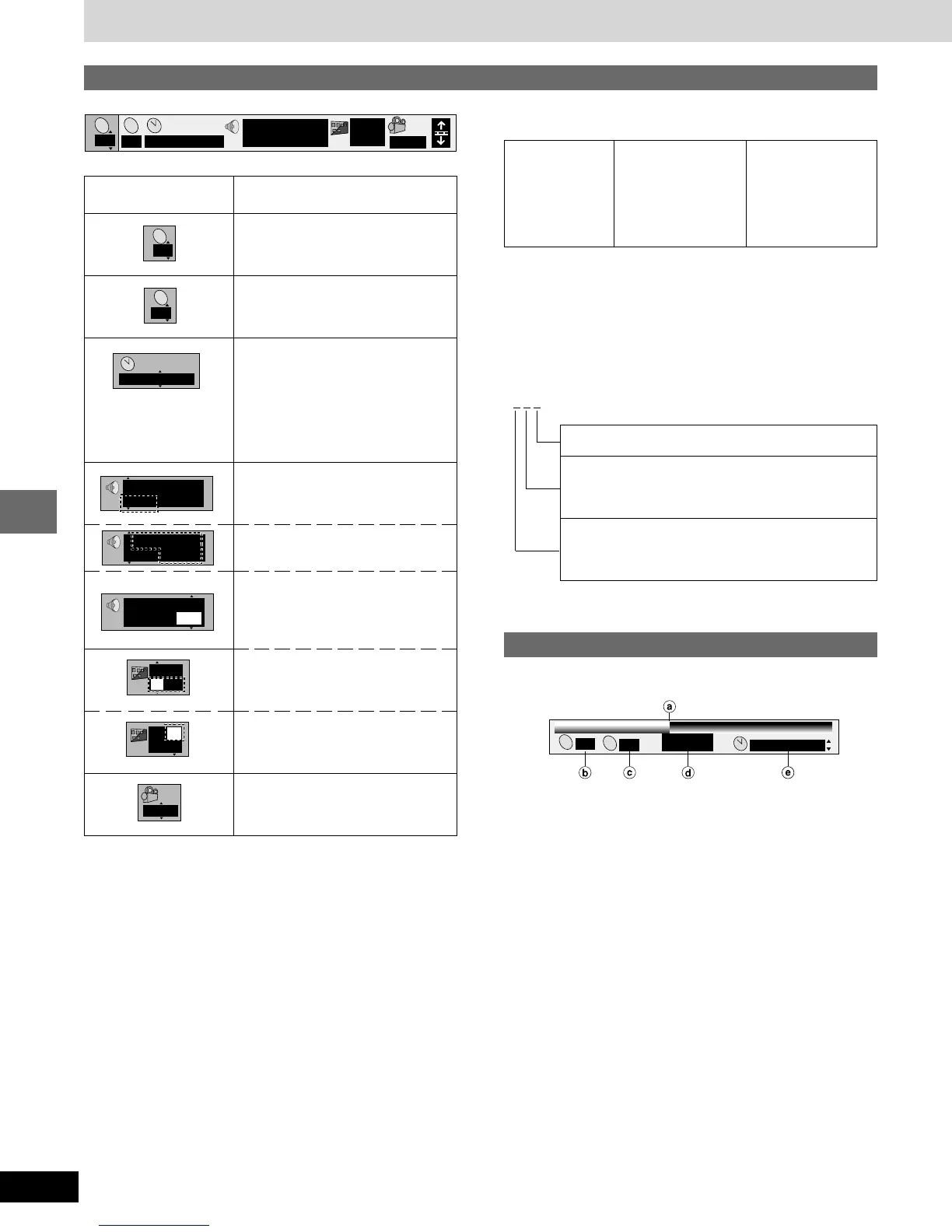
Using On-Screen Menu Icons
B Signal type/data
LPCM/p Digital: Signal type
k (kHz): Sampling frequency
b (bit): Number of bits
ch (channel): Number of channels
Example:
3/2.1ch
Content
Title number
Chapter number
Time
•
Press [8], [9] to show the elapsed
play time or remaining time for the
title.
•
Select a position to start play by
specifying a time with the
numbered buttons.
Soundtrack language
(See A at right for language
abbreviations.)
Audio signal type
(See B at right for details.)
(Karaoke DVD only)
Karaoke vocal on/off
Solo: OFF or ON
Duet: OFF, V1 + V2, V1 or V2
Subtitle language
(See A at right for language
abbreviations.)
Subtitles on/off
ON↔OFF
Angle number
.1: Subwoofer signal
0: No surround
1: Mono surround
2: Stereo surround (left/right)
1: Center
2: Front left
+
Front right
3: Front left
+
Front right
+
Center
A Audio/Subtitle language
ENG: English SVE: Swedish CHI: Chinese
FRA: French NOR: Norwegian KOR: Korean
DEU: German DAN: Danish MAL: Malay
ITA: Italian POR: Portuguese VIE: Vietnamese
ESP: Spanish RUS: Russian THA: Thai
NLD: Dutch JPN: Japanese ¤: Others
Disc information
Progress indicator
Indicates how far you have played through an item.
a Current position
b Title number
c Chapter number
d Condition – play, pause, or slow/search
e Time (When the elapsed play time is displayed)
•
Press [8], [9] to show the elapsed play time or remaining time
for the title.
•
Select a position to start play by specifying a time with the
numbered buttons.
1 : 46 : 50
2
T
2
C
Vocal
1 ¤ OFF
1 ENG 3/2.1 ch
p
Digital
1
2
2 1 : 46 : 50
T
C
1 ENG 3/2.1 ch
p
Digital
1
ENG
1
ON
ON
1
ENG
1
ENG
ON
1 ENG 3/2.1 ch
p
Digital
2
2 1 : 46 : 50
:
T
C















 To Next Page