Simple set-up
RQT6345
8
FRONT
3
Gray
Blue
Gray
Blue
2
L
R
1
V
I
D
E
O
I
N
S
U
R
R
O
U
N
D
C
E
N
T
E
R
W
O
O
F
E
R
1
3
Gray
Blue
Gray with
blue line
Gray
R
L
Red
Black
S
U
B
–
2
Surround speaker
(right)
(SB-PS90)
Video cable
(included)
Center speaker
(SB-PC90/
SB-PC93)
Surround speaker
(Left)
(SB-PS90)
Subwoofer
(SB-W20)
The illustrations show the model for U.S.A., Canada, Australia, and N.Z.
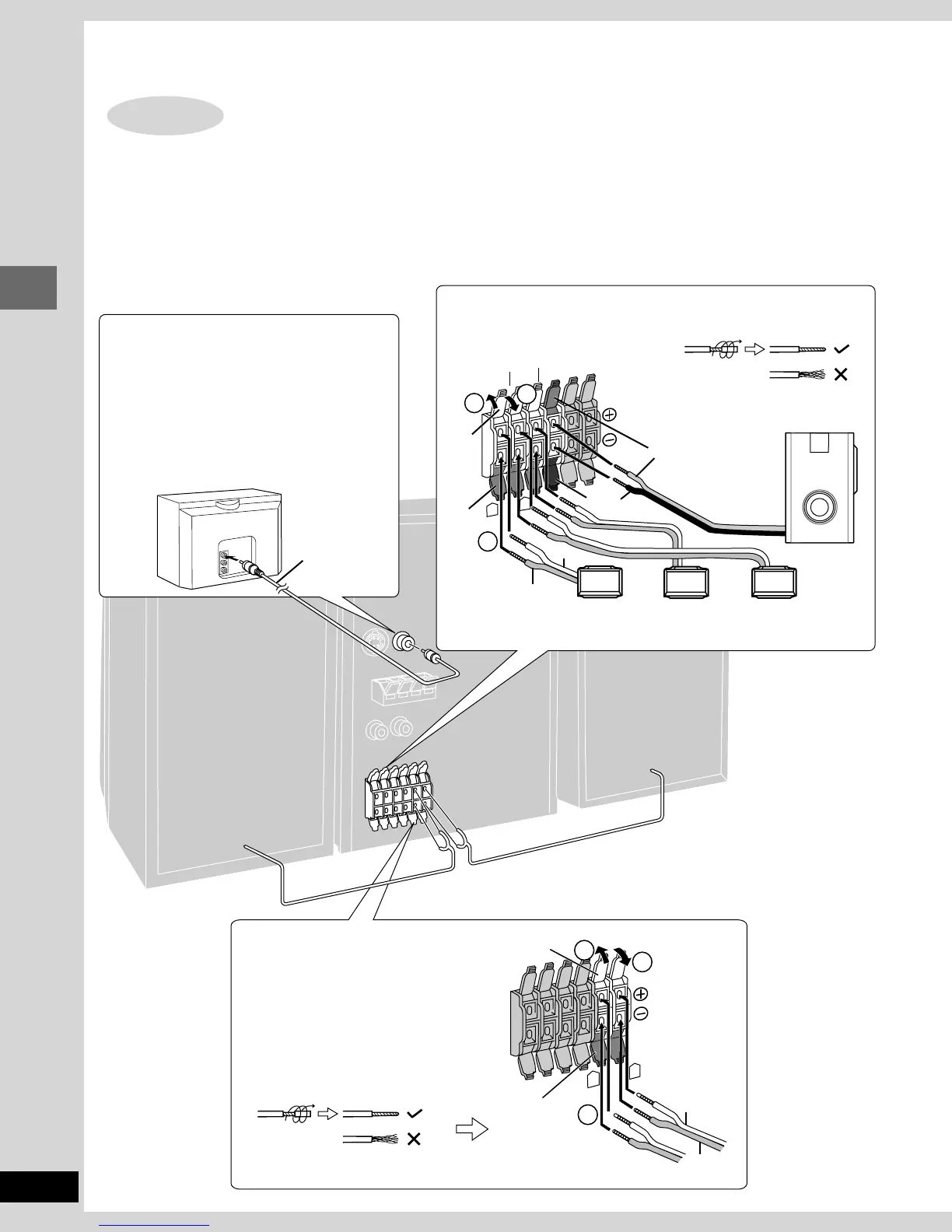
Connect the cords to the terminals of same color.
•
Never short-circuit positive (+) and negative (–) speaker wires.
•
Be sure to connect only positive (red or gray) wires to positive (+) terminals and negative (black, blue or gray with blue line) wires to negative
(–) terminals.
Incorrect connection can damage the speakers.
TV (not included)
You can connect through the S-VIDEO terminal
if your TV has an S-VIDEO terminal (➡ page 47).
Connect directly to your TV.
Do not connect the unit through a video cassette
recorder, because the picture may not be played
correctly due to the copy guard.
Front speakers
Subwoofer, center, and surround speakers
Simple set-up
Speakers and TV
STEP2
Twist the vinyl tip and pull off.
Twist the vinyl tip and pull off.
(Right)
(Left)
TV















 To Next Page