Karaoke operations
RQT6345
40
ENT
ER
MIX
2CH
SLEEP
AUTO
OF
F
SET UP
MUT
INGDIMMER
TV
POWER
TV
VIDEO
S.S
RND
A-B REP
EAT
CL
EAR
3D AI
ANGLE
MENU
TOP MENU
SUB
TITLE
AUD
IO
TEST
GUI DISP
RETURN
MARKER
SHI
FT
CH SE
LECT
TV CH UP
TV CH
DOWN
PLAY MODE
SELECT
OR
SOUND EQ
REP
EAT
SLO
W S
EARCH
PL
SUBW
OOFER
DVD
CD
TAPE
TUNER
DISC
VOLUME
POSITION
MEMOR
Y
MIC
ECHO
SHIFT
3
3
2
SHI
FT
VOLUME
3
2
MIC
AUDIO
2
1
3
Vocal
1 ¤ OFF
Enjoying karaoke
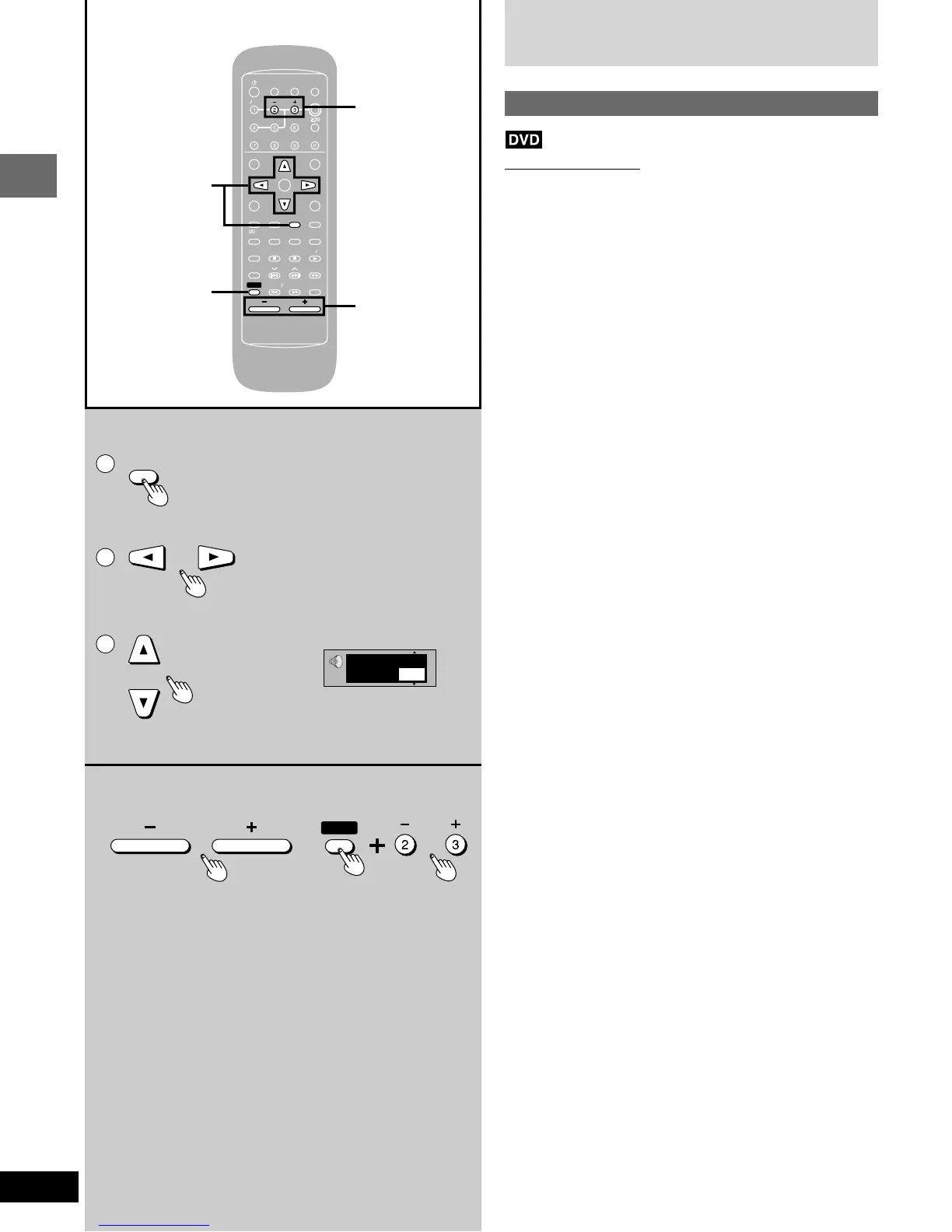
Enjoying karaoke with karaoke DVD
Remote control only
1 Insert the disc and start play (➡ page 14).
2 1 Press [AUDIO]
during play.
2 Press the cursor buttons [;], [:]
to highlight the illustrated icon.
3 Press the cursor buttons [8], [9]
to turn the vocals on or off.
•
Solo
•
Duet
OFF: No vocal OFF: No vocal
ON: Vocal V1
+
V2: Vocal 1 and 2
V1: Vocal 1
V2: Vocal 2
Choose “OFF” for karaoke.
Choose “V1” or “V2” to duet with the player.
Actual operations depend on the disc. Read the disc’s instructions
for details.
3 Start singing and adjust volume with
[– VOLUME +] and [SHIFT] + [– MIC +].
You can adjust the microphone volume level between 0 and
9.
(For the Middle East, South Africa and Asia)















 To Next Page