RQT6220
24
Sound quality/sound field operations
Sound field
Changing sound field and quality
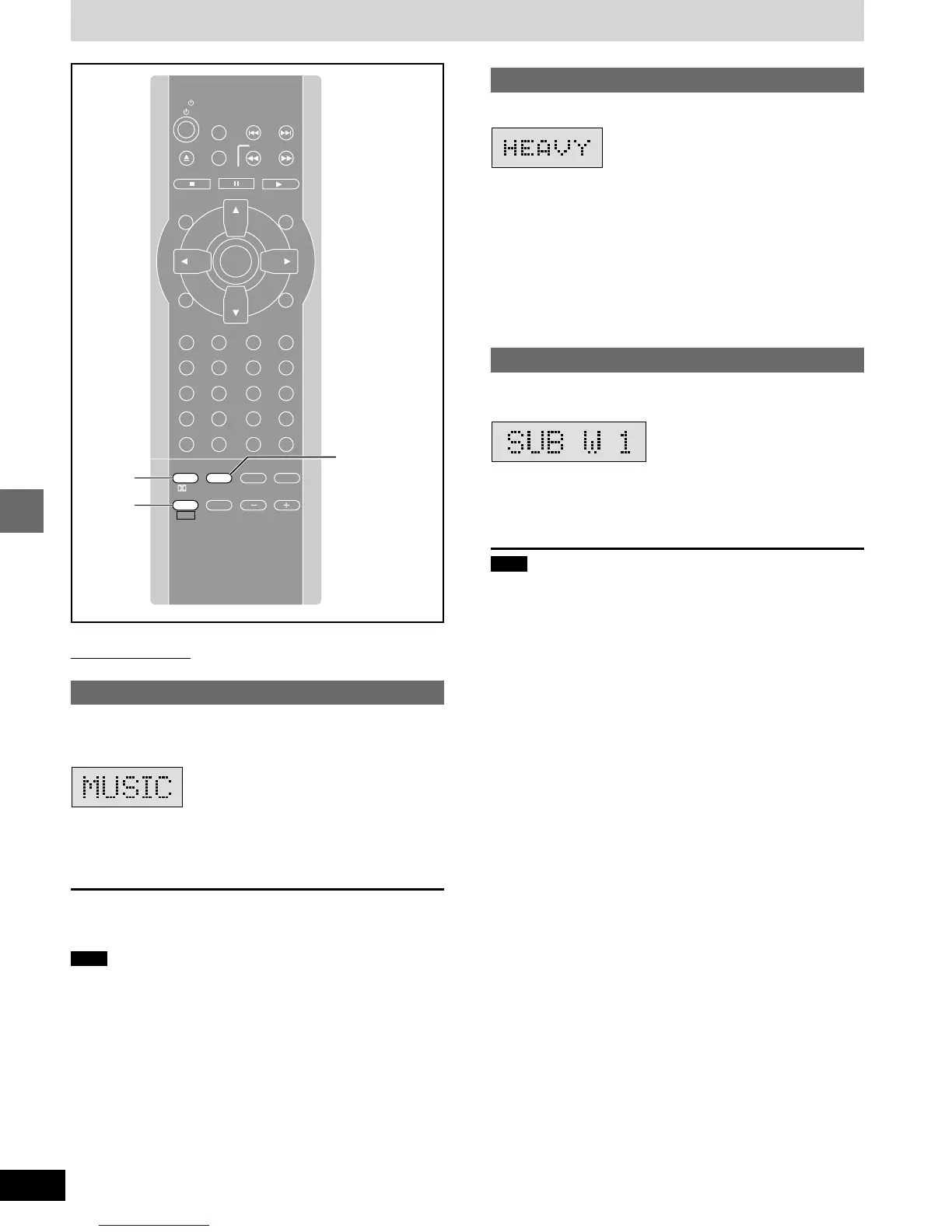
Press [EQ] to select a setting.
Each time you press the button:
HEAVY: Adds punch to rock (factory preset).
CLEAR: Clarifies higher sounds.
SOFT: For background music.
DISCO: Reverberates sound to make you feel like you were in a
disco.
LIVE: Makes vocals more alive.
HALL: Expands sound to make you feel like you were in a hall.
FLAT: Canceled (no effect is added).
Adjusting the bass
Press [SHIFT]
ii
ii
i [SUBWOOFER LEVEL].
Each time you press the button:
SUB W 1>SUB W 2>SUB W 3>SUB W 0 (off)
^_______-----------------------------------}
Note
You cannot adjust the bass while you are using headphones
(“ERROR” appears on the display).
Remote control only
SUPER SURROUND
Press [S.SRND] to select “MUSIC” or
“MOVIE”.
Each time you press the button:
MUSIC>MOVIE>STEREO SOUND (off)
^-----------------------------------------}
To cancel
Press [S.SRND] to select “STEREO SOUND”.
Note
Turn super surround off when playing a DVD recorded with Dolby
Digital or DTS. The surround effects will not be reproduced correctly
if this is left on.
SLOW/SEARCH
P.MEMORY
STOP DVD/CD
MENUTOP MENU
CH
SELECT
TEST
ENTER
PROGRAM
RANDOM
REPEAT
A-B REPEAT
S.SRND CINEMA
D.ENH
EQ
PL FM MODE
MIX 2CH
SHIFT VOLUME
MUTING
CANCEL
RETURN
LIGHT
ACTION
XW
SKIP
TV/VIDEO
TUNER/AUX
TV CH
XW
123
456
78
0
S10
9
PAUSE
TV
EQ,
SUBWOOFER
LEVEL
SHIFT
S.SRND
GUI DISPLAY
SUBTITLE
SUBWOOFER
LEVEL
AUDIO
PAGE
ANGLE
GROUP
SLEEP













 To Next Page