EasyManua.ls Logo

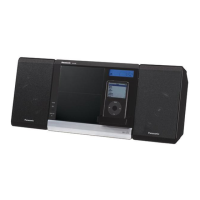
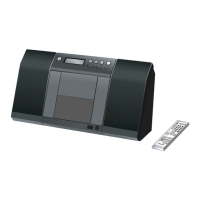
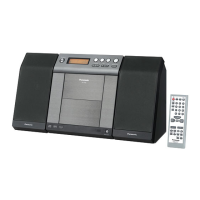
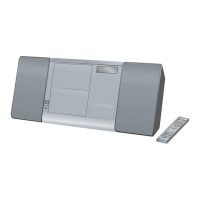
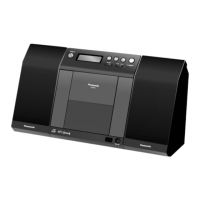
Panasonic SC-EN38 - User Manual

Panasonic SC-EN38
12 pages
Print Icon
To Next Page IconTo Next Page
Loading...
RQTV0288-2P
PCP
Please check and identify the supplied
accessories.
Use numbers indicated in parentheses when asking
for replacement parts.
(Product numbers correct as of November 2007.
These may be subject to change.)
Operating Instructions
CD Stereo System
Model No. SC-EN38
These instructions are applicable to the following systems.
If you have any questions contact
In the U.S.A.: 1-800-211-PANA (7262)
In Canada: 1-800-561-5505
Dear customer
Thank you for purchasing this product.
Before connecting, operating or adjusting this product, please
read the instructions completely.
Please keep this manual for future reference.
System SC-EN38
Main unit SA-EN38
Speakers SB-EN38
Only for the U.S.A.: To order accessories, refer to “Accessory
Purchases” on page 11.
Only for Canada: To order accessories, call the dealer from
whom you have made your purchase.
1 Remote control
1 FM/AM antenna
1 AC power supply cord
1 Support stand
2 Batteries
(N2QAYB000247)
(RFAX0023)
(N1DADYY00003)
Supplied accessories
The included AC power supply cord is for use with this unit only.
Do not use it with other equipment.
Do not use an AC power supply cord from other equipment.
Supplied accessories cover
IMPORTANT SAFETY INSTRUCTIONS 2
The remote control 3
Control guide 3
Attach the stand to the unit 4
Placement of speakers 4
Connections 4
Disc operations 5
Radio operations 6
External unit 7
Timer 8
Sound adjustment 9
Specifications 9
Product Service 9
Troubleshooting guide 10
Maintenance 10
Limited Warranty (ONLY FOR U.S.A.) 11
Limited Warranty (ONLY FOR CANADA) back cover
Listening caution back cover
Table of contents
Note
(RYQX0512-H)
The included Canadian French language sheet corresponds to this unit’s
English displays.

SC-EN38_P,PC (RQTV0288)_running change1.indd 1 2/20/2008 9:54:30 AM

Questions and Answers

  • A
    Alicia JohnsonSep 18, 2025
    What does 'PGM FULL' mean on my Panasonic SC-EN38 Stereo System display?
    • S
      Sydney RichSep 18, 2025
      If your Panasonic Stereo System display shows 'PGM FULL', the number of programmed tracks is limited to 24, and no further tracks can be programmed.
  • S
    Stephen DavisAug 25, 2025
    How to fix Panasonic SC-EN38 when it has no play?
    • V
      Vincent MoranAug 25, 2025
      If your Panasonic Stereo System isn't playing, start by checking if the disc is correctly set. Also, inspect the disc for scratches or dirt. If there is moisture on the lens, wait for about an hour and then try again.
  • N
    Noah JosephAug 25, 2025
    What to do if the remote control for my Panasonic SC-EN38 Stereo System doesn’t work?
    • D
      Dalton PerezAug 26, 2025
      If the remote control isn’t working, first check that the batteries are inserted correctly. If they are, replace the batteries, as they may be worn.
  • C
    Christopher HowardAug 27, 2025
    Why isn't my Panasonic Stereo System remote control working?
    • M
      Michael WelchAug 27, 2025
      If your Panasonic Stereo System remote control isn’t working, check that the batteries are inserted correctly. If they are, and the remote still doesn’t work, replace the batteries as they may be worn.
  • M
    millermichelleSep 22, 2025
    What to do if there's no response when the USB button is pressed on my Panasonic SC-EN38?
    • C
      Cheryl WillisSep 22, 2025
      If there is no response when the USB button is pressed on your Panasonic Stereo System, disconnect the USB device and then reconnect it. If that doesn't work, turn the unit off and then back on.
  • S
    Susan WilkinsSep 23, 2025
    What does 'USB OVER CURRENT ERROR' mean on my Panasonic SC-EN38 Stereo System?
    • H
      hcobbSep 23, 2025
      If your Panasonic Stereo System displays 'USB OVER CURRENT ERROR', the USB mass storage device rating exceeds 500mA. Disconnect the USB device and then turn the unit off and back on.
  • P
    philip82Sep 9, 2025
    What does 'NO PLAY' mean on my Panasonic SC-EN38?
    • J
      Jamie FrankSep 10, 2025
      If you see 'NO PLAY' on the display, it means a CD-ROM disc that is not CD-DA or MP3 format is inserted. Insert a CD-DA or MP3 format disc.
  • S
    shaneramosSep 12, 2025
    What does 'ERROR' mean on my Panasonic SC-EN38 Stereo System?
    • A
      Allison FergusonSep 12, 2025
      If 'ERROR' is displayed, it indicates an incorrect operation was performed. Read the instructions and try again.
  • E
    Elizabeth YoungSep 3, 2025
    Why is humming heard during play on my Panasonic SC-EN38?
    • M
      Margaret ParrishSep 3, 2025
      If you hear humming during play, it may be because an AC power supply cord or fluorescent light is near the cords. Keep other appliances and cords away from this unit’s cables.
  • A
    Allison CardenasSep 1, 2025
    Why can't my Panasonic SC-EN38 read MP3 files?
    • M
      Melissa MartinSep 1, 2025
      Your Panasonic Stereo System may not be able to play MP3 files if you have copied a multi-session disc that has no data between sessions. Ensure the multi-session disc has data between sessions. Also, when creating a multi session disc, it is necessary to close the session. Finally, set the amount of data to greater than approximately 5 MB because the amount of data on the disc may be too small.

Summary

Important Safety Instructions

General Safety Precautions

Covers essential safety guidelines for operating the apparatus safely and effectively.

Product Safety Warnings

Highlights critical warnings regarding fire, electric shock, laser radiation, and ventilation hazards.

Control Guide

Remote Control Button Functions

Detailed explanation of each button on the remote control and its function.

Main Unit Control Layout

Identifies and describes the controls and ports located on the main unit.

System Connections

Disc Playback Operations

Programmed Track Playback

Instructions for programming and playing custom track sequences for CD and MP3 discs.

Radio Operations and Presets

Radio Station Memory Presets

Instructions for automatic and manual presetting, and selecting stored radio stations.

iPod and External Device Integration

Inserting and Charging the iPod

Guide to inserting an iPod into the dock and how the unit charges it.

Playing Audio from iPod

Instructions for selecting and playing audio content from a connected iPod.

System Mode and Timer Settings

Clock and Timer Setup

Instructions for setting the unit's clock and configuring timer functions like sleep and play timers.

Sound Adjustment Features

Audio Enhancement Options

Explains EQ presets, Live Virtualizer, D.BASS, and Re-master functions for audio tuning.

Product Service and Information

Service, Repairs, and Support

Guidelines for service requirements, parts, safety checks, and product support contacts.

Troubleshooting Common Issues

Playback and Sound Problems

Solutions for issues like no playback, unreadable MP3s, or distorted sound.

iPod Connectivity and Charging

Solutions for iPod not turning on, not charging, or unable to use PC Sync.

Limited Warranty (USA)

Limited Warranty (Canada)

Panasonic SC-EN38 Specifications

General IconGeneral
Supported radio bandsAM, FM
Radio Data System (RDS)Yes
TypeHome audio micro system
Product colorBlack
Speaker depth124 mm
Speaker width121 mm
Speaker height203 mm
Dimensions (WxDxH)252 x 203 x 134 mm
Headphone connectivity3.5 mm
USB 2.0 ports quantity1
Weight and Dimensions IconWeight and Dimensions
Weight1900 g

Related product manuals