EasyManua.ls Logo

Panasonic SC-EN9 - User Manual

Panasonic SC-EN9
12 pages
Print Icon
To Next Page IconTo Next Page
Loading...
RQT7695-1B
EB
Dear customer
Thank you for purchasing this product.
Before connecting, operating or adjusting this product, please read these
instructions completely.
Please keep this manual for future reference.
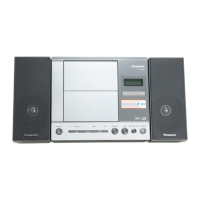
These instructions are applicable to the following systems.
NoteNote
“EB” on the packaging indicates the United Kingdom.
Supplied accessories . . . . . . . . . . . . . . . . . . . . . . . . . . . . . . . . . . . . . . 2
Safety precautions . . . . . . . . . . . . . . . . . . . . . . . . . . . . . . . . . . . . . . . . 2
Caution for AC Mains Lead . . . . . . . . . . . . . . . . . . . . . . . . . . . . . . . . . 2
The remote control . . . . . . . . . . . . . . . . . . . . . . . . . . . . . . . . . . . . . . . . 3
Placement . . . . . . . . . . . . . . . . . . . . . . . . . . . . . . . . . . . . . . . . . . . . . . . 3
Connections . . . . . . . . . . . . . . . . . . . . . . . . . . . . . . . . . . . . . . . . . . . . . 3
Using other equipment . . . . . . . . . . . . . . . . . . . . . . . . . . . . . . . . . . . 10
MP3 operations . . . . . . . . . . . . . . . . . . . . . . . . . . . . . . . . . . . . . . . . . . 10
Regarding CDs . . . . . . . . . . . . . . . . . . . . . . . . . . . . . . . . . . . . . . . . . . 10
Control guide . . . . . . . . . . . . . . . . . . . . . . . . . . . . . . . . . . . . . . . . . . . 11
Troubleshooting guide . . . . . . . . . . . . . . . . . . . . . . . . . . . . . . . . . . . . 11
Maintenance . . . . . . . . . . . . . . . . . . . . . . . . . . . . . . . . . . . . . Back cover
Specifications . . . . . . . . . . . . . . . . . . . . . . . . . . . . . . . . . . . . Back cover
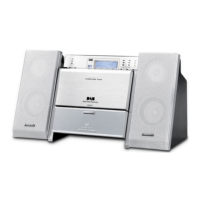
System SC-EN9
Main unit SA-EN9
Speakers SB-EN7
Table of contents
Operations
CD operations . . . . . . . . . . . . . . . . . . . . . . . . . . . . . . . . . . . . . . . . . . . . 4
Radio operations . . . . . . . . . . . . . . . . . . . . . . . . . . . . . . . . . . . . . . . . . 5
DAB operations. . . . . . . . . . . . . . . . . . . . . . . . . . . . . . . . . . . . . . . . . . 6-8
Timer and others. . . . . . . . . . . . . . . . . . . . . . . . . . . . . . . . . . . . . . . . . . 9
Operating Instructions
CD Stereo System
Model No. SC-EN9
Before use
Others


Questions and Answers

  • G
    gerald38Aug 20, 2025
    How to reset Panasonic SC-EN9 Stereo System when it is not responding?
    • T
      Tina MartinAug 20, 2025
      To initialize the settings, follow these steps: 1. Remove the AC adapter. 2. While pressing the [ /I ] button on the unit, insert the AC adapter. 3. Continue to press and hold the [ /I ] button until “----------------” appears on the display.
  • R
    Robert GallagherAug 22, 2025
    What to do if Panasonic SC-EN9 Stereo System cannot read MP3 files?
    • N
      nicolesosaAug 22, 2025
      The Panasonic Stereo System may not play MP3 files if you have copied a multi-session disc that has no data between sessions, or when creating a multi session disc, it is necessary to close the session. Also, ensure that the amount of data on the disc is greater than approximately 5 MB.
  • J
    James WareAug 25, 2025
    What does NO SIGNAL mean on Panasonic Stereo System?
    • A
      andrew29Aug 25, 2025
      The message “NO SIGNAL” indicates that the selected station cannot be received. Check your antenna.
  • K
    Kaitlyn ThompsonAug 27, 2025
    How to improve DAB reception on Panasonic SC-EN9 Stereo System?
    • R
      robert01Aug 27, 2025
      To improve DAB reception, keep the antenna away from computers, televisions, other cables, and cords.
  • A
    Amanda SimmonsAug 28, 2025
    Why does my Panasonic SC-EN9 display – –:– –?
    • B
      brandykingAug 28, 2025
      The display "– –:– –" indicates that you plugged the AC adapter in for the first time or there was a power failure recently. Set the time.
  • H
    Holly AndersonAug 30, 2025
    What does ERROR mean on my Panasonic SC-EN9 Stereo System?
    • S
      samuel09Aug 30, 2025
      The “ERROR” message indicates that an incorrect operation was performed. Read the instructions and try again.
  • G
    Gary WashingtonSep 1, 2025
    Why is there no sound or a lot of noise from my Panasonic SC-EN9?
    • K
      Kelly RossSep 1, 2025
      Noise may occur when playing MP3 files if the recording quality is poor. Ensure the unit is kept away from mobile telephones. Also, verify that the volume is turned up. If issues persist, switch off the unit, determine and correct the cause, then switch the unit on again. Causes include shorting of the positive and negative speaker wires, straining of the speakers through excessive volume or power, and using the unit in a hot environment.
  • J
    jeremy86Sep 3, 2025
    Why is there humming during playback on my Panasonic SC-EN9 Stereo System?
    • M
      mooneycynthiaSep 3, 2025
      A humming sound during playback may be caused by an AC mains lead or fluorescent light being near the cables. Keep other appliances and cords away from this unit’s cables.
  • A
    Anthony VargasSep 5, 2025
    How to fix sound coming from one speaker on Panasonic SC-EN9 Stereo System?
    • C
      Carl MitchellSep 5, 2025
      Check the speaker connections.
  • A
    Allen FoleySep 7, 2025
    Why does the TV picture disappear when Panasonic SC-EN9 is on?
    • W
      williamcoleSep 7, 2025
      If the picture on the television disappears or stripes appear on the screen, it may be due to the TV antenna wire being too close to the unit. Separate the antenna wire of the TV set from the unit.

Summary

Supplied accessories

Safety precautions

Placement

Set the unit up on an even surface away from direct sunlight, high temperatures, high humidity, and excessive vibration.

Foreign matter

Do not let metal objects or liquids fall inside the unit. Avoid spraying insecticides.

Service

Do not attempt to repair the unit yourself. Contact your dealer or an authorized service center.

Caution for AC Mains Lead

How to replace the fuse

Location of the fuse differs according to the type of AC mains plug. Open the fuse cover with a screwdriver.

The remote control

Connections

AM loop antenna

Stand the antenna up on its base.

Speakers

Before connecting, twist and pull off the speaker cord ends.

DAB T antenna

The cross bar of the T should be kept firmly stretched. Find a position with good reception.

AC adaptor

Connect the AC adaptor only after all other connections have been made.

CD operations

Set the CD in place

The CD lid opens and the unit comes on. Label must face outward.

Start play

If the CD is already in the unit, the unit comes on and play begins.

Repeat play;random play

Each time you press the button: 1- → → RND → PLAY MODE OFF.

Program play

This function allows you to program up to 24 tracks.

Radio operations

Manual tuning

Radio stations can be tuned manually by selecting the station's frequency.

Auto tuning

Press and hold until the frequency starts changing rapidly.

Preset tuning

Radio stations can be preset into channels to make it easy to tune.

DAB operations

Enter DAB mode

The unit comes on. DAB Auto Scan automatically memorizes receivable stations.

Select STATION TUNE

Each time you press the button: 'STATION TUNE' → 'PRESET TUNE'.

Select the station

The station name changes in alphanumeric order.

What is DAB?

DAB stands for digital audio broadcasting. It is a new form of radio that is broadcast digitally.

DAB Auto Scan

Presetting

Stations can be preset into channels to make it easy to select. You can preset up to 20 channels.

Listening to the secondary service

"✔" is displayed if there is a secondary service broadcast.

Display

This section explains the displays when enjoying DAB.

Turning the automatic clock adjustment function on

Changing the Auto scan frequency range

Checking the DAB signal quality

Timer and others

Setting the time

This is a 24-hour clock. To display the clock when the unit is on.

SLEEP timer

The SLEEP timer can turn the unit off after a set time.

Sound quality

You can choose one of four types of sound quality.

Live Virtualizer

You can create a three-dimensional sound field when listening to stereo sound.

MP3 operations

Creating MP3 Files

Maximum tracks/albums, file compatibility, and playback limitations.

Regarding CDs

CD-R;CD-RW Compatibility

Notes on recording and compatibility of CD-R and CD-RW discs.

Control guide

Troubleshooting guide

No play

The disc isn't correctly set. The disc is scratched or dirty.

MP3 read errors

The amount of data on the disc is too small.

Sound issues

Sound is unfixed, reversed or comes from one speaker only. No sound or there is a lot of noise.

Noise and interference

Humming heard during play. A beat sound is heard while receiving a radio broadcast.

Response and Reset

No response even when button is pressed. I want to erase the memory and reset it.

Maintenance

Specifications

Panasonic SC-EN9 Specifications

Radio Specifications IconRadio Specifications
FM frequency range87.50–108.00 MHz
AM frequency range522–1629 kHz
DAB frequency range5A–13F (174.928–239.200 MHz)
CD Player Specifications IconCD Player Specifications
Sampling frequency44.1 kHz
Decoding16 bit linear
Beam source wavelength780 nm
Terminals IconTerminals
AUX input3.5 mm stereo (27 kΩ)
DAB EXT ANT inputF-Connector (75 Ω)
PHONES output3.5 mm stereo (32 Ω)
General Specifications IconGeneral Specifications
Power supplyAC230-240V, 50Hz
AC adaptorDC 13 V, 1.5 A
Power consumption30 W
Speaker Specifications IconSpeaker Specifications
Full range8 cm, 3 Ω × 2
Ceramic tweeter1.52 cm × 2
Speaker dimensions107 × 230 × 165 mm
Dimensions and Weight IconDimensions and Weight
Main unit dimensions240 × 216 × 170 mm
Mass with speakers3.0 kg
Mass without speakers1.6 kg

Related product manuals