EasyManua.ls Logo

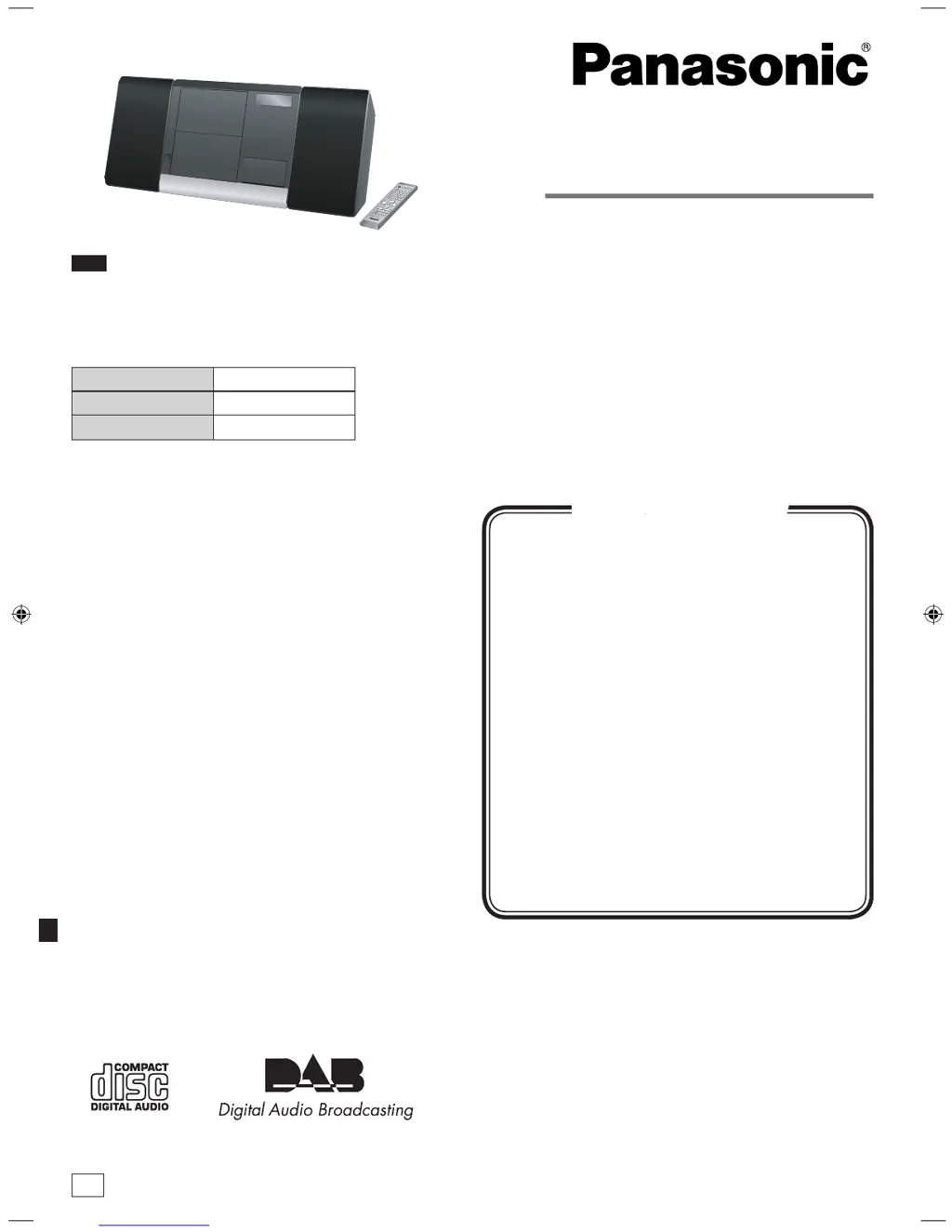
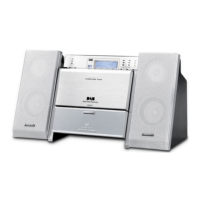
Panasonic SC-EN38DB - User Manual

Panasonic SC-EN38DB
16 pages
Print Icon
To Next Page IconTo Next Page
Loading...
RQTV0294-1B
EB
Operating Instructions
CD Stereo System
Model No. SC-EN38DB
These instructions are applicable to the following systems.
Dear customer
Thank you for purchasing this product.
Before connecting, operating or adjusting this product, please
read the instructions completely.
Please keep this manual for future reference.
System SC-EN38DB
Main unit SA-EN38DB
Speakers SB-EN38
“EB” on the packaging indicates the United Kingdom.
Note
Supplied accessories 2
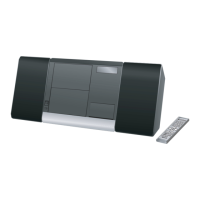
The remote control 2
Attach the stand to the unit 2
Placement of speakers 2
Control guide 3
Connections 4
Disc operations 5
Radio operations 6
DAB 7
External unit 10
Timer 12
Sound adjustment 12
Troubleshooting guide 13
Specifications 14
Safety precautions 15
Caution for AC Mains Lead back cover
Maintenance back cover
Table of contents
SC-EN38DB_EB (RQTV0294)_MP.indd 1 2/18/2008 2:12:59 PM

Questions and Answers

  • Q
    qwilliamsSep 23, 2025
    What does “STATION FULL” mean on my Panasonic SC-EN38DB and how do I fix it?
    • L
      latoyalaraSep 23, 2025
      If your Panasonic Stereo System displays “STATION FULL”, the DAB station memory is full. To clear station memory: 1. Press [DAB MENU]. 2. Press [ or, ALBUM] to select “STATION CLEAR”. 3. Press [ENTER]. “OK? Push ENTER” is displayed. 4. Press [ENTER]. Station memory is erased and the unit automatically begins Auto scanning.
  • R
    Rachel MillerAug 25, 2025
    What to do if my Panasonic Stereo System displays “USB OVER CURRENT ERROR”?
    • B
      bshieldsAug 25, 2025
      If your Panasonic Stereo System displays “USB OVER CURRENT ERROR”, it means the USB mass storage device you're using exceeds the 500mA rating. Disconnect the USB device, then turn the unit off and back on.
  • S
    Steven PriceAug 25, 2025
    Why won't my iPod turn on when connected to my Panasonic SC-EN38DB Stereo System?
    • A
      Alexis AllenAug 26, 2025
      If your iPod does not turn on when connected to the Panasonic Stereo System, verify that the iPod battery is not depleted before connecting it to the unit. Also, before inserting your iPod into the dock, turn off both the unit and iPod. Then, power on the unit and select the appropriate source. Ensure that a PC is not connected to the main unit and activate PC Sync.
  • M
    mjenningsAug 27, 2025
    What to do if there is no sound from the speakers when using an iPod with my Panasonic SC-EN38DB?
    • J
      Jeremy AvilaAug 27, 2025
      If no sound is coming from the speakers of your Panasonic Stereo System when using an iPod, turn off the iPod, remove it from the dock connector, reinsert it, and turn it on again. Also, make sure that the iPod is actually playing something and adjust the volume.
  • U
    usmallAug 27, 2025
    Why is the music distorted or the sound level too low on my Panasonic Stereo System with iPod?
    • K
      katelynmartinAug 27, 2025
      If the music is distorted or the sound level is too low on your Panasonic Stereo System when using an iPod, make sure the equalizer function of your iPod is turned off.
  • M
    Megan MitchellSep 14, 2025
    What does “DATA” mean on my Panasonic SC-EN38DB Stereo System?
    • C
      caleb45Sep 14, 2025
      If your Panasonic Stereo System displays “DATA”, it means data broadcast is being received over the DAB broadcast signal, which cannot be used on this unit.
  • A
    Anthony SmithSep 12, 2025
    Why can't my Panasonic Stereo System read the USB drive or its contents?
    • W
      William JamesSep 12, 2025
      If the USB drive or its contents cannot be read by your Panasonic Stereo System, it may be because the USB drive format or its contents are not compatible with the system. The USB host function of this product may not work with some USB devices. Also, USB devices with a storage capacity of more than 8 gigabytes may not work in some instances.
  • P
    Paula CruzSep 13, 2025
    Why is the USB flash drive operating slowly on my Panasonic SC-EN38DB Stereo System?
    • C
      christinawilsonSep 13, 2025
      If you experience slow operation of the USB flash drive with your Panasonic Stereo System, it may be because a large file size or high memory USB flash drive takes longer to read.
  • U
    utateSep 5, 2025
    How can I improve poor DAB reception on my Panasonic SC-EN38DB Stereo System?
    • R
      Regina HurleySep 5, 2025
      If you experience poor DAB reception with your Panasonic Stereo System, keep the antenna away from computers, televisions, other cables, and cords. Consider using an outdoor antenna.
  • J
    Jesse NewmanSep 2, 2025
    Why does the picture disappear or stripes appear on the television near my Panasonic SC-EN38DB?
    • Z
      zaguirreSep 2, 2025
      If the picture on the television near your Panasonic Stereo System disappears or stripes appear on the screen, it could be due to the location and orientation of the antenna being incorrect or the television antenna wire being too close to the unit. Separate the antenna wire of the television from the unit.

Panasonic SC-EN38DB Specifications

General IconGeneral
Power Output20W
BluetoothYes
CD PlayerYes
FM RadioYes
USB PortYes
TunerFM
AUX InputYes
Headphone JackYes
Remote ControlYes
Speaker Type2-way speaker system
Playable FormatsMP3, WMA
TypeMicro Hi-Fi System

Related product manuals