EasyManua.ls Logo

Panasonic SC-HTR210 - User Manual

Panasonic SC-HTR210
40 pages
Print Icon
To Next Page IconTo Next Page
Loading...
Operating Instructions
Home Theater Audio System
Model No. SC-HTR310
SC-HTR210
RQTX0151-B
Thank you for purchasing this product.
For optimum performance and safety, please read these instructions carefully.
Before connecting, operating or adjusting this product, please read the instructions completely.
Please keep this manual for future reference.
Dear customer
“EB” on the packaging indicates the United Kingdom.
Note
EB E
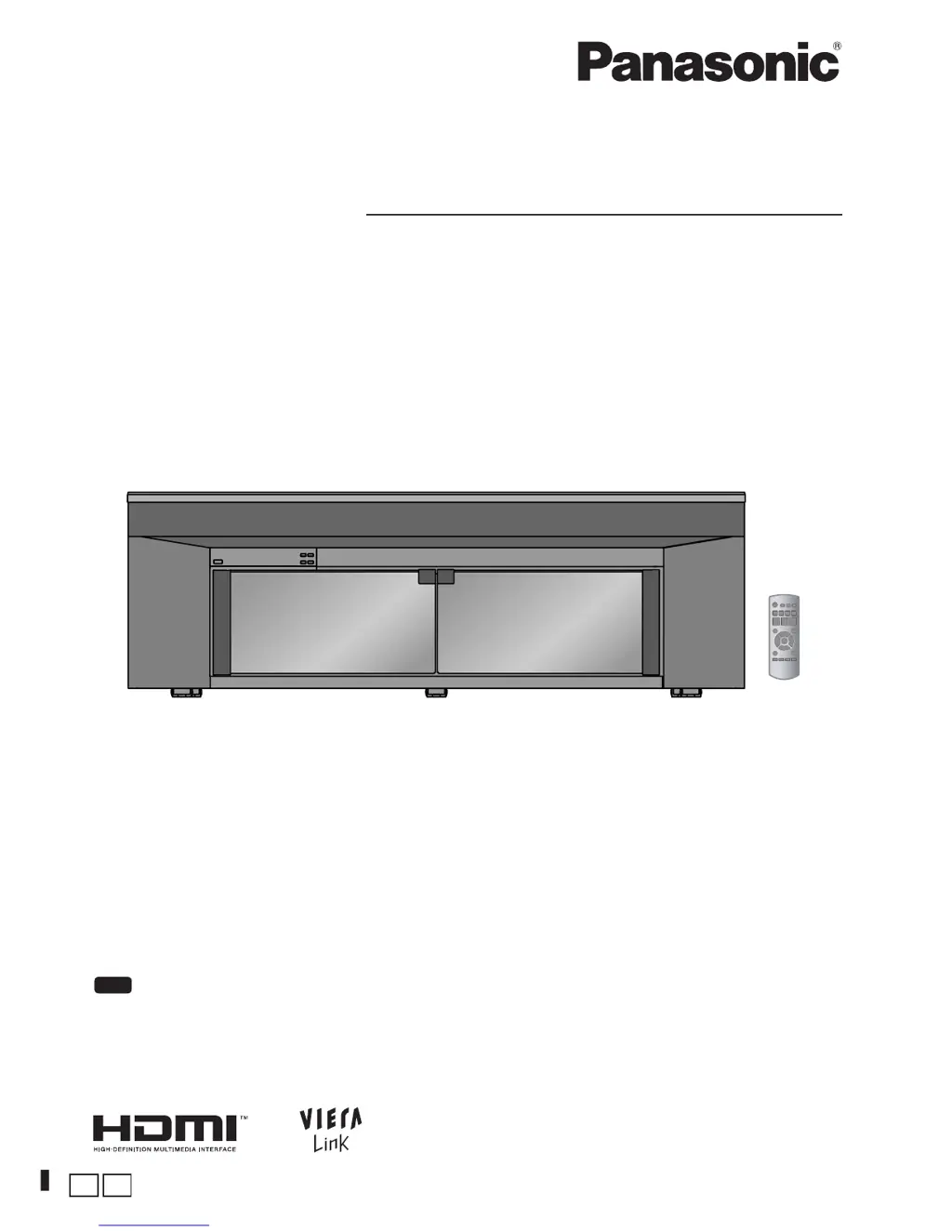
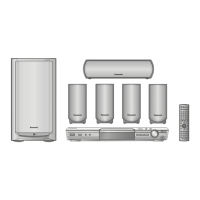
The illustration shows SC-HTR310.

Questions and Answers

  • M
    mckayandreaAug 3, 2025
    Why does my Panasonic Home Theater System sound stop and display 'F61'?
    • B
      blakebarbaraAug 4, 2025
      If the sound stops and 'F61' appears on the display of your Panasonic Home Theater System, it could be due to straining of the speakers through excessive volume or power, or using the system in an extremely hot environment.
  • R
    Robert BellAug 7, 2025
    How to fix no DTS audio output on Panasonic Home Theater System?
    • E
      Edgar WilliamsAug 7, 2025
      If there is no DTS audio output from your Panasonic Home Theater System, set the DTS Digital Audio Output setting on the DVD player, Blu-ray Disc player or DVD recorder to 'Bitstream'. Also, set 'DTS' in 'Setting input signals'.
  • D
    Danielle PerryAug 12, 2025
    Why I cannot use Dolby Virtual Sound Speaker, Dolby Pro Logic or SFC on Panasonic SC-HTR210?
    • C
      Charles CookAug 12, 2025
      If you cannot use Dolby Virtual Sound Speaker, Dolby Pro Logic or SFC on your Panasonic Home Theater System, it may be because you cannot use these features with PCM signals with sampling frequency over 48 kHz, so make analogue connection to AUX3. Also, you cannot use for Dolby Digital dual sounds.
  • C
    carl79Aug 17, 2025
    What to do if there is no sound or image after playback starts on Panasonic SC-HTR210?
    • D
      David HoustonAug 17, 2025
      If you experience no sound or image after playback starts on your Panasonic Home Theater System, check connections to other equipment, set 'DIG ' or 'ANLG ' in 'Setting input signals', set 'AUTO' in 'Setting input signals', or turn the system off then on again. The system cannot playback PCM signal with sampling frequency over 96 kHz.
  • I
    imyersAug 20, 2025
    How to resolve sound cut off with HDMI on Panasonic Home Theater System?
    • M
      Margaret AliAug 20, 2025
      If you are experiencing cut off of the first few seconds of sound when using an HDMI connection with your Panasonic Home Theater System, change the audio output setting on the Blu-ray Disc player, DVD recorder or DVD player from 'Bitstream' to 'PCM'. Also, change input signal setting to 'PCM' in 'Setting input signals'.
  • M
    Mr. Joe BondAug 25, 2025
    How to fix no sound from microphone input on Panasonic Home Theater System?
    • J
      Joseph VaughnAug 26, 2025
      To get sound from the microphone input on your Panasonic Home Theater System, change the connection to the DVD player to an analogue connection or make an analogue connection to AUX3.
  • J
    Justin RichAug 29, 2025
    How to enable surround sound on Panasonic SC-HTR210 Home Theater System?
    • M
      Michael RossAug 29, 2025
      To get sound in surround mode on your Panasonic Home Theater System, set to Dolby Virtual Speaker, Dolby Pro Logic or SFC.

Summary

AC Mains Lead Safety

How to Replace the Fuse

Instructions for safely replacing the fuse in the AC mains lead plug.

Remote Control Setup and Use

Inserting Batteries

Step-by-step guide for inserting batteries into the remote control.

Using the Remote Control

Instructions on how to operate the remote control effectively.

Home Theater Connections

Basic Connections

Overview of essential cable connections for the home theater system.

AC Power Connection and Power Saving

Conserving Power

Information on reducing standby power consumption and saving energy.

Speaker Output Adjustment

Adjusting Speaker Output

Guide to adjusting the output level for each speaker for optimal sound.

Enjoying Movies and Music

Operation on Control Panel

Steps for turning on the system, selecting sources, and adjusting volume.

Sound Field Effects

Dolby Virtual Speaker

Enjoy surround sound effects using virtual speakers.

Dolby Pro Logic II

Experience surround sound with 2-channel sources.

SFC (Sound Field Control)

Customize sound field effects with various modes like LIVE, POP/ROCK, etc.

VIERA Link HDAVI Control

Connection

How to connect VIERA Link compatible equipment using HDMI cables.

Setup

Steps to configure VIERA Link for linked operation of devices.

System Functions and Settings

Whisper Mode Surround

Experience dynamic surround sound at low volume levels.

Game Mode

Enhance gaming impact with optimized sound settings.

Muting the System

How to mute and unmute the audio output of the system.

Adjusting Speaker Output Levels

Fine-tune the volume balance for each speaker.

Audio Adjustments and Features

Real Center Function

Clarifies dialogue from the center speaker during surround playback.

Adjusting Sound Quality

Customize the bass and treble levels for your audio.

Adjusting Speaker Balance

Balance the audio output between the front speakers.

System Operation and Power Management

Reducing Standby Power

Configure standby mode to reduce power consumption.

Setting VIERA Link to OFF

Disable VIERA Link HDAVI Control function.

Adjusting Audio;Video Time Lag

Delay audio output to synchronize with video timing.

Audio Playback Features

Switching Dual Sounds

Select between different audio tracks for Dolby Digital signals.

Clear Audio at Low Volume

Compress dynamic range for clearer dialogue at low volumes.

Switching the Attenuator

Enable attenuator to prevent distortion from loud analogue input.

System Configuration and Reset

Setting Input Signals

Configure automatic or fixed detection for digital and analogue input signals.

Reset to Factory Settings

Initialize system operation settings to original factory defaults.

Remote Control Operation for Other Panasonic Equipment

Setting Remote Control Codes

Synchronize the system's remote control code with other Panasonic devices.

System Specifications

Troubleshooting Common Issues

Supported Digital Signals

Glossary of Terms

Environmental Disposal Information

Panasonic SC-HTR210 Specifications

General IconGeneral
BrandPanasonic
ModelSC-HTR210
CategoryHome Theater System
LanguageEnglish

Related product manuals