EasyManua.ls Logo

Panasonic SC-VK61D - User Manual

Panasonic SC-VK61D
44 pages
Print Icon
To Next Page IconTo Next Page
Loading...
RQT7705-3L
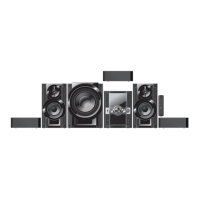
DVD Stereo System
Operating Instructions
Model No. SC-VK61D
Before connecting, operating or adjusting this
product, please read these instructions completely.
Please keep this manual for future reference.
2
3
5
2
3
5
5
Region number supported by
this player
Region numbers are allocated to DVD players and
software according to where they are sold.
For the Middle East, South Africa,
Saudi Arabia and Kuwait
The region number of this player is “2”.
The player will play DVD-Video marked
with labels containing “2” or “ALL”.
Example:
For Southeast Asia
The region number of this player is “3”.
The player will play DVD-Video marked
with labels containing "3" or "ALL".
Example:
For Russia and Ukraine
The region number of this player is “5”.
The player will play DVD-Video marked
with labels containing "5" or "ALL".
Example:
2
3
5
2
A
U
D
I
O
/
V
I
D
E
O
GC GS GCS EE
RQT7705(01)_16 18/5/04, 9*421

Table of Contents

Questions and Answers

Summary

Operating Instructions

Region Number Support

Details region numbers for players and software according to where they are sold.

Safety and Important Precautions

Laser Safety

Product utilizes a laser; avoid hazardous radiation exposure.

Electrical Safety

Avoid exposing apparatus to rain, moisture, or liquids.

Installation and Ventilation

Ensure unit is well-ventilated and does not obstruct vents.

Power and Environment

Information on voltage, climate suitability, and battery disposal.

Safety and Handling

General Safety

Placement, voltage, power cord, foreign matter, and service advice.

Supplied Accessories

Check and identify supplied accessories for the unit.

Fuse Replacement

Instructions on how to replace the fuse based on plug type.

Technical Glossary and File Formats

Glossary of Terms

Explanations of technical terms used in the manual.

WMA, MP3, CD Text, JPEG Support

Details on supported file formats and their usage.

Disc Compatibility and Handling

Playable Disc Types

Lists discs that can be played, including formats and logos.

Disc Structure and Playback

Defines disc structure elements and playback conditions.

Disc Care and Precautions

Guidelines for cleaning discs and handling precautions.

Simple Setup - Initial Connections

STEP 1: Speaker Placement

Instructions for placing speakers for optimal sound and safety.

STEP 2: Connecting Speakers and Voltage

How to connect speakers and set the correct voltage selector.

Simple Setup - TV Connection

Connecting via VIDEO IN

How to connect the unit to a TV using the VIDEO IN terminal.

Connecting via COMPONENT VIDEO IN

How to connect using COMPONENT VIDEO IN terminals for better quality.

Connecting via S VIDEO IN

How to connect using the S VIDEO IN terminal for vivid picture.

Simple Setup - Antennas, Power, and Remote

STEP 4: Antenna and Power Connection

Instructions for connecting AM/FM antennas and AC power cord.

STEP 5: Remote Control Operation

How to use the remote control, including battery installation and aiming.

Simple Setup - Quick Configuration

QUICK SETUP Procedure

Step-by-step guide to configure initial settings using the remote.

TV Type and Aspect Ratio

How to set the television type and aspect ratio for optimal display.

Simple Setup - Time and Demo Mode

STEP 7: Setting the Clock

How to set the 24-hour clock and display the time.

Controlling Demo Mode

How to turn the demonstration mode on or off for power saving.

Control Reference Guide

Main Unit Controls

Identifies and describes buttons on the main unit.

Center Console Controls

Identifies and describes buttons on the center console.

Remote Control Functions

Remote Control Button Mapping

Detailed listing of remote control buttons and their functions.

Special Function Buttons

Explains buttons used with the SHIFT key and special functions.

Disc Operations - Basic Playback

Normal Playback

How to insert a disc and start normal playback.

One Touch Play and Disc Selection

Starting playback with one touch and selecting discs from the changer.

Handling Menus and Changer

Navigating menus and understanding changer operation.

Disc Operations - Advanced Playback Controls

Position Memory and Resume

How to memorize positions and resume playback from where you stopped.

Playback Navigation and Search

Using chapter review, item selection, skip, search, slow-motion, frame-by-frame.

Quick Replay

Function to skip back a few seconds within a track.

Disc Operations - Play Modes and Selection

Disc Play Mode Functions

How to select modes like 1-SONG, ALL DISC RANDOM.

Selecting Groups and Tracks

Steps to select groups and tracks for playback.

Disc Operations - Play Mode Details

All Group and Random Play

How to play all groups on a disc or play discs randomly.

Program Play

How to select up to 24 items to play in a specific order.

Disc Operations - Audio, Subtitles, and Repeat

Soundtrack Selection

How to select different audio tracks or turn vocals on/off.

Subtitle Management

How to select subtitle language and turn them on or off.

Repeat Play Modes

Setting various repeat modes like track, chapter, or full disc.

Disc Operations - Special Playback Features

A-B Repeat Play

How to repeat a specific section between points A and B.

Marking Playback Points

Setting markers to return to specific positions later.

Variable Zoom Function

How to adjust the picture's aspect ratio and zoom.

DVD-RAM Operations - Programs and Playlists

Using the Play List Menu

How to play scenes or playlists created on a DVD video recorder.

Direct Navigator for Program Selection

Using the program list to find and play programs.

File Navigation - WMA, MP3, JPEG

Text Search for Tracks

How to find tracks by searching for text within titles.

Tree Screen for Group Navigation

How to navigate groups and select tracks using the tree structure.

HighMAT Disc Playback

Playing HighMAT Discs

How to play HighMAT discs and navigate their menus.

Selecting Content from Lists

How to select playlists, groups, and content from disc lists.

GUI Screens and Playback Indicators

Common GUI Procedures

General procedures for using GUI screens and displaying information.

Progress Indicator and Play Speed

Understanding the progress indicator and changing playback speed.

GUI Screens - Detailed Information

Disc Information Display

Details on various information displayed about the disc and its content.

Unit Information Menus

Explains the Play menu, Audio menu, and language settings.

Display and Picture Settings

Display Menu Settings

How to adjust aspect ratio, zoom, and bitrate display.

Picture Menu Settings

How to adjust picture mode, contrast, brightness, sharpness, color, and gamma.

Radio Operations

AM Allocation Setting

How to adjust AM frequency allocation for reception.

Preset Tuning and Channel Selection

Methods for preset tuning and selecting radio channels.

Cassette Tape Operations

Tape Playback Controls

How to play, stop, fast-forward, rewind, and select decks.

Tape Preparation and Recording

Instructions for selecting tapes, preventing erasure, and re-recording.

Sound Field and Custom Memory

Advanced Surround Effect

How to activate and use the Advanced Surround effect.

Custom Sound Memory

How to store and recall custom sound settings for discs.

Sound Quality Adjustments

Sound EQ and Manual EQ

How to use preset Sound EQ and Manual EQ for custom sound.

Double Re-master and Super Sound EQ

Features for enhancing sound naturalness and power.

Recording Operations

Recording Sources

How to record from radio, discs, or tapes.

Tape Handling for Recording

Instructions for selecting tapes, preventing erasure, and re-recording.

Timer Operations

Play;Record Timer

Setting timers for playback or recording and managing settings.

Sleep Timer

How to set the sleep timer to turn off the unit automatically.

Karaoke Operations

Voice Mute Function

How to mute vocals on karaoke tracks.

Karaoke with Karaoke DVD

How to enjoy karaoke using karaoke DVDs.

Karaoke Operations - Performance and Recording

Karaoke with Other Sources

How to enjoy karaoke using VCD, CD, WMA, MP3, Tuner, or Cassette.

Key Change and Echo Effect

How to adjust the key and add echo effects for singing.

Recording Karaoke Performance

How to record your singing performance or voice.

Convenient Functions

Volume, Display, and Auto-Off

How to mute volume, dim the display, and use the auto-off feature.

Headphones and TV Operation

Using headphones and operating a television with the remote.

Changing Settings

Language and Menu Settings

How to set preferred audio, subtitle, and menu languages.

Picture and Video Output Settings

Adjusting TV aspect, type, still mode, and NTSC output.

Audio and Disc Playback Settings

Configuring audio output, dynamic range, HighMAT, and mixed discs.

Settings - Passwords and Digital Output

Entering Ratings Password

How to set and manage parental control passwords for DVD-Video.

Digital Output Configuration

Setting PCM, Dolby Digital, and DTS output for connected equipment.

Language Codes and Antenna Setup

Language Code List

List of language codes used for disc menus and subtitles.

Optional Antenna Connections

Instructions for connecting FM and AM outdoor antennas.

Using External Equipment

Home Theater Sound Setup

Connecting an amplifier and speakers for powerful sound.

Connecting External Audio Sources

Connecting units like VCRs, tape decks, or record players.

Multi-channel Sound and Recording Output

Enabling multi-channel sound and configuring recording output.

Troubleshooting Guide

Power and Basic Operation Issues

Solutions for no power, standby mode, and unresponsive buttons.

Disc Playback and Menu Issues

Troubleshooting disc playback, language, menu, and subtitle problems.

Settings and File Display Issues

Resolving issues with markers, random play, folders, and ratings passwords.

Troubleshooting Guide - Sound, Picture, and Radio

Sound Issues

Solutions for no sound, distorted sound, and humming.

Picture Display Issues

Troubleshooting distorted pictures, no picture, and display anomalies.

Radio and Cassette Deck Issues

Resolving radio noise, distorted sound, and cassette deck quality problems.

Unit Displays, TV Displays, and Maintenance

Unit Display Messages

Explains various display messages like 'NO PLAY', 'NO DISC', 'ERROR'.

Television Display Issues

Troubleshooting issues with GUI or disc menus on the television.

Unit Cleaning and Maintenance

Instructions for cleaning the unit and cassette deck heads.

Specifications - Audio and Tuner

Amplifier Specifications

Technical details for the amplifier section, including power output.

Tuner and Terminal Specifications

Details on FM/AM tuner sensitivity, antenna terminals, and jacks.

Cassette Deck Specifications

Technical data for the cassette deck, including heads and tape speed.

Specifications - Speakers and General

Speaker System Specifications

Details on speaker type, dimensions, impedance, and frequency response.

General Unit Specifications

Power supply, consumption, dimensions, and mass of the main unit.

Summary

Operating Instructions

Region Number Support

Details region numbers for players and software according to where they are sold.

Safety and Important Precautions

Laser Safety

Product utilizes a laser; avoid hazardous radiation exposure.

Electrical Safety

Avoid exposing apparatus to rain, moisture, or liquids.

Installation and Ventilation

Ensure unit is well-ventilated and does not obstruct vents.

Power and Environment

Information on voltage, climate suitability, and battery disposal.

Safety and Handling

General Safety

Placement, voltage, power cord, foreign matter, and service advice.

Supplied Accessories

Check and identify supplied accessories for the unit.

Fuse Replacement

Instructions on how to replace the fuse based on plug type.

Technical Glossary and File Formats

Glossary of Terms

Explanations of technical terms used in the manual.

WMA, MP3, CD Text, JPEG Support

Details on supported file formats and their usage.

Disc Compatibility and Handling

Playable Disc Types

Lists discs that can be played, including formats and logos.

Disc Structure and Playback

Defines disc structure elements and playback conditions.

Disc Care and Precautions

Guidelines for cleaning discs and handling precautions.

Simple Setup - Initial Connections

STEP 1: Speaker Placement

Instructions for placing speakers for optimal sound and safety.

STEP 2: Connecting Speakers and Voltage

How to connect speakers and set the correct voltage selector.

Simple Setup - TV Connection

Connecting via VIDEO IN

How to connect the unit to a TV using the VIDEO IN terminal.

Connecting via COMPONENT VIDEO IN

How to connect using COMPONENT VIDEO IN terminals for better quality.

Connecting via S VIDEO IN

How to connect using the S VIDEO IN terminal for vivid picture.

Simple Setup - Antennas, Power, and Remote

STEP 4: Antenna and Power Connection

Instructions for connecting AM/FM antennas and AC power cord.

STEP 5: Remote Control Operation

How to use the remote control, including battery installation and aiming.

Simple Setup - Quick Configuration

QUICK SETUP Procedure

Step-by-step guide to configure initial settings using the remote.

TV Type and Aspect Ratio

How to set the television type and aspect ratio for optimal display.

Simple Setup - Time and Demo Mode

STEP 7: Setting the Clock

How to set the 24-hour clock and display the time.

Controlling Demo Mode

How to turn the demonstration mode on or off for power saving.

Control Reference Guide

Main Unit Controls

Identifies and describes buttons on the main unit.

Center Console Controls

Identifies and describes buttons on the center console.

Remote Control Functions

Remote Control Button Mapping

Detailed listing of remote control buttons and their functions.

Special Function Buttons

Explains buttons used with the SHIFT key and special functions.

Disc Operations - Basic Playback

Normal Playback

How to insert a disc and start normal playback.

One Touch Play and Disc Selection

Starting playback with one touch and selecting discs from the changer.

Handling Menus and Changer

Navigating menus and understanding changer operation.

Disc Operations - Advanced Playback Controls

Position Memory and Resume

How to memorize positions and resume playback from where you stopped.

Playback Navigation and Search

Using chapter review, item selection, skip, search, slow-motion, frame-by-frame.

Quick Replay

Function to skip back a few seconds within a track.

Disc Operations - Play Modes and Selection

Disc Play Mode Functions

How to select modes like 1-SONG, ALL DISC RANDOM.

Selecting Groups and Tracks

Steps to select groups and tracks for playback.

Disc Operations - Play Mode Details

All Group and Random Play

How to play all groups on a disc or play discs randomly.

Program Play

How to select up to 24 items to play in a specific order.

Disc Operations - Audio, Subtitles, and Repeat

Soundtrack Selection

How to select different audio tracks or turn vocals on/off.

Subtitle Management

How to select subtitle language and turn them on or off.

Repeat Play Modes

Setting various repeat modes like track, chapter, or full disc.

Disc Operations - Special Playback Features

A-B Repeat Play

How to repeat a specific section between points A and B.

Marking Playback Points

Setting markers to return to specific positions later.

Variable Zoom Function

How to adjust the picture's aspect ratio and zoom.

DVD-RAM Operations - Programs and Playlists

Using the Play List Menu

How to play scenes or playlists created on a DVD video recorder.

Direct Navigator for Program Selection

Using the program list to find and play programs.

File Navigation - WMA, MP3, JPEG

Text Search for Tracks

How to find tracks by searching for text within titles.

Tree Screen for Group Navigation

How to navigate groups and select tracks using the tree structure.

HighMAT Disc Playback

Playing HighMAT Discs

How to play HighMAT discs and navigate their menus.

Selecting Content from Lists

How to select playlists, groups, and content from disc lists.

GUI Screens and Playback Indicators

Common GUI Procedures

General procedures for using GUI screens and displaying information.

Progress Indicator and Play Speed

Understanding the progress indicator and changing playback speed.

GUI Screens - Detailed Information

Disc Information Display

Details on various information displayed about the disc and its content.

Unit Information Menus

Explains the Play menu, Audio menu, and language settings.

Display and Picture Settings

Display Menu Settings

How to adjust aspect ratio, zoom, and bitrate display.

Picture Menu Settings

How to adjust picture mode, contrast, brightness, sharpness, color, and gamma.

Radio Operations

AM Allocation Setting

How to adjust AM frequency allocation for reception.

Preset Tuning and Channel Selection

Methods for preset tuning and selecting radio channels.

Cassette Tape Operations

Tape Playback Controls

How to play, stop, fast-forward, rewind, and select decks.

Tape Preparation and Recording

Instructions for selecting tapes, preventing erasure, and re-recording.

Sound Field and Custom Memory

Advanced Surround Effect

How to activate and use the Advanced Surround effect.

Custom Sound Memory

How to store and recall custom sound settings for discs.

Sound Quality Adjustments

Sound EQ and Manual EQ

How to use preset Sound EQ and Manual EQ for custom sound.

Double Re-master and Super Sound EQ

Features for enhancing sound naturalness and power.

Recording Operations

Recording Sources

How to record from radio, discs, or tapes.

Tape Handling for Recording

Instructions for selecting tapes, preventing erasure, and re-recording.

Timer Operations

Play;Record Timer

Setting timers for playback or recording and managing settings.

Sleep Timer

How to set the sleep timer to turn off the unit automatically.

Karaoke Operations

Voice Mute Function

How to mute vocals on karaoke tracks.

Karaoke with Karaoke DVD

How to enjoy karaoke using karaoke DVDs.

Karaoke Operations - Performance and Recording

Karaoke with Other Sources

How to enjoy karaoke using VCD, CD, WMA, MP3, Tuner, or Cassette.

Key Change and Echo Effect

How to adjust the key and add echo effects for singing.

Recording Karaoke Performance

How to record your singing performance or voice.

Convenient Functions

Volume, Display, and Auto-Off

How to mute volume, dim the display, and use the auto-off feature.

Headphones and TV Operation

Using headphones and operating a television with the remote.

Changing Settings

Language and Menu Settings

How to set preferred audio, subtitle, and menu languages.

Picture and Video Output Settings

Adjusting TV aspect, type, still mode, and NTSC output.

Audio and Disc Playback Settings

Configuring audio output, dynamic range, HighMAT, and mixed discs.

Settings - Passwords and Digital Output

Entering Ratings Password

How to set and manage parental control passwords for DVD-Video.

Digital Output Configuration

Setting PCM, Dolby Digital, and DTS output for connected equipment.

Language Codes and Antenna Setup

Language Code List

List of language codes used for disc menus and subtitles.

Optional Antenna Connections

Instructions for connecting FM and AM outdoor antennas.

Using External Equipment

Home Theater Sound Setup

Connecting an amplifier and speakers for powerful sound.

Connecting External Audio Sources

Connecting units like VCRs, tape decks, or record players.

Multi-channel Sound and Recording Output

Enabling multi-channel sound and configuring recording output.

Troubleshooting Guide

Power and Basic Operation Issues

Solutions for no power, standby mode, and unresponsive buttons.

Disc Playback and Menu Issues

Troubleshooting disc playback, language, menu, and subtitle problems.

Settings and File Display Issues

Resolving issues with markers, random play, folders, and ratings passwords.

Troubleshooting Guide - Sound, Picture, and Radio

Sound Issues

Solutions for no sound, distorted sound, and humming.

Picture Display Issues

Troubleshooting distorted pictures, no picture, and display anomalies.

Radio and Cassette Deck Issues

Resolving radio noise, distorted sound, and cassette deck quality problems.

Unit Displays, TV Displays, and Maintenance

Unit Display Messages

Explains various display messages like 'NO PLAY', 'NO DISC', 'ERROR'.

Television Display Issues

Troubleshooting issues with GUI or disc menus on the television.

Unit Cleaning and Maintenance

Instructions for cleaning the unit and cassette deck heads.

Specifications - Audio and Tuner

Amplifier Specifications

Technical details for the amplifier section, including power output.

Tuner and Terminal Specifications

Details on FM/AM tuner sensitivity, antenna terminals, and jacks.

Cassette Deck Specifications

Technical data for the cassette deck, including heads and tape speed.

Specifications - Speakers and General

Speaker System Specifications

Details on speaker type, dimensions, impedance, and frequency response.

General Unit Specifications

Power supply, consumption, dimensions, and mass of the main unit.

Panasonic SC-VK61D Specifications

General IconGeneral
Number of Discs5
BluetoothYes
USB PlaybackYes
USB PortYes
FM RadioYes
Tuner BandsFM
CD PlayerYes
FM TunerYes
Speaker Configuration2.1
Speakers2
Disc PlaybackCD, CD-R, CD-RW
Playable MediaCD, USB

Related product manuals