p
q
RQTX0051-Y
F0107TM0
P PC
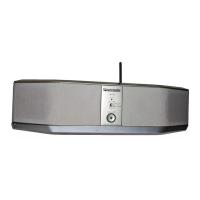
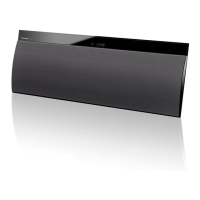
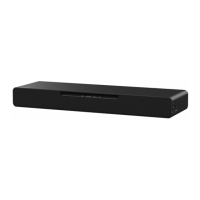
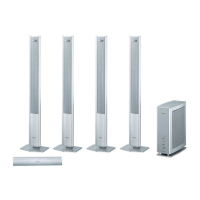
Designed for Panasonic DVD Home Theater Sound Systems
that are compatible with the SH-FX85.
Dear customer
Thank you for purchasing this product. For optimum performance and safety, please
read these instructions carefully.
Before connecting, operating or adjusting this product, please read the
instructions completely.
Please keep this manual for future reference.
§
For Canada only: The word “Participant” is used in place of the word “Partner”.
Operating Instructions
Wireless Sound System
Model No. SH-FX85
Table of Contents
Introduction
IMPORTANT SAFETY INSTRUCTIONS.................................................................. 3
Maintenance............................................................................................................. 3
Product service ........................................................................................................ 3
Use
Setup ........................................................................................................................ 4
Connections .......................................................................................................... 4
Making the wireless link ........................................................................................ 5
Control reference guide............................................................................................ 6
Enjoying audio from the home theater unit............................................................... 6
Using this unit as a stand-alone amplifier................................................................. 7
Reference
Limited Warranty (ONLY FOR U.S.A.)...................................................................... 8
Limited Warranty (ONLY FOR CANADA) ............................................................... 10
Troubleshooting guide ............................................................................................ 11
Specifications ......................................................................................................... 12
Please check and identify the supplied accessory. Use number indicated in
parentheses when asking for replacement part. (Product number correct as of January
2007. This may be subject to change.)
For U.S.A.: To order this accessory, refer to “Accessory Purchases” on page 9.
For Canada: To order this accessory, call the dealer from whom you made your purchase.
∏ 1 AC power supply cord (K2CB2CB00018)
For use with this unit only. Do not use it with other equipment. Also, do not use
cords for other equipment with this unit.
System
SH-FX85
Digital transmitter
SH-FX85T
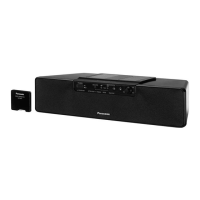
Wireless sound system
SB-FX85
As an ENERGY STAR Partner,
Panasonic has determined that
this product meets the ENERGY STAR
guidelines for energy efficiency.
®
®
Accessory
RQTX_FX85_En.fm Page 1 Thursday, December 21, 2006 2:56 PM


 To Next Page
 General