The operation of the [Off/Cancel] key requires a longer time when the product is working, which is normal.
Notes
Adjusting the clock
Example: when adjusting 7:00 am to 8:30 am
①Plug in the power plug.
②Press and hold the [ Time ] key for more than 3 seconds.
(Release the key when you hear the “beep” sound
from the buzzer)
The digits of “min” blink on the LCD display. Press [ Time ]
key again, the digits of “hour” blink on the LCD display.
※Only the blinking digits can be adjusted.
③Press the [ < ] or [ > ] key to adjust the time.
Every time the [ < ] or [ > ] key is pressed, digits of “min”
or “hour” will increase or decrease respectively in 1 minute or
in1 hour increments.
(After the time is adjusted, the number will flash a few
times and stop automatically, and the time adjustment is
completed.)
※You can not adjust the time while the product is working.
※Press and hold the [ < ] or [ > ] key to quickly add or subtract time.
※The system of 24-hour is adopted, and 24: 00 is represented by 0:00.
※If there is an error in time display, the preset cooking time and the cook end time will have error.
So please timely adjust the time.
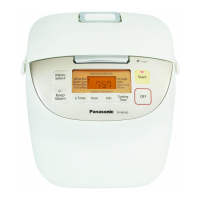
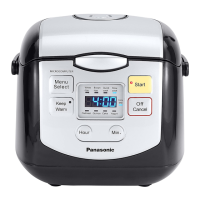
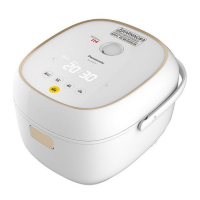
Control panel
Parts Identification
Before use
7
●
Press this key to start cooking or end the setting of
the preset time.
Start key
●
Press this key to keep
food warm.
Keep Warm key
●
Cancel incorrect
operation, or turn off
keep warm.
Off/Cancel key
●
Press this key to timer.
Timer key
< / > key
●It is used to select the function.
●
It is used to adjust the current time, set
preset time and cooking time.
●
Press and hold the key to quickly add or
subtract time.
●
Press this key to confirm the
cooking time in the timer status.
●To set the cooking time, you
must first press this key.
●To adjust the timer, keep this
key pressed for 3 seconds.
Time key




 To Next Page