Section 6 – AG-HPX500 DA
33
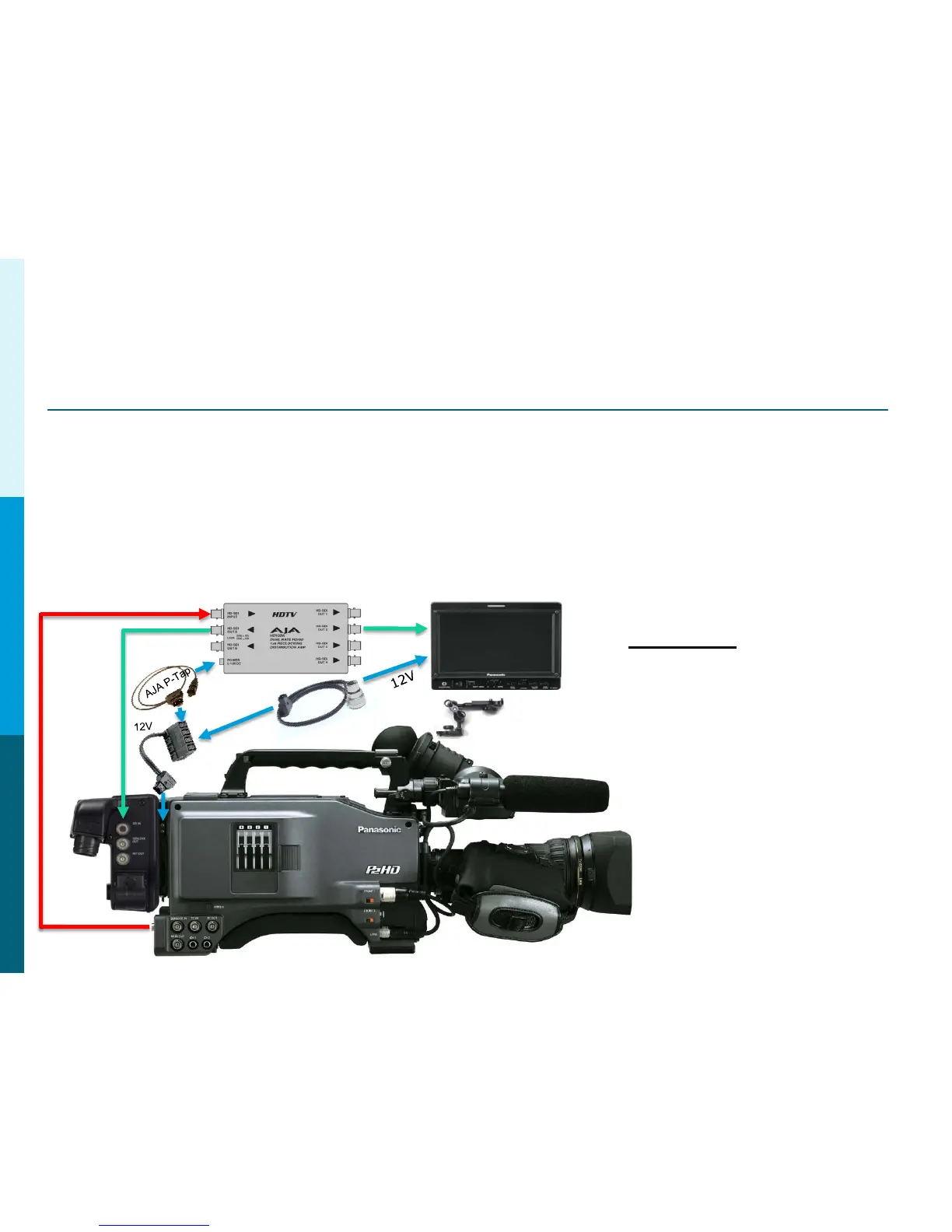
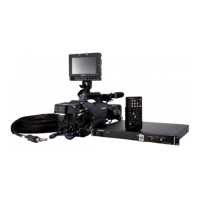
Using the AG-HPX500 with an on Board Monitor
The AG-HPX500 uses a Standard Definition B&W View Finder.
This image will appear very soft if the on board monitor was connected
to the camera VF Out. For this reason, we DO NOT recommend the BT-CS910G VF cable.
An AJA Model HD10DA is recommended as a better solution. Because the AJA HD10DA
has an Input voltage rage from 5 to 18 Volts DC, it makes it a very suitable choice.
This will provide a much better image on the on board monitor (and in Color).
SDI OUT
SDI
SDI
PowerTap28
MultiTap
BT-Mount
Parts List
AJA HD10DA
AJA P-Tap Power Cable
Power Tap 28 Cable
Multi-Tap
BT-LH910
BT-Mount or Yoke Mount
Panasonic Solutions Company



 To Next Page