EasyManua.ls Logo

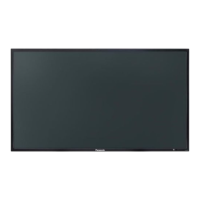
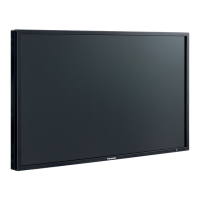
Panasonic TH-42LF20E - User Manual

Panasonic TH-42LF20E
47 pages
Print Icon
To Next Page IconTo Next Page
Loading...
h
TH-42LF20E
TH-47LF20E
Operating Instructions
FULL HD LCD Display
Model No.
English
Please read these instructions before operating your set
and retain them for future reference.

Questions and Answers

  • D
    dennis48Aug 11, 2025
    What to do if my Panasonic TH-42LF20E has no picture?
    • F
      Felicia BennettAug 11, 2025
      If your Panasonic Monitor displays no picture, verify that it is plugged into an AC outlet and switched on. You can switch it on by pressing the power switch or stand-by button on the remote control.
  • C
    Christopher MejiaAug 19, 2025
    How to fix no sound on my Panasonic TH-42LF20E?
    • T
      Toni DeleonAug 19, 2025
      If your Panasonic Monitor has no sound, first ensure that the mute function on the remote control hasn't been activated. Also, make sure the monitor is properly plugged into an AC outlet and switched on by pressing the power switch or stand-by button on the remote. Finally, check the Picture and Brightness/Volume settings.
  • B
    Brent DavisAug 26, 2025
    Why is my Panasonic Monitor remote control not working?
    • M
      michele44Aug 26, 2025
      If the remote control isn't working with your Panasonic Monitor, check if the batteries are completely discharged or inserted incorrectly. Also, make sure the remote control sensor isn't exposed to outdoor light or strong fluorescent light. Finally, ensure you're using the remote control specifically designed for this unit, as other remotes won't work.
  • P
    pamelaramirezSep 2, 2025
    Why does my Panasonic Monitor power off automatically?
    • C
      Christine FreemanSep 3, 2025
      If your Panasonic Monitor's power turns off unexpectedly, check the “Power management” and “Auto power off” settings in the Setup menu. One of these settings may be set to “On”.

Panasonic TH-42LF20E Specifications

General IconGeneral
Screen Size42 inches
Resolution1920 x 1080 pixels
Panel TechnologyIPS
Panel TypeLCD
Response Time8 ms
Viewing Angle178°/178°
Output ConnectorsAudio Out
Built-in SpeakersYes
VESA Mounting200 x 200 mm
Aspect Ratio16:9
Weight22 kg
Input ConnectorsHDMI, VGA, DVI, Composite, Component

Related product manuals