EasyManua.ls Logo

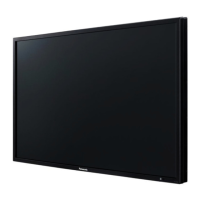
Panasonic TH-42LF25U - User Manual

Panasonic TH-42LF25U
50 pages
Print Icon
To Next Page IconTo Next Page
Loading...
TH-42LF25U
TH-47LF25U
Model No.
Operating Instructions
FULL HD LCD Display
English
Before connecting, operating or adjusting this product,
please read these instructions completely.
Please keep this manual for future reference.

Other manuals for Panasonic TH-42LF25U

Questions and Answers

  • K
    Kristina WheelerAug 9, 2025
    What to do if my Panasonic TH-42LF25U has no picture?
    • R
      Robert KingAug 9, 2025
      If your Panasonic Monitor shows no picture, check if it's properly plugged into the AC outlet and switched on by pressing the power switch or stand-by button on the remote control. Also, verify the PICTURE and BRIGHTNESS/Volume settings.
  • I
    isaiaholsonAug 13, 2025
    Why does my Panasonic Monitor screen darken with bright pictures?
    • A
      Alexandra DelacruzAug 13, 2025
      The Panasonic Monitor screen darkens slightly with bright pictures to reduce image retention and extend the screen's service life. This behavior is normal and not a sign of malfunctioning.
  • L
    Leslie GoodAug 18, 2025
    Why does my Panasonic TH-42LF25U Monitor power off automatically?
    • E
      Erica JamesAug 18, 2025
      If your Panasonic Monitor unexpectedly turns off, check the settings of “POWER MANAGEMENT”, “NO SIGNAL POWER OFF” and “NO ACTIVITY POWER OFF” in the SET UP menu.
  • J
    Joseph HernandezAug 23, 2025
    What to do if Panasonic TH-42LF25U Monitor remote control is not working?
    • S
      sarahhoganAug 23, 2025
      If the remote control isn't working with your Panasonic Monitor, check if the remote control sensor is exposed to outdoor light or strong fluorescent light. Also, verify that you're using the remote control specifically designed for use with this unit.
  • B
    Brent SmithAug 28, 2025
    Why does it take a while for the picture to appear on my Panasonic TH-42LF25U Monitor?
    • R
      Ruben LopezAug 28, 2025
      When the power has been turned on or the input has been switched, it sometimes takes a few moments for the picture to appear on the Panasonic Monitor. This is normal.
  • M
    Melissa RodriguezSep 2, 2025
    How to fix image retention on a Panasonic Monitor?
    • S
      Sarah HarperSep 2, 2025
      If you display a still picture on your Panasonic Monitor for an extended period, the image might remain on the screen. However, it will disappear after a while.

Summary

Important Safety Instructions

FCC Statement

Safety Precautions

General Warnings and Setup

Covers warnings related to display setup, wall installation, and AC power supply cord safety.

Connections

HDMI and DVI-D IN Connections

Guidance for establishing connections using HDMI and DVI-D input terminals.

PC Input Terminals Connection

Instructions for connecting a computer to the display via PC input terminals.

Power ON; OFF

Selecting Input Signal

Basic Controls

On-Screen Menu Displays

Adjusting Position and Size

Auto Setup and Fine Tuning

Details on automatic setup and manual fine-tuning for picture position and size.

Detailed POS.;SIZE Adjustments

Explains specific adjustments like H-POS, V-POS, H-SIZE, V-SIZE, Clock Phase, and Dot Clock.

Picture Adjustments

Advanced Picture Settings

Covers advanced settings for white balance, input level, and gamma for professional adjustments.

Sound Adjustment

Time Setup and Timer Functions

Input Signal Setup

Component;RGB IN Select

Selects between Component and RGB input modes for the dedicated terminal.

Signal Menu Options

Configures video signal parameters like 3D Y/C filter, Color System, and 3:2 Pulldown.

Options Adjustments

Troubleshooting

Shipping Condition

Specifications

Panasonic TH-42LF25U Specifications

General IconGeneral
Screen Size42 inches
Resolution1920 x 1080
Panel TypeIPS
Contrast Ratio1200:1
Response Time8 ms
Aspect Ratio16:9
Viewing Angle178°/178°
Display TypeLCD
ConnectivityHDMI, VGA, Component, Composite

Related product manuals