EasyManua.ls Logo

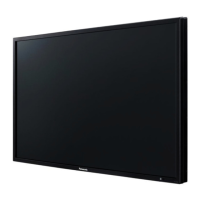
Panasonic TH-42LF8U - User Manual

Panasonic TH-42LF8U
26 pages
Print Icon
To Next Page IconTo Next Page
Loading...
Operating Instructions
FULL HD LCD Display For business use
Model No.
TH-42LF8U
42-inch model
TH-49LF8U
49-inch model
TH-55LF8U
55-inch model
TH-42LF80U
42-inch model
TH-49LF80U
49-inch model
TH-55LF80U
55-inch model
TQBJ0918
English
Español
Français
Please read these instructions before operating your set and retain them
for future reference.
Illustrations and screens in this Operating Instructions are images for
illustration purposes, and may be different from the actual ones.
Descriptive illustrations in this Operating Instructions are created mainly
based on the 55-inch model.
Contents
Important Safety Instructions ····················· 2
FCC STATEMENT ·································· 3
Important Safety Notice ···························· 4
Safety Precautions ·································· 4
Precautions for use ································· 7
Accessories ··········································· 8
Connections ·········································11
Identifying Controls ······························· 14
Basic Controls ······································ 16
Specifications ······································ 18
Software License ·································· 20
Panasonic Professional Flat Panel Display
Limited Warranty ·································· 21
LIMITED WARRANTY STATEMENT ········· 22
Customer Service ································· 23
For more detailed instructions, refer to the
Operating Instructions on the CD-ROM.


Questions and Answers

  • T
    Tracy HansenSep 10, 2025
    What does it mean when my Panasonic TH-42LF8U Monitor displays only the input terminal indication?
    • L
      Lisa GrahamSep 10, 2025
      If your Panasonic Monitor displays only the input terminal indication, it means a signal with a non-applicable color system format or frequency is being input.
  • W
    William McconnellAug 23, 2025
    How do I fix the cut off picture on my Panasonic TH-42LF8U?
    • E
      ericksonlauraAug 23, 2025
      If the top or bottom of the picture is cut off on your Panasonic Monitor screen, adjust the position of the picture on the screen.
  • H
    Heather SilvaAug 25, 2025
    What to do if there is no picture or sound on my Panasonic Monitor?
    • K
      Katherine JacobsAug 25, 2025
      If there is no picture displayed or sound output on your Panasonic Monitor when using HDMI or DVI signals input through a selector or distributor, try turning the power off and on again, or replacing the selector or distributor.
  • J
    James BuckAug 26, 2025
    What to do if the Panasonic TH-42LF8U remote control is not working?
    • M
      Ms. Kimberly Ochoa DDSAug 27, 2025
      If your Panasonic Monitor remote control isn't working, check if the batteries are discharged or inserted incorrectly. Also, ensure the remote control sensor isn't exposed to outdoor light or strong fluorescent light and that there are no obstacles between the sensor and the remote. Verify that you are using the remote control specifically designed for this unit and that the correct settings are selected in the options menu and ID mode.
  • L
    Laura KnappAug 27, 2025
    Why does my Panasonic Monitor power off automatically?
    • A
      Alyssa SheltonAug 28, 2025
      If your Panasonic Monitor is turning off unexpectedly, review the settings for [No signal power off], [HDMI1 power management], [HDMI2 power management], [DVI-D power management], [PC power management] and [No activity power off]. Ensure none of these are set to [On (Enable)].
  • C
    Christian MoranAug 29, 2025
    What to do if the LAN is uncontrollable on a Panasonic TH-42LF8U?
    • D
      Donald WilliamsAug 29, 2025
      If the LAN is uncontrollable on your Panasonic Monitor, verify that the connection has been made properly. Also, check that [Network control] is set to [On], [LAN setup] is set properly, and set [AMX D. D.] or [Crestron Connected™] according to the device to use.
  • J
    Judith HughesSep 18, 2025
    Why does image retention appear on my Panasonic Monitor?
    • M
      maria46Sep 18, 2025
      If you display a still picture for an extended period on your Panasonic Monitor, the image might remain on the screen.
  • T
    Todd PerrySep 12, 2025
    Why are there blank areas on the top and bottom of my Panasonic Monitor screen?
    • T
      thomasshirleySep 12, 2025
      When using a video software program (such as a cinema size program) with a screen wider than one in the 16:9 mode on your Panasonic Monitor, blank areas separate from the images are formed at the top and bottom of the screen.
  • L
    luislevineSep 8, 2025
    What does it mean when the power indicator is blinking red on my Panasonic TH-42LF8U?
    • K
      Kimberly SnyderSep 8, 2025
      If the power indicator on your Panasonic Monitor is blinking red, there is a possibility of malfunction.
  • A
    Ashley WhiteSep 5, 2025
    What to do if the RS-232C is uncontrollable on a Panasonic TH-42LF8U Monitor?
    • R
      Richard ThompsonSep 5, 2025
      If the RS-232C is uncontrollable on your Panasonic Monitor, verify that the connection has been made properly.

Panasonic TH-42LF8U Specifications

General IconGeneral
Screen Size42 inches
Panel TypeLCD
Response Time8 ms
Aspect Ratio16:9
ConnectivityHDMI, VGA
Viewing Angle178°
Input PortsHDMI, VGA, Component, Composite, S-Video
Resolution1920 x 1080 (Full HD)

Related product manuals