27
TH-42PH11UK
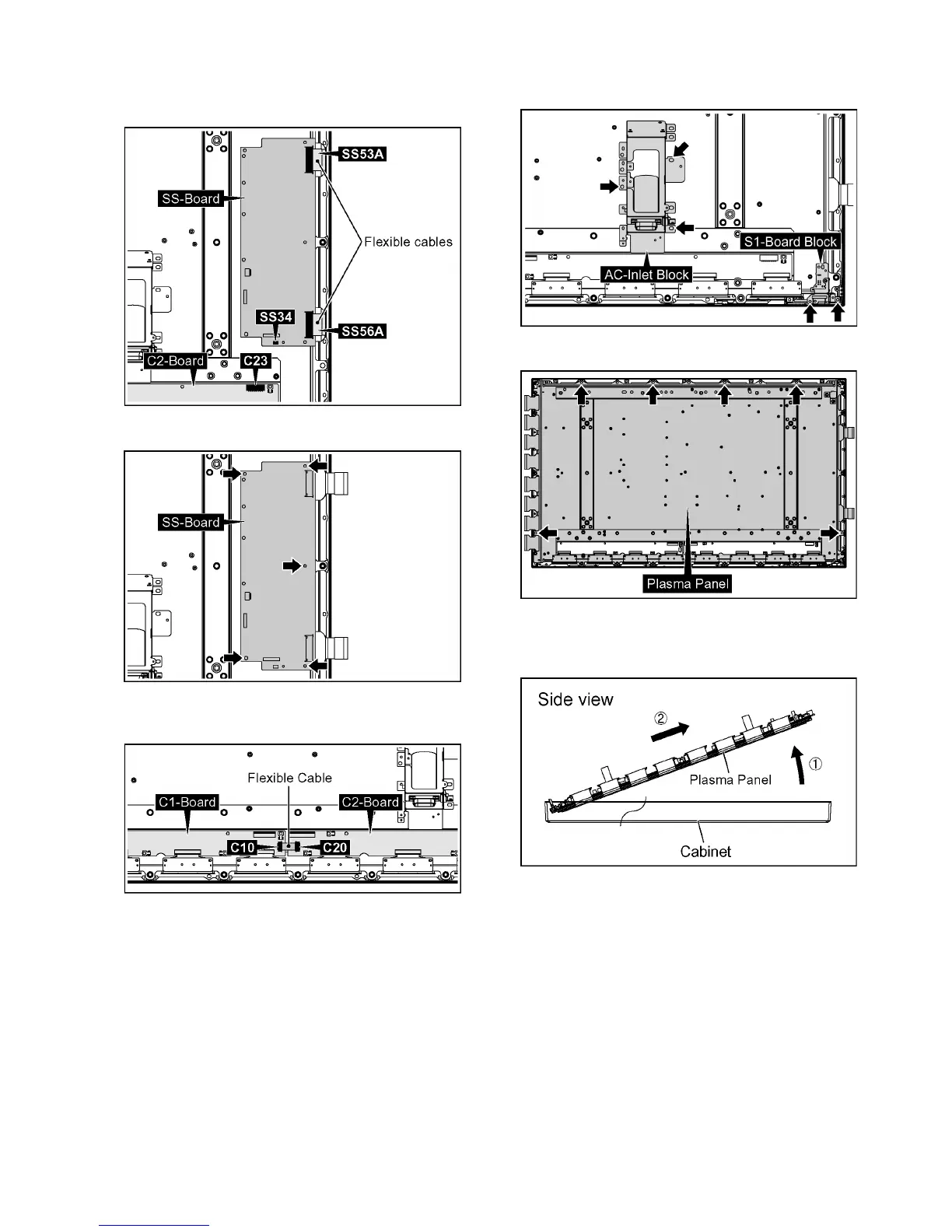
20. Disconnect the connectors (C23, SS34).
21. Remove the flexible cables from the connectors (SS53A,
SS56A).
22. Remove 5 screws and then remove SS-Board.
23. Remove the flexible cables from the connectors (C10,
C20).
24. Remove 3 screws and then remove the AC-Inlet Block.
25. Remove 2 screws and then remove the S1-Board Block.
26. Remove 6 screws.
27. Pull the bottom of the Plasma Panel forward (arrow1).
28. Slide the Plasma Panel and then remove the Plasma
Panel (arrow2).






 To Next Page