5151
1
1
4
6
2
3
5
Using Web Browser Control
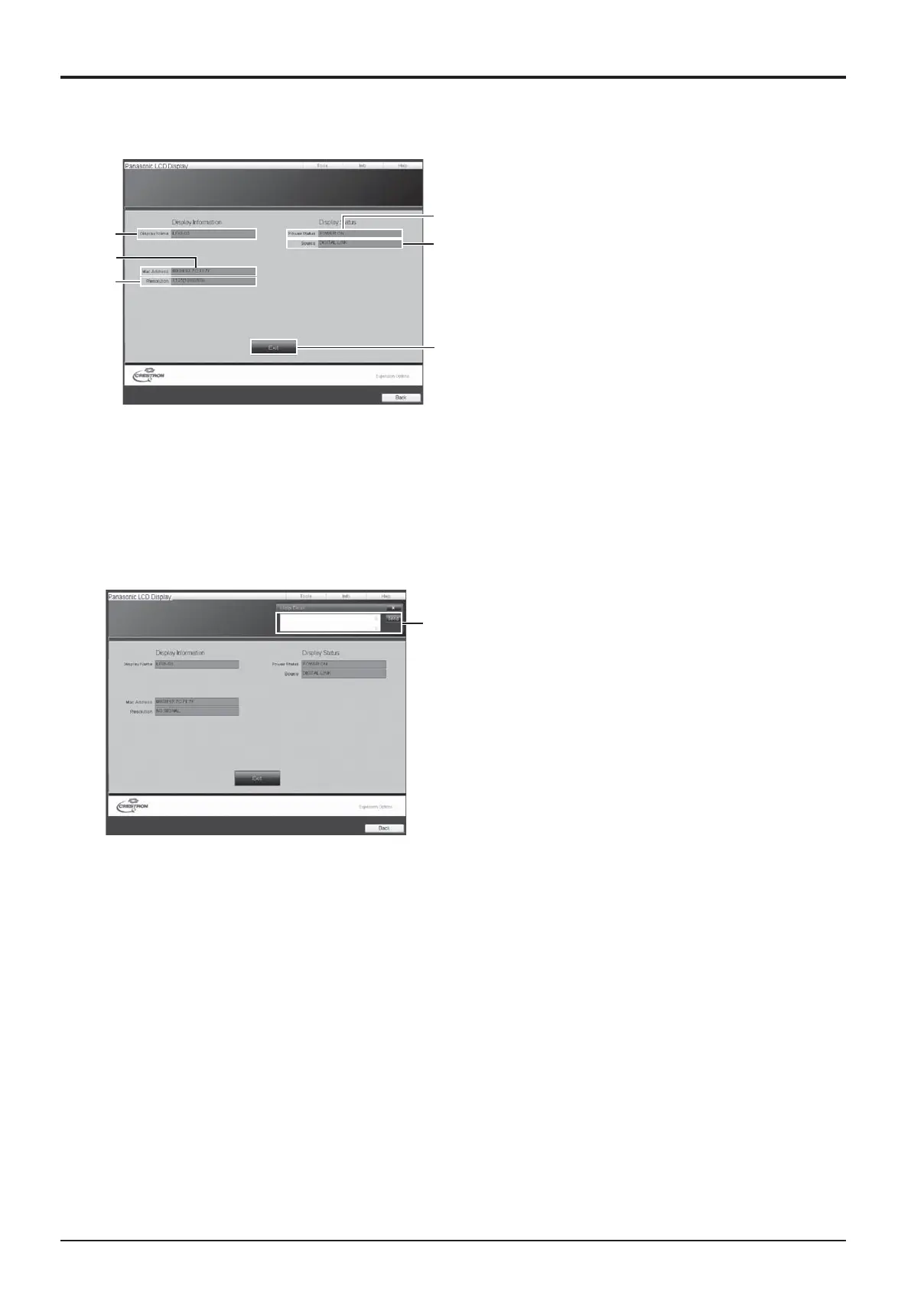
Info page
Click Info on the operation page.
1 Display name
Displays the name of the Display.
2 Mac Address
Displays the MAC address.
3 Resolution
Displays the resolution of the Display.
4 Power Status
Displays the status of the power.
5 Source
Displays the selected video input.
6 Exit
Return the operation page.
1 Help Desk
Sends or receive messages to the administrator
who uses Crestron Connected™.
Help page
Click Help on the operation page.
The Help Desk screen is displayed.







 To Next Page