EasyManua.ls Logo

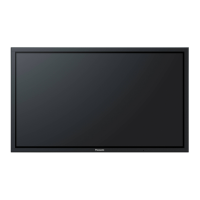
Panasonic TH-50PF20U - User Manual

Panasonic TH-50PF20U
72 pages
Print Icon
To Next Page IconTo Next Page
Loading...
TH-42PF20U
TH-50PF20U
Model No.
Operating Instructions
High De nition Plasma Display
English
Before connecting, operating or adjusting this product,
please read these instructions completely.
Please keep this manual for future reference.

Table of Contents

Other manuals for Panasonic TH-50PF20U

Questions and Answers

  • G
    Gail WilkinsonAug 11, 2025
    What to do if my Panasonic TH-50PF20U Monitor has no picture?
    • J
      Jesse AndersonAug 11, 2025
      If your Panasonic Monitor displays no picture, there might be a few reasons. First, ensure the monitor is properly plugged into the AC outlet. Second, verify that the unit is switched on by pressing the power switch or the stand-by button on the remote control. Also, check the PICTURE and BRIGHTNESS/Volume settings.
  • G
    gonzalesjoseAug 20, 2025
    Why is my Panasonic TH-50PF20U Monitor remote not working?
    • J
      Joshua CainAug 21, 2025
      If the remote control is not working with your Panasonic Monitor, there are several things to check. First, ensure that the batteries have not discharged completely and are inserted correctly. Second, make sure the remote control sensor is not exposed to outdoor light or strong fluorescent light. Finally, confirm that you are using the remote control specifically designed for use with this unit.
  • T
    Thomas DelacruzAug 30, 2025
    What to do if Panasonic TH-50PF20U power automatically turns off?
    • J
      Joshua ClarkAug 30, 2025
      If your Panasonic Monitor unexpectedly turns off, check the settings of 'PC POWER MANAGEMENT', 'DVI-D POWER MANAGEMENT' and 'AUTO POWER OFF' in the SET UP menu.

Panasonic TH-50PF20U Specifications

General IconGeneral
Screen Size50 inches
Display TypePlasma
Resolution1920 x 1080
Native Resolution1920 x 1080
Aspect Ratio16:9
Response Time0.001 ms
Viewing Angle160°
Input PortsHDMI, Component, Composite

Related product manuals