EasyManua.ls Logo

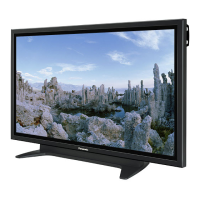
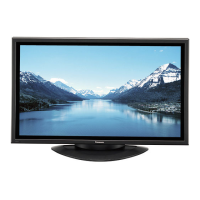
Panasonic TH-50PF50E - User Manual

Panasonic TH-50PF50E
68 pages
Print Icon
To Next Page IconTo Next Page
Loading...
Model No.
TH-42PF50E
TH-50PF50E
Operating Instructions
Display Operations
High De nition Plasma Display
Please read these instructions before operating your set
and retain them for future reference.
English

Table of Contents

Other manuals for Panasonic TH-50PF50E

Questions and Answers

  • D
    Dr. Brandy DavisAug 10, 2025
    How to fix Panasonic Monitor when I cannot see 3D images?
    • A
      Amanda PriceAug 10, 2025
      If you cannot see 3D images on your Panasonic Monitor, here are some things to check: * Ensure your 3D eyewear is switched on. * Verify that '3D Function' in '3D Settings' is set to 'On'. * Match the '3D Picture Format' in '3D Settings' to the picture format. * Confirm the 3D IR TRANSMITTER is on and correctly positioned. * Ensure there are no obstructions between the 3D IR TRANSMITTER and the 3D eyewear. * Verify you are within the operational area for the 3D eyewear. * Correct your eyesight (wear glasses, etc.) if needed.
  • H
    heatherlopezAug 20, 2025
    What to do if the indicator lamp will not light when the 3D glasses are turned ON for Panasonic Monitor?
    • C
      cdavilaAug 20, 2025
      If the indicator lamp on your 3D glasses won't light when turned on for your Panasonic Monitor, it's likely the battery is either low or completely dead. Replace the battery or charge the 3D glasses to resolve this.
  • J
    Joshua AguilarAug 30, 2025
    Why does the 3D eyewear turn off automatically with Panasonic TH-50PF50E Monitor?
    • A
      andersonbrianAug 30, 2025
      If your 3D eyewear is turning off automatically while using your Panasonic Monitor, ensure there are no obstructions between the 3D IR TRANSMITTER and the 3D Eyewear. Also, make sure the 3D Eyewear is within the designated coverage area.

Panasonic TH-50PF50E Specifications

General IconGeneral
Screen Size50 inches
Resolution1920 x 1080
Display TypePlasma
Aspect Ratio16:9
Panel TypePlasma
Native Resolution1920 x 1080
Input PortsComponent, Composite
Viewing Angle178° (Horizontal/Vertical)

Related product manuals