EasyManua.ls Logo

Panasonic TH-50PH10BK - User Manual

Panasonic TH-50PH10BK
56 pages
Print Icon
To Next Page IconTo Next Page
Loading...
T
H
-
4
2
P
S
9
TH-42PS9
Please read these instructions before operating your set
and retain them for future reference.
Model No.
Operating Instructions
Progressive Wide Plasma Display
English
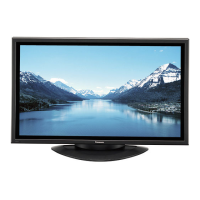
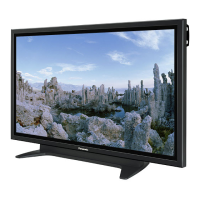
The illustration shown is an image.
TH-42PS10BK
TH-42PS10BS
Model No.
High De nition Plasma Display
TH-42PH10BK
TH-42PH10BS
TH-50PH10BK
TH-50PH10BS
TH-58PH10BK

Table of Contents

Other manuals for Panasonic TH-50PH10BK

Questions and Answers

  • K
    Keith JacobsSep 23, 2025
    Why some parts of the screen do not light up on my Panasonic Monitor?
    • B
      Brian KeySep 23, 2025
      If some parts of the screen on your Panasonic Monitor do not light up, it may be because some parts of the screen may be missing picture elements or have luminous spots. This is not a malfunction.
  • J
    Jacob RodriguezAug 25, 2025
    What to do if Panasonic Plasma TV remote control not working?
    • J
      James JacksonAug 25, 2025
      If your Panasonic Plasma TV remote control isn't working, several factors could be the cause. First, replace the batteries, as they may have discharged completely. If that doesn't work, check whether the batteries were inserted properly. Also, make sure that the remote control sensor is not exposed to an outdoor light or a strong fluorescent light. Finally, ensure you are using the remote control designed specifically for use with the unit.
  • W
    William PottsAug 25, 2025
    How to restore color on Panasonic Plasma TV?
    • K
      Kara NguyenAug 26, 2025
      If there is no color on your Panasonic Plasma TV, it may be due to the color controls being set at the minimum level. Try adjusting the color controls. Also, check the color system settings.
  • A
    Amanda LeeAug 27, 2025
    How to prevent image retention on Panasonic Plasma TV?
    • T
      Tommy ThomasAug 27, 2025
      To prevent image retention on your Panasonic Plasma TV, avoid displaying a still picture for an extended period.
  • A
    Annette OchoaAug 27, 2025
    Why does my Panasonic Plasma TV make whirring sounds?
    • T
      Tammy ScottAug 27, 2025
      The whirring sound you hear from your Panasonic Plasma TV is caused by the rotation of the fan and is not a malfunction.
  • H
    Heather FernandezSep 15, 2025
    Why does my Panasonic TH-50PH10BK Monitor make whirring sounds?
    • H
      Hannah TuckerSep 15, 2025
      The whirring sound from your Panasonic Monitor is caused by the cooling fan, which dissipates heat generated during normal use. This is normal.
  • A
    adickersonSep 13, 2025
    Why are there missing image areas when I use the zoom function on my Panasonic TH-50PH10BK?
    • H
      Heather MartinezSep 13, 2025
      When using video software with a screen wider than the 16:9 mode on your Panasonic Monitor, blank areas separate from the images are formed at the top and bottom of the screen.
  • T
    Tammy RojasSep 14, 2025
    Why does the screen darken on my Panasonic TH-50PH10BK when showing bright pictures?
    • W
      Wesley AdamsSep 14, 2025
      The screen on your Panasonic Monitor may darken slightly when bright pictures with minimal movements are shown to reduce image retention and prevent shortening the screen’s service life. This is normal.
  • A
    Ann ReyesSep 5, 2025
    How to fix no sound on my Panasonic TH-50PH10BK?
    • V
      Vincent Marshall Jr.Sep 5, 2025
      If there is no sound on your Panasonic Monitor, it might be because the mute function has been activated on the remote control. Check the remote to see if the mute function is on and deactivate it.
  • S
    shirley79Sep 2, 2025
    Why do the edges of images flicker on my Panasonic Plasma TV?
    • E
      Edwin McdanielSep 3, 2025
      The flickering edges of images on your Panasonic Plasma TV are normal due to the characteristics of the system used to drive the panel.

Panasonic TH-50PH10BK Specifications

General IconGeneral
Screen Size50 inches
Display TypePlasma
Viewing Angle160 degrees
Aspect Ratio16:9
Resolution1366 x 768
Input TerminalsDVI-D, VGA, Component, Composite

Related product manuals