EasyManua.ls Logo

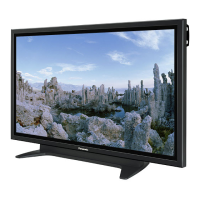
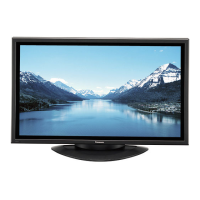
Panasonic TH-50PH30E - User Manual

Panasonic TH-50PH30E
50 pages
Print Icon
To Next Page IconTo Next Page
Loading...
h
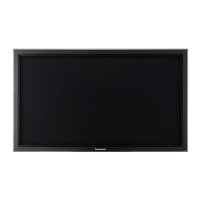
TH-50PH30E
Operating Instructions
High De nition Plasma Display
Model No.
English
Please read these instructions before operating your set
and retain them for future reference.

Other manuals for Panasonic TH-50PH30E

Questions and Answers

  • J
    Joshua CallahanAug 16, 2025
    What to do if my Panasonic TH-50PH30E has no picture?
    • S
      sabrinaglennAug 16, 2025
      If your Panasonic Monitor displays no picture, verify it is properly plugged into the AC outlet. Check by pressing the power switch or the stand-by button on the remote control to ensure the unit is switched on. You may also need to check the Picture and Brightness/Volume settings.
  • R
    Rodney CaldwellAug 19, 2025
    Why is my Panasonic TH-50PH30E remote control not working?
    • M
      matarhondaAug 19, 2025
      If your Panasonic Monitor remote control isn't working, first ensure the batteries aren't completely discharged and are inserted correctly. Also, check if the remote control sensor is exposed to outdoor light or strong fluorescent light, as this can interfere with its operation. Finally, confirm that you are using the remote control specifically designed for this unit, as it cannot be operated by any other remote.
  • K
    Kristina BellAug 22, 2025
    Why does my Panasonic TH-50PH30E power automatically turn off?
    • D
      destinytaylorAug 22, 2025
      If your Panasonic Monitor's power automatically turns off unexpectedly, examine the settings of 'PC Power management', 'DVI-D Power management', 'No signal power off' and 'No activity power off' in the Setup menu.
  • D
    Daniel RobertsAug 26, 2025
    Why can I hear sounds coming from my Panasonic TH-50PH30E Monitor?
    • F
      freyrebeccaAug 26, 2025
      If you can hear sounds coming from inside the Panasonic Monitor, this is normal. When the power is turned on, a sound of the display panel being driven may be heard: This is normal and not indicative of malfunctioning.
  • H
    Hannah JimenezAug 28, 2025
    Why do parts of my Panasonic TH-50PH30E become hot?
    • L
      Luis BakerAug 28, 2025
      If parts of your Panasonic Monitor become hot, even when the temperature of parts of the front, top and rear panels has risen, these temperature rises will not pose any problems in terms of performance or quality.
  • L
    Larry RussellAug 31, 2025
    What does it mean when the power indicator is blinking in red on my Panasonic TH-50PH30E?
    • S
      Sarah FullerAug 31, 2025
      If the power indicator on your Panasonic Monitor is blinking in red, there is possibility of malfunction. Please contact an Authorized Service Center.
  • N
    Nathan GilmoreSep 3, 2025
    Why are there missing images when I use the zoom function on my Panasonic Monitor?
    • N
      Nichole MurphySep 3, 2025
      When using a video software program (such as a cinema size program) with a screen wider than one in the 16:9 mode, blank areas separate from the images are formed at the top and bottom of the screen on Panasonic Monitor.
  • S
    Sarah WilsonSep 6, 2025
    Why does my Panasonic Monitor make a cracking sound?
    • A
      Andrew CarterSep 6, 2025
      If you sometimes hear a cracking sound from your Panasonic Monitor, and there is nothing wrong with the picture or sound, this is the sound of the cabinet undergoing very slight contractions in response to changes in the room temperature.
  • M
    Maria FosterSep 9, 2025
    Why does it take a while for the picture to appear on my Panasonic TH-50PH30E?
    • T
      Tracey OlsonSep 10, 2025
      The Panasonic Monitor digitally processes the various signals in order to reproduce esthetically pleasing images.
  • K
    Kevin PerezSep 12, 2025
    How to prevent image retention on Panasonic TH-50PH30E?
    • B
      brittanyjohnsonSep 12, 2025
      To prevent image retention on your Panasonic Monitor, do not allow a still picture to be displayed for an extended period, as this can cause a permanent image retention to remain on the Plasma Display.

Panasonic TH-50PH30E Specifications

General IconGeneral
Screen Size50 inches
Display TypePlasma
Aspect Ratio16:9
Display TechnologyPlasma
Native Resolution1920 x 1080
Viewing Angle178°
Response Time0.001 ms
InputsVGA
Power Consumption365 W

Related product manuals