EasyManua.ls Logo

Panasonic TH-50PH12L - User Manual

Panasonic TH-50PH12L
57 pages
Print Icon
To Next Page IconTo Next Page
Loading...
Before connecting, operating or adjusting this product, please read these instructions completely.
Please keep this manual for future reference.
English
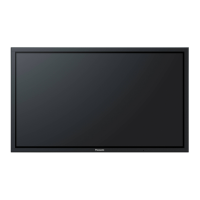
The illustration shown is an image.
TH-42PH12U
TH-50PH12U
TH-42PH12L
TH-50PH12L
Model No.
Operating Instructions
High De nition Plasma Display

Table of Contents

Questions and Answers

  • J
    John Sanford DVMAug 20, 2025
    How to prevent image retention on Panasonic TH-50PH12L Monitor?
    • T
      Tina WheelerAug 20, 2025
      To prevent permanent image retention on your Panasonic Monitor's Plasma Display, avoid displaying still pictures for extended periods. This includes logos, video games, computer images, teletext, and images in 4:3 mode. Note that image retention from fixed image use isn't covered by the warranty, as the product isn't designed for prolonged display of fixed images.
  • M
    Mary HartmanAug 22, 2025
    What to do if Panasonic TH-50PH12L Monitor remote control not working?
    • M
      Maria BlackwellAug 22, 2025
      If your Panasonic Monitor's remote control isn't working, check the following: * Ensure the batteries aren't completely discharged and are inserted correctly. * Verify the remote control sensor isn't exposed to outdoor light or strong fluorescent light. * Confirm you're using the remote control specifically designed for your unit, as it can't be operated by any other remote.
  • D
    daniel73Aug 25, 2025
    Why is there no picture or sound on my Panasonic TH-50PH12L Monitor?
    • T
      Tracy MartinezAug 25, 2025
      If your Panasonic Monitor has no picture and no sound, make sure that the monitor is plugged into the AC outlet and switched on. Also, check the PICTURE and BRIGHTNESS/Volume settings by pressing the power switch or stand-by button on the remote control.
  • K
    kanemollyAug 26, 2025
    How to fix Panasonic TH-50PH12L Monitor with picture but no sound?
    • M
      Megan GonzalesAug 26, 2025
      If your Panasonic Monitor displays a normal picture but has no sound, check the volume and ensure the mute function hasn't been activated on the remote control.
  • J
    Jason JenningsAug 27, 2025
    What to do if my Panasonic Monitor has no color but normal sound?
    • R
      rstarkAug 27, 2025
      If your Panasonic Monitor has normal sound but no color, check the color controls to ensure they are not set at the minimum level. Also check COLOR SYSTEM settings.
  • C
    Cheryl HolmesAug 29, 2025
    Why does it take a while for the picture to appear on my Panasonic TH-50PH12L Monitor?
    • E
      eric79Aug 30, 2025
      It's normal for your Panasonic Monitor to take a few moments for the picture to appear when the power is turned on, when the input has been switched, or when the images for the main picture and sub picture on the two screens are swapped. This is because the unit digitally processes the various signals to reproduce aesthetically pleasing images.
  • T
    Teresa AnthonyAug 31, 2025
    Why Panasonic TH-50PH12L makes whirring sounds?
    • A
      Amber PeckAug 31, 2025
      The whirring sound you hear from your Panasonic Monitor is due to the cooling fan, which dissipates heat generated during normal use. This is normal and not a malfunction.
  • M
    marilyn32Sep 3, 2025
    What to do if Panasonic TH-50PH12L has no picture but normal sound?
    • G
      Grant VasquezSep 3, 2025
      If your Panasonic Monitor displays only the input terminal indication with normal sound, it might be receiving a signal with a non-applicable color system format or frequency.
  • J
    Jodi NicholsSep 5, 2025
    Why does my Panasonic Monitor make cracking sounds?
    • S
      Shane JacksonSep 5, 2025
      If you sometimes hear a cracking sound from your Panasonic Monitor, and there is nothing wrong with the picture or sound, this is likely the sound of the cabinet undergoing slight contractions due to changes in room temperature. This does not affect the monitor's performance.
  • J
    Joshua ReyesSep 7, 2025
    Why can I hear sounds coming from inside my Panasonic TH-50PH12L?
    • A
      amanda58Sep 7, 2025
      When the power is turned on, a sound of the display panel being driven may be heard from your Panasonic Monitor. This is normal and not indicative of malfunctioning.

Panasonic TH-50PH12L Specifications

General IconGeneral
BrandPanasonic
ModelTH-50PH12L
CategoryMonitor
LanguageEnglish

Related product manuals