EasyManua.ls Logo

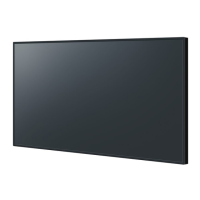
Panasonic TH-65SQ1W - User Manual

Panasonic TH-65SQ1W
150 pages
Print Icon
To Next Page IconTo Next Page
Loading...
EU
Operating Instructions
Functional Manual
UHD LCD Display For business use
Model No. TH-98SQ1W
98-inch model
TH-86SQ1W
86-inch model
TH-75SQ1W
75-inch model
TH-65SQ1W
65-inch model
TH-55SQ1W
55-inch model
TH-49SQ1W
49-inch model
English
Please read these instructions before operating your set
and retain them for future reference.
DPQP1288ZC/X1TP0819TS2060 -PB
*Actual resolution:
3840 × 2160p

Table of Contents

Other manuals for Panasonic TH-65SQ1W

Questions and Answers

  • G
    Garrett McbrideAug 20, 2025
    Why are there black bars on my Panasonic TH-65SQ1W?
    • S
      Steven BrownAug 20, 2025
      If there are areas at the top and bottom of the screen where picture is not displayed when using a video software program with a screen wider than one in the 16:9 mode, blank areas separate from the images are formed at the top and bottom of the screen.
  • A
    April SanchezAug 22, 2025
    What to do if my Panasonic Monitor has no picture and no sound?
    • D
      Debbie McintoshAug 22, 2025
      If your Panasonic Monitor is displaying no picture and producing no sound, there are several potential causes: * It may not be plugged into the AC outlet. * It may not be switched on. * There may be an issue with the Picture and Brightness/Volume settings. To resolve these issues, check the power cord to ensure it's properly connected to a functioning AC outlet. Then, verify that the monitor is switched on by pressing the or the button. Finally, check the Picture and Brightness/Volume settings by pressing the or the button.
  • T
    tracy69Aug 25, 2025
    How to fix no sound on my Panasonic TH-65SQ1W with a normal picture?
    • S
      solistimothyAug 25, 2025
      If you have a normal picture but no sound on your Panasonic Monitor, the issue might be with the volume settings. Check whether the mute function has been activated on the remote control.
  • P
    pramseyAug 26, 2025
    Why does my Panasonic TH-65SQ1W Monitor power off automatically?
    • M
      Mackenzie Hamilton MDAug 27, 2025
      Your Panasonic Monitor might be turning off unexpectedly due to power management settings. Check the settings for [No signal power off], [HDMI1 power management], [HDMI2 power management], [DisplayPort power management], [DIGITAL LINK power management], [DVI-D power management], [PC power management] and [No activity power off]. One of these settings may be set to [On (Enable)].
  • M
    Michelle MckenzieAug 28, 2025
    How to fix a cut-off picture on my Panasonic TH-65SQ1W?
    • A
      Anthony SmithAug 28, 2025
      If the top or bottom of the picture on your Panasonic Monitor screen is cut off, adjust the position of the picture on the screen.
  • S
    Sarah BeckAug 30, 2025
    Why is there no picture or sound from the DIGITAL LINK terminal on my Panasonic Monitor?
    • P
      Patrick MurrayAug 30, 2025
      If there is no picture displayed or sound output from the [DIGITAL LINK] terminal on your Panasonic Monitor, check whether the connection has been made properly between the video (output) equipment and twisted pair cable transmitter and between the twisted pair cable transmitter and this product.
  • J
    John HudsonSep 1, 2025
    Why is the RS-232C uncontrollable on my Panasonic TH-65SQ1W?
    • C
      Christopher GonzalezSep 1, 2025
      If the RS-232C is uncontrollable on your Panasonic Monitor, check whether the connection has been made properly.
  • J
    Jennifer RobinsonSep 3, 2025
    Why can't I play a file with 'Memory viewer' on my Panasonic TH-65SQ1W Monitor?
    • W
      wfrankSep 3, 2025
      If a file can be played back with “USB media player” but not with “Memory viewer” on your Panasonic Monitor, check the playback file specifications of “USB media player” and “Memory viewer.”
  • D
    dawn34Sep 5, 2025
    What to do if a display error such as “no picture” occurs, or remote control operation is suddenly disabled on my Panasonic TH-65SQ1W?
    • P
      Pamela GarzaSep 5, 2025
      If you encounter a display error or disabled remote control, remove the power plug from the socket outlet. Then, reinsert it after 5 seconds or more to turn the power back on.
  • A
    Alexis MillerSep 7, 2025
    What to do if there is no picture displayed or sound output sometimes on Panasonic Monitor?
    • T
      Tammy MorrisSep 7, 2025
      If you're using a selector or distributor with HDMI or DVI signals, try turning the power off and on again. Alternatively, replace the selector or distributor to see if that improves the situation.

Summary

Before use

Important Safety Instructions

FCC STATEMENT

Important Safety Notice

Safety Precautions

Precautions for use

Cautions when installing

Guidelines for safe installation of the display.

Cautions when moving

Eyebolt

Connections

AC cord connection and fixing; Cable fixing

How to connect and secure the AC power cord and cables.

Video equipment connection

Panasonic TH-65SQ1W Specifications

General IconGeneral
Screen Size65 inches
Resolution3840 x 2160
Panel TypeIPS
Contrast Ratio1200:1
Refresh Rate60 Hz
Operating SystemNo
VESA Mounting400 x 400 mm
DVI-DNo
VGANo
Power Consumption200 W
Response Time8 ms
Viewing Angle178°
HDMIHDMI x 3
DisplayPortDisplayPort x 1
USB2 x USB 2.0
Built-in SpeakersYes
Color GamutsRGB
Audio OutYes (optical audio output)

Related product manuals