© Panasonic Corporation 2010
Unauthorized copying and distribution is a violation
of law.
Order Number MTNC101081CE
B34 Canada: B62
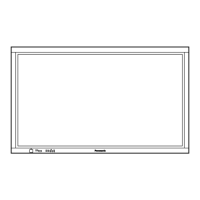
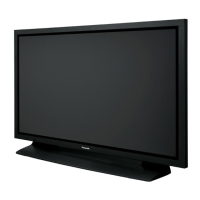
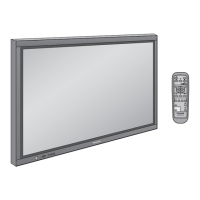
High Definition Plasma Display
Model No. TH-65PF20U
GPF13D Chassis
TABLE OF CONTENTS
PAGE PAGE
1 Safety Precautions----------------------------------------------- 3
1.1. General Guidelines---------------------------------------- 3
2 Warning-------------------------------------------------------------- 4
2.1. Prevention of Electrostatic Discharge (ESD)
to Electrostatically Sensitive (ES) Devices---------- 4
2.2. About lead free solder (PbF)---------------------------- 5
3 Service Navigation ----------------------------------------------- 6
3.1. Service Hint ------------------------------------------------- 6
3.2. Applicable signals ----------------------------------------- 7
4 Specifications ----------------------------------------------------- 9
5 Operating Instructions-----------------------------------------10
6 Service Mode -----------------------------------------------------12
6.1. CAT (Computer Aided Test) mode -------------------12
6.2. IIC mode structure (following items value is
sample data) -----------------------------------------------16
7 Troubleshooting Guide ----------------------------------------17
7.1. Self Check--------------------------------------------------17
7.2. No Power ---------------------------------------------------19
7.3. No Picture --------------------------------------------------19
7.4. Local screen failure-------------------------------------- 20
8 Service Fixture & Tools --------------------------------------- 21
8.1. SC jig-------------------------------------------------------- 21
9 Disassembly and Assembly Instructions--------------- 22
9.1. Removal of Rear Cover -------------------------------- 22
9.2. Removal of Slot Block ---------------------------------- 22
9.3. Removal of DS-Board----------------------------------- 22
9.4. Removal of HX-Board----------------------------------- 22
9.5. Removal of A-Board------------------------------------- 23
9.6. Removal of PB-Board----------------------------------- 23
9.7. Removal of Fan------------------------------------------- 23
9.8. Removal of P(MAIN)-Board --------------------------- 24
9.9. Removal of P(SUS)-Board----------------------------- 24
9.10. Removal of AC Inlet Assy------------------------------ 24
9.11. Removal of Speaker Terminal Block ---------------- 24
9.12. Removal of SU-Board and SD-Board--------------- 25
9.13. Removal of SC-Board----------------------------------- 25
9.14. Removal of SS-Board----------------------------------- 25
9.15. Removal of SS3-Board --------------------------------- 26

 Need help?
 General





 To Next Page
