English - 6 -
Features
• Remote controlled colour TV
• Fully integrated digital terrestrial/cable/satellite TV
(DVB-T-T2/C/S-S2)
• HDMI inputs to connect other devices with HDMI
sockets
• USB input
• OSD menu system
• Scart socket for external devices (such as DVD
Players, PVR, video games, etc.)
• Stereo sound system
• Teletext
• Headphone connection
• Automatic programming system
• Manual tuning
• Automatic power down after up to eight hours
• Sleep timer
• Child lock
• Automatic sound mute when no transmission
• NTSC playback
• AVL (Automatic Volume Limiting)
• PLL (Frequency Search)
• PC input
• Game Mode (Optional)
•
Accessories Included
• Remote Control
• Batteries: 2 x AA
• Instruction Book
• Detachable stand
• Stand mounting screws (M4 x 12)
If the TV does not receive any input signal (e.g. from
an aerial or HDMI source) for 3 minutes, it will go
into standby. When you next switch-on, the following
message will be displayed: “TV switched to stand-by
mode automatically because there was no signal
for a long time.”
The Auto TV OFF option(in the Settings>System
>More menu) could have been set to a value between
1 and 8 hours by default. If this setting is not set as
and the TV has been left on and not been operated
during the set time, it will switch into standby mode
after the set time has expired. When you next switch-on
the TV, the following message will be displayed. “TV
switched to stand-by mode automatically because
no operation was made for a long time.” Before the
TV switches into standby mode a dialogue window will
be displayed. If you do not press any button the TV
will switch into the standby mode after a waiting period
of about 5 minutes. You can highlight Yes and press
OK to switch the TV into standby mode immediately.
If you highlight No and press OK, the TV will remain
on. You can also choose to cancel the Auto TV OFF
function from this dialogue. Highlight Disable and
press OK, the TV will remain on and the function will
be cancelled. You can enable this function again by
changing the setting of the Auto TV OFF option from
the Settings>System>More menu.
TV Control Switch & Operation
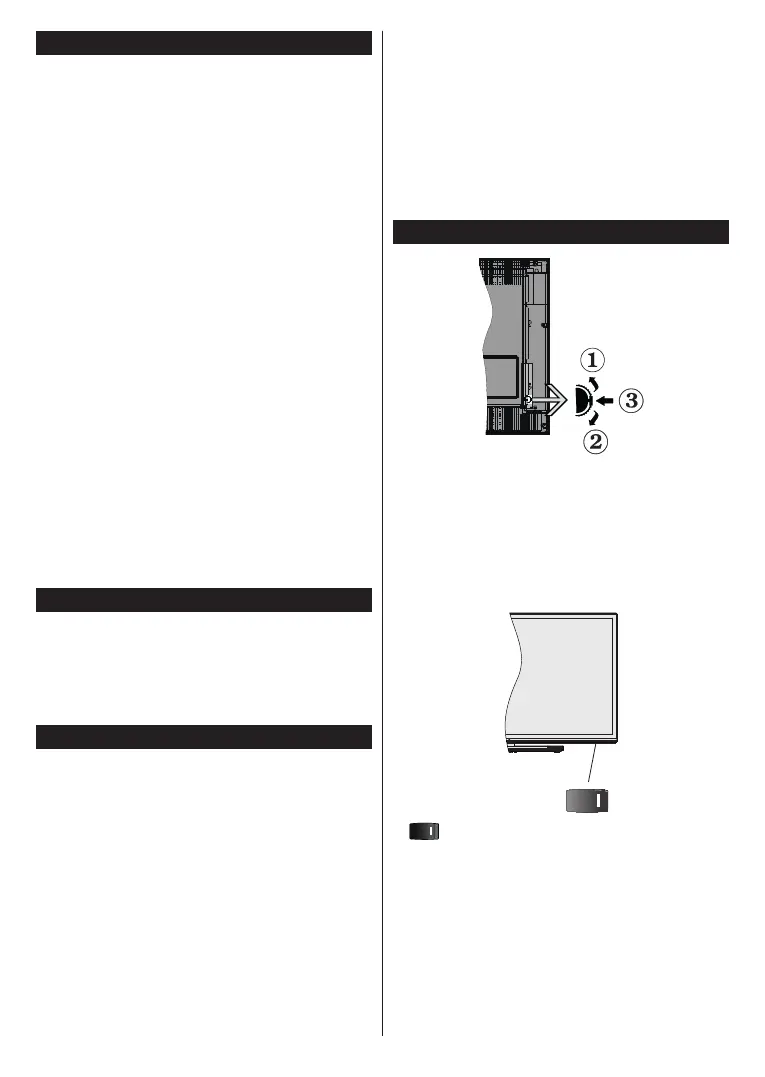
1. Up direction
2. Down direction
3.
The Control button allows you to control the Volume
/ Programme / Source and Standby-On functions of
the TV.
Note: The position of the power switch may dier depending
on the model.
To change volume: Increase the volume by pushing
the button up. Decrease the volume by pushing the
button down.
To change channel: Press the middle of the button
in, the information banner will appear on the screen.
Scroll through the stored channels by pushing the
button up or down.








 To Next Page