33
Choosing Surround Pro Logic mode allows three possible modes of operation : Normal, Phantom or 3Stereo.
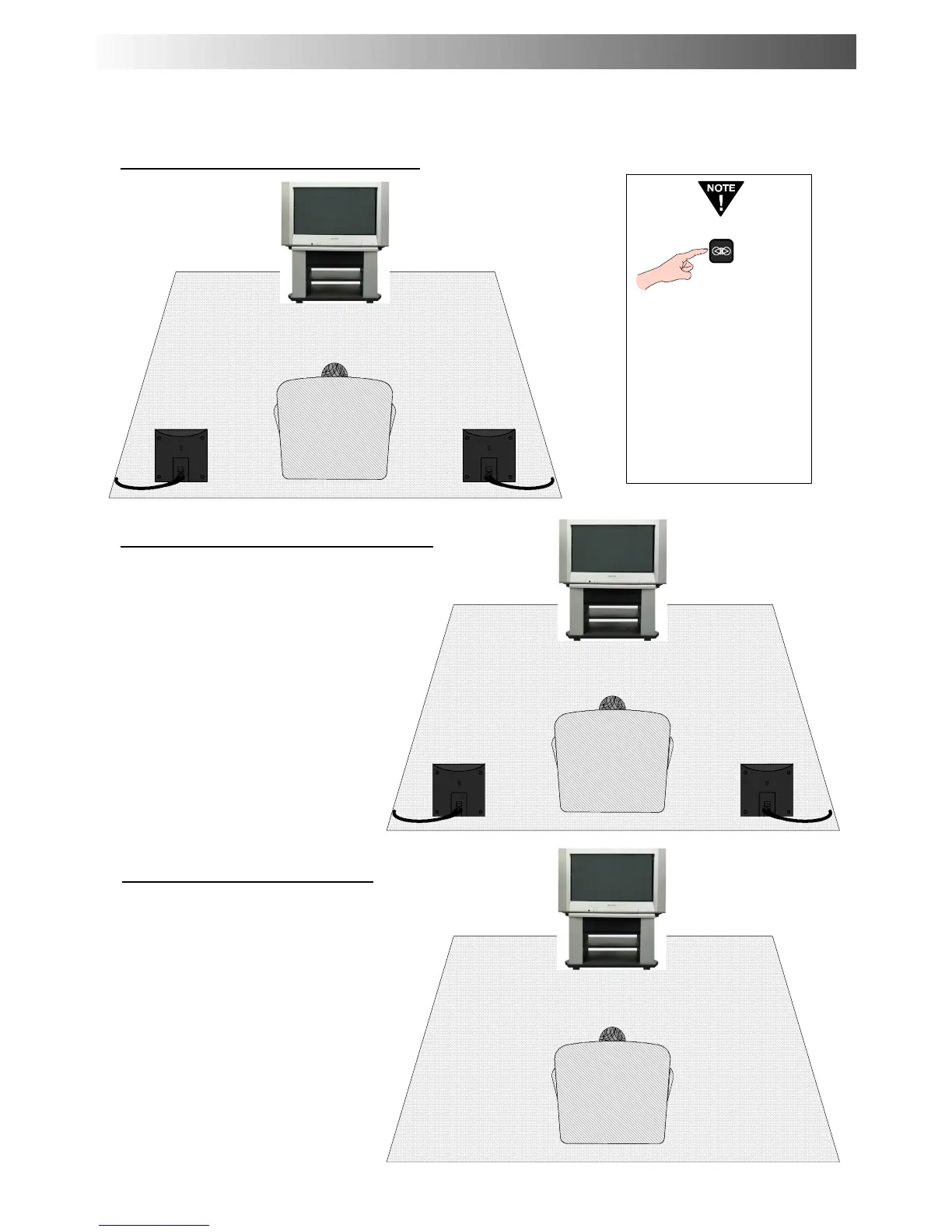
Dolby Pro Logic Normal Centre mode
Dolby Pro Logic Phantom Centre mode
Pressing the Surround
switch will switch the
surround mode into 2
channel stereo only
(and vice---versa).
When the Surround
function is switched to
the Off position, it will
allow a Balance control
as an extra option in the
sound menu.
Right Rear
Surround Speaker
Left Rear
Surround Speaker
Right Rear
Surround Speaker
Left Rear
Surround Speaker
Phantom mode u ses only the TV’s speakers
to reproduce the left, right and centre
information. Use Phantom mode if the TV is
to be used without the centre speaker
connecte d.
Dolby Pro Logic 3Stereomode
This is the best mode to use if rear speakers
are not connected. When using this m ode,
the surround inf ormation is redirected to the
frontleftandrightspeakers.
PRO LOGIC MODE




 To Next Page