English
14
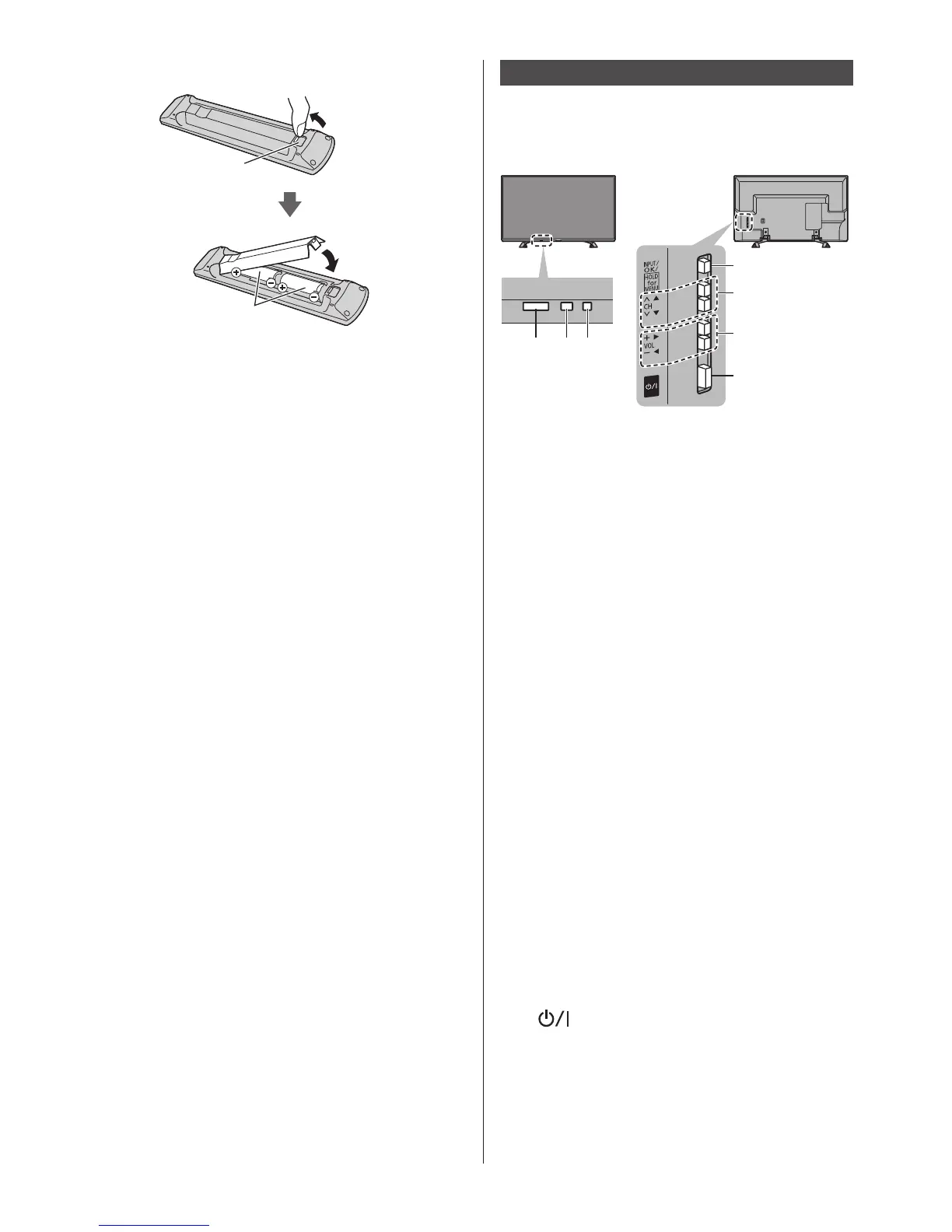
■ Installing / Removing batteries
Pullopen
Hook
Notethecorrect
polarity(+or-)
Close
Indicator / Control panel
●
Whenpressing4,5,6buttons,thecontrolpanel
guideappearsontherightsideofthescreenfor
3secondstohighlightwhichbuttonhasbeen
pressed.
5
6
7
4
1 2 3
RearsideoftheTV
1 Remote control signal receiver
●
DonotplaceanyobjectsbetweentheTVremote
controlsignalreceiverandremotecontrol.
2 Ambient sensor
●
Sensesbrightnesstoadjustpicturequalitywhen
[AmbientSensor]inthePictureMenuissetto
[On].
3 Power LED
Red:Standby
Green:On
Orange: Standbywithsomefunctions(recording,
etc.)active
●
TheLEDblinkswhentheTVreceivesacommand
fromtheremotecontrol.
4 Input mode selection
●
Pressrepeatedlyuntilyoureachthedesiredmode.
[Main Menu]
●
Pressandholdforabout3secondstodisplaymain
menu.
OK(wheninthemenusystem)
5 Channel Up / Down
●
CursorUp/Down(wheninthemenusystem)
6 Volume Up / Down
●
CursorLeft/Right(wheninthemenusystem)
7 Mains power On / Off switch
●
Usetoswitchthemainspower.
●
ToturnOfftheapparatuscompletely,youmustpull
themainsplugoutofthemainssocket.
●
[
]:Standby/On





 To Next Page